In cybersecurity operations, reconnaissance and scanning are crucial initial steps that help assess the security posture of networks, systems, and applications.
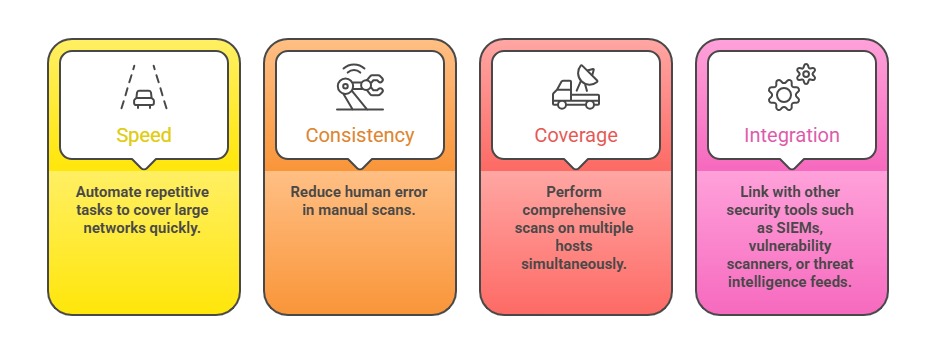
Automating these processes enhances efficiency, consistency, and coverage, allowing security professionals and penetration testers to perform rapid, large-scale assessments with minimal manual effort.
Common scripting languages like Python, Bash, and PowerShell provide robust capabilities for automating a variety of scanning tasks, from port and service discovery to vulnerability enumeration.
By leveraging these scripting tools, organizations can streamline their security workflows, respond faster to threats, and maintain continuous security monitoring.
Importance of Automation in Recon and Scanning
Common use cases: Port scanning to identify live hosts and open ports, as well as service detection and enumeration to determine running applications and their versions.
They also involve subdomain or domain discovery, web application reconnaissance to map site structures and functionalities, and performing vulnerability checks or exploit attempts to assess security weaknesses.
Python for Recon & Scans
Python is widely used in cybersecurity due to its readability, extensive libraries, and community support.
Basic Python Techniques:
1. Network Scanning with socket and scapy:
socket library allows TCP/UDP communication and port checks.
scapy enables crafting custom packets for advanced network interactions.
2. Automation with subprocess: Run external tools like Nmap, Nikto, or custom scripts from Python.
3. Web Requests in Reconnaissance: Use requests or http.client for automating HTTP/HTTPS checks and crawling.
Sample Python Snippet (Port Scanner):
import socket


def scan_port(host, port):

    sock = socket.socket(socket.AF_INET, socket.SOCK_STREAM)

    sock.settimeout(1)

    result = sock.connect_ex((host, port))

    return result == 0


host = "192.168.1.1"

for port in range(1, 1024):

    if scan_port(host, port):

        print(f"Port {port} is open")
Bash for Recon & Scans
Bash scripts are lightweight and effective for automating system commands and integrating existing tools on Linux/Unix systems.
Common Bash Tasks:
1. Running Nmap or Masscan for large network scans.
2. Automating the fetching of DNS records or WHOIS information.
3. Batch processing IP or subnet ranges.
4. Cron jobs for scheduled scans.
Example Bash Script (Basic Port Scan)
#!/bin/bash

network="192.168.1"

for ip in {1..254}

do

  for port in 22 80 443

  do

    nc -z -w1 $network.$ip $port && echo "Open: $network.$ip:$port"

  done

done
PowerShell for Recon & Scans
PowerShell provides deep system access on Windows and can leverage Windows-native security tools and APIs.
Key Capabilities:
1. Using Test-NetConnection for port scanning.
2. Querying DNS, Active Directory, and network configurations.
3. Automating Vulnerability Scanning using modules like PowerShellGet or third-party tools.
4. Integration with Windows Event Logs for monitoring.
Sample PowerShell Port Check:
$host = "192.168.1.1"

$ports = 80, 443, 22

foreach ($port in $ports) {

    $result = Test-NetConnection -ComputerName $host -Port $port -InformationLevel Quiet

    if ($result) { Write-Output "Port $port is open" }

}
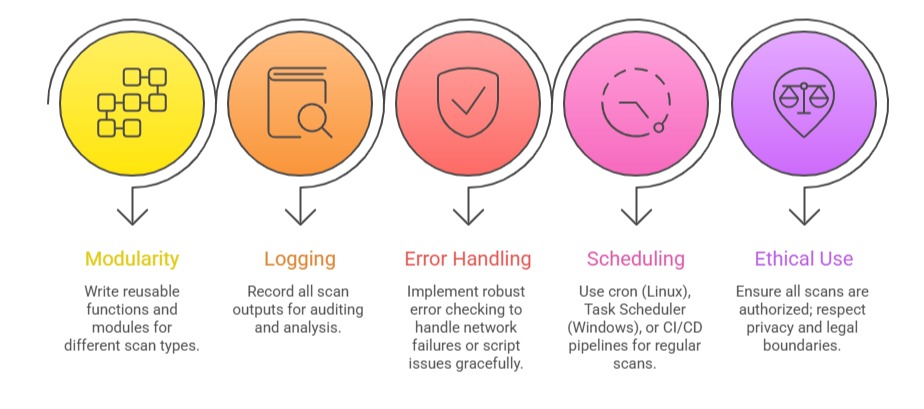
Best Practices for Automation