After inspecting your dataset, the next practical skill is knowing how to select and filter the exact data you need. Real-world datasets can have hundreds of columns and thousands of rows, you rarely need all of it at once.
Pandas provides two powerful indexing methods, .loc[] and .iloc[], that allow you to precisely select rows, columns, or specific cells from a DataFrame.
Understanding the difference between these two and knowing when to use each one is a fundamental skill for any data analyst.
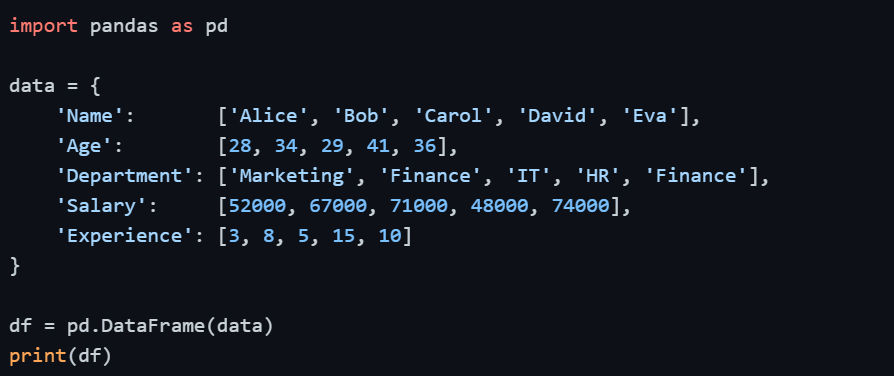
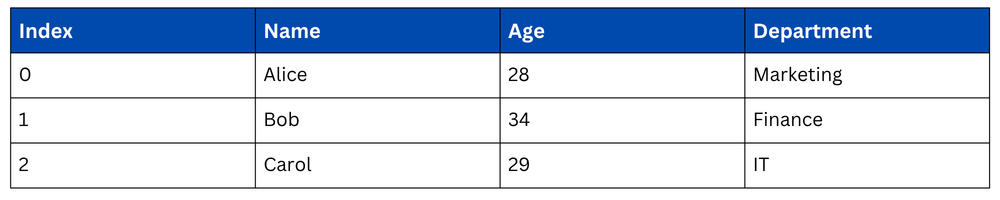
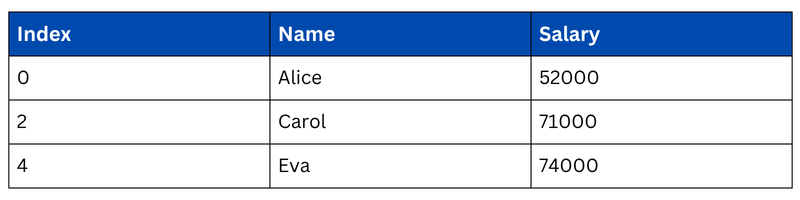
Setting Up — Sample DataFrame
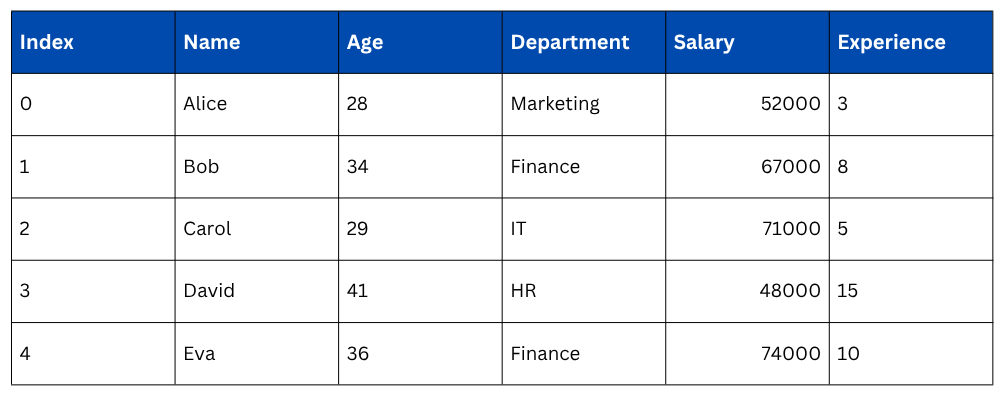
Output
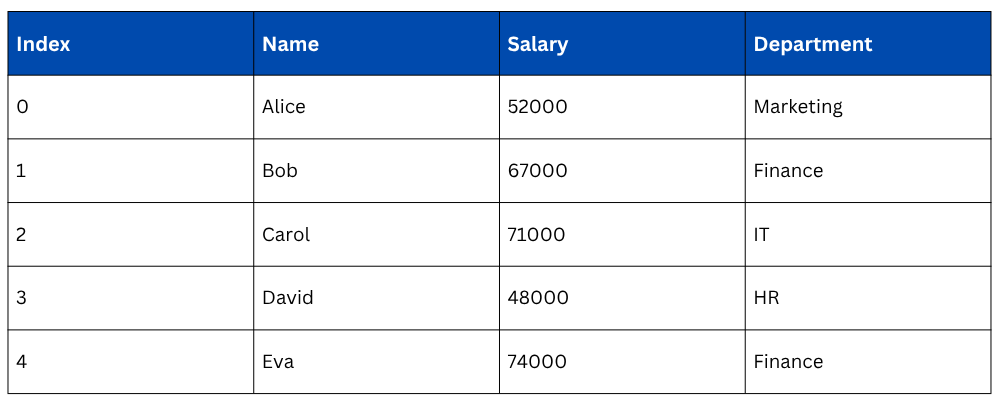
 Selecting Columns — Basic Selection
Before jumping into .loc[] and .iloc[], it's important to know how to select columns directly — the simplest form of data selection in Pandas.
.png)
Output of multiple column selection
.loc[] — Label-Based Selection
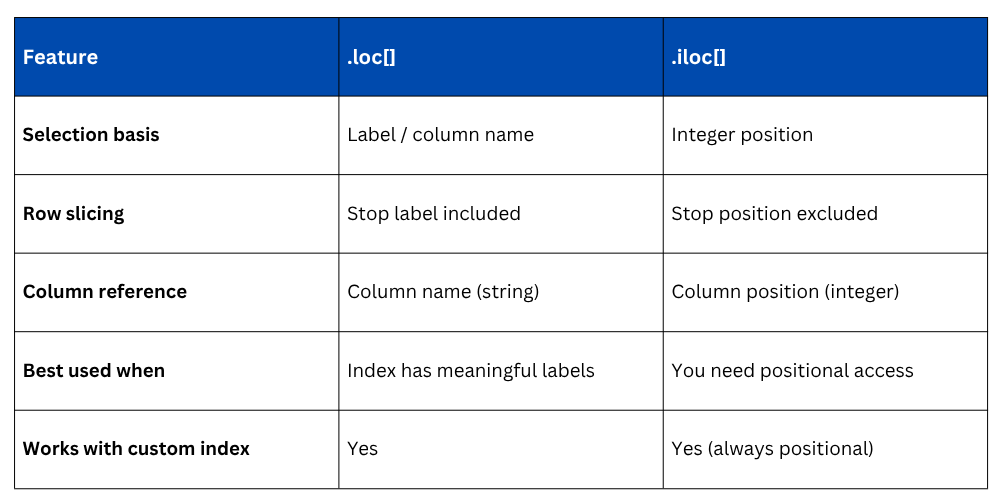
.loc[] selects data using row labels (index) and column names. The syntax is straightforward, you provide the row label(s) first, then the column name(s). It is inclusive on both ends, meaning the stop label is included in the result.

Selecting a Single Row


Selecting Specific Rows and Columns

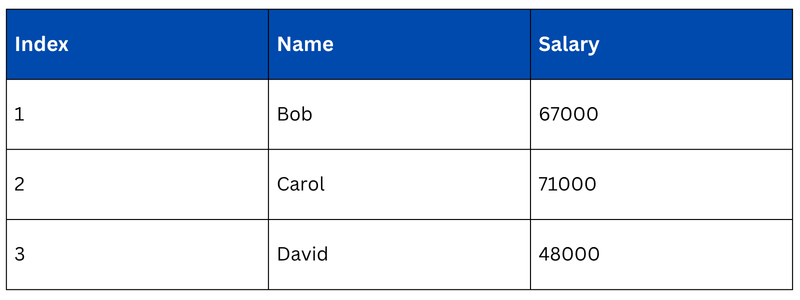
Selecting All Rows for Specific Columns

Selecting a Single Cell

.iloc[] — Position-Based Selection
.iloc[] selects data using integer positions (0-based index), similar to how you index Python lists. Unlike .loc[], it follows standard Python slicing rules where the stop position is excluded.

Selecting a Single Row by Position

.png)
Selecting Rows and Columns by Position

Selecting Specific Rows and Columns by Position

Selecting a Single Cell

.loc[] vs .iloc[] — Key Differences
Understanding when to use each method saves a lot of confusion, especially when working with custom or non-default indexes.
Filtering Rows — Conditional Selection
Beyond selecting by labels or positions, you often need to filter rows based on conditions — for example, selecting only employees in the Finance department or those earning above a certain salary.
This is done by passing a boolean condition inside df[] or combining it with .loc[].=
Single Condition

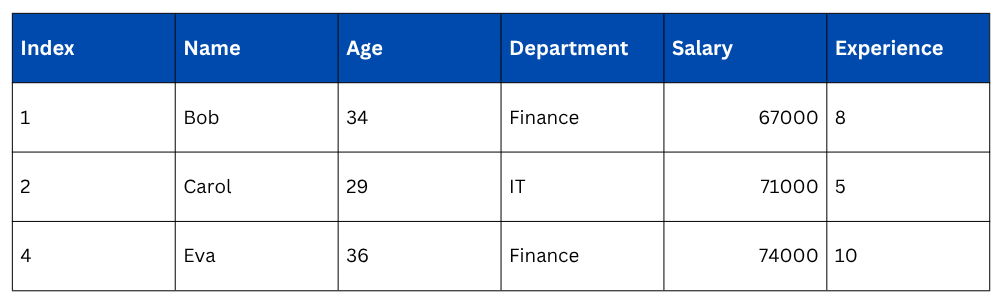
Multiple Conditions
Use & for AND, | for OR, and wrap each condition in parentheses.

Filtering with .loc[]
Combining conditions with .loc[] lets you filter rows and select specific columns at the same time, which is more efficient and cleaner.

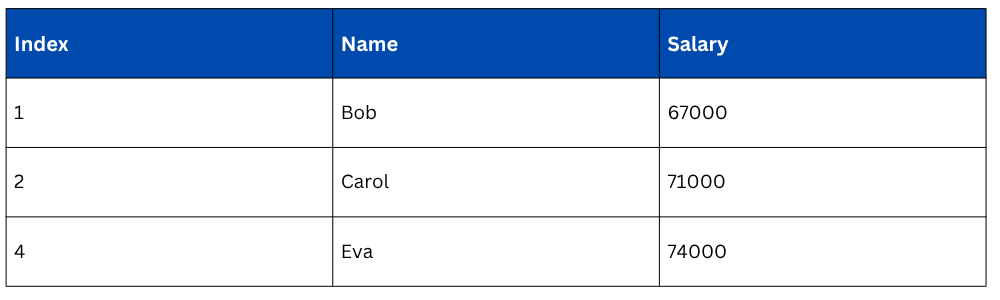
Filtering with .isin()
When you want to match against multiple values in a column, .isin() is cleaner than chaining multiple OR conditions.
.png)

Class Sessions
Sales Campaign

We have a sales campaign on our promoted courses and products. You can purchase 1 products at a discounted price up to 15% discount.