Programs need to make decisions and repeat tasks, these are fundamental capabilities that make code intelligent and efficient.
Conditional statements allow your program to choose different paths based on specific conditions, while loops enable repetition without writing the same code dozens of times.
Together, they form the control flow of your programs, determining which code runs, when it runs, and how many times.
Conditional Statements: Making Decisions
Conditional statements enable your code to respond differently based on varying circumstances. They're the "if-then" logic that makes programs adaptable.
The if Statement
The most basic conditional checks a single condition and executes code only when that condition is true:
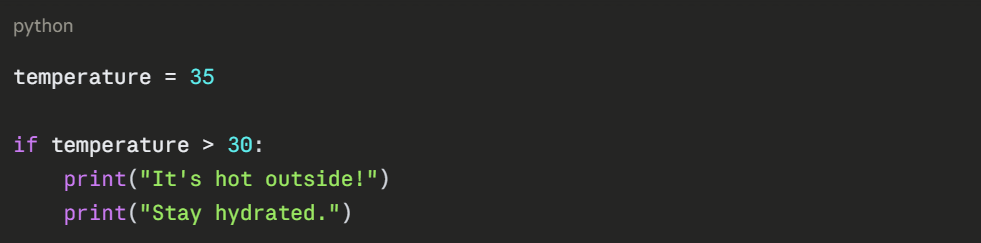
Key Points:
1. The condition temperature > 30 is evaluated as True or False.
2. The colon : marks the end of the condition.
3. Indentation (4 spaces) defines which code belongs to the if block.
4. If the condition is False, the indented code is skipped entirely.
The if-else Statement
Often you need one action when a condition is true and a different action when it's false:
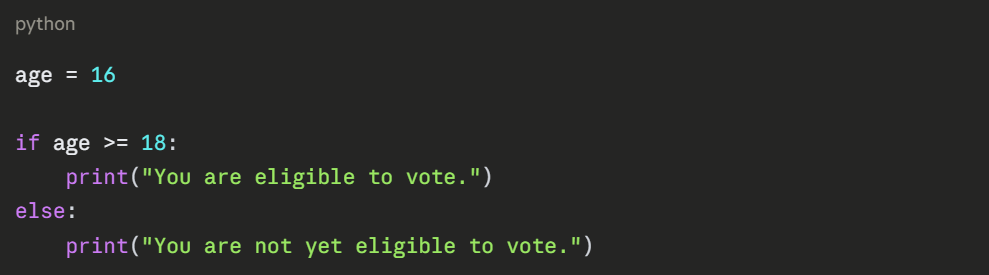
The else block provides an alternative path—exactly one of the two blocks will execute.
The if-elif-else Statement
When you have multiple conditions to check, use elif (short for "else if"):
python
score = 85
if score >= 90:
grade = "A"
print("Excellent work!")
elif score >= 80:
grade = "B"
print("Good job!")
elif score >= 70:
grade = "C"
print("Fair performance.")
elif score >= 60:
grade = "D"
print("Needs improvement.")
else:
grade = "F"
print("Failed. Please retry.")
print(f"Your grade is: {grade}")
How It Works:
1. Python checks conditions from top to bottom.
2. The first True condition executes its block.
3. All subsequent conditions are skipped.
4. If no condition is True, the else block runs (if present).
Nested Conditionals
You can place conditional statements inside other conditionals for complex logic:
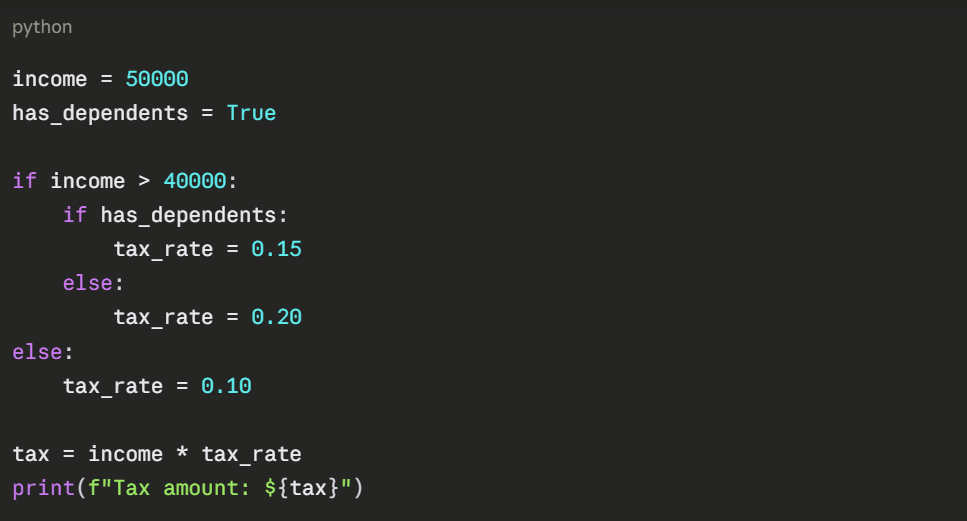
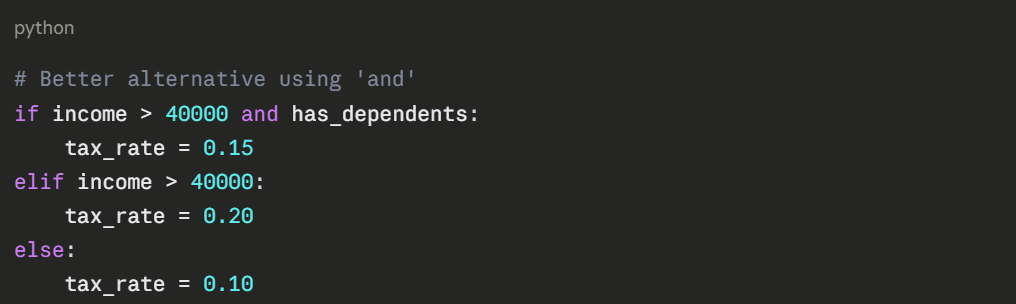
While nesting works, excessive nesting reduces readability. Try to keep logic as flat as possible using logical operators when appropriate:
Conditional Expressions (Ternary Operator)
For simple conditions, Python offers a one-line syntax:

This is equivalent to:
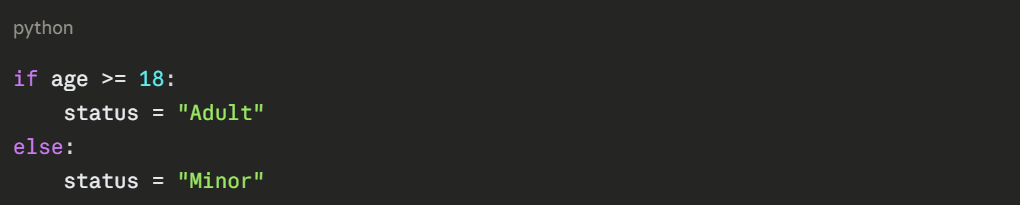
Use this for simple assignments, but avoid it for complex logic where readability suffers.
Loops: Repeating Actions
Loops execute the same block of code multiple times, essential for processing datasets, performing calculations, and automating repetitive tasks.
The for Loop
The for loop iterates over a sequence (list, range, string, etc.), executing code for each item:
Looping Through a Range

The range() function generates numbers:
1. range(5) produces 0, 1, 2, 3, 4
2. range(1, 6) produces 1, 2, 3, 4, 5
3. range(0, 10, 2) produces 0, 2, 4, 6, 8 (step of 2)
Looping Through a List

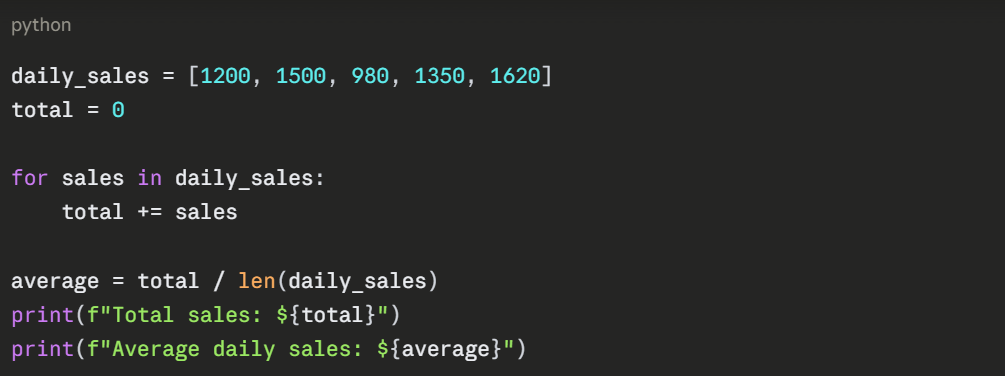
Practical Example: Calculating Total Sales
The while Loop
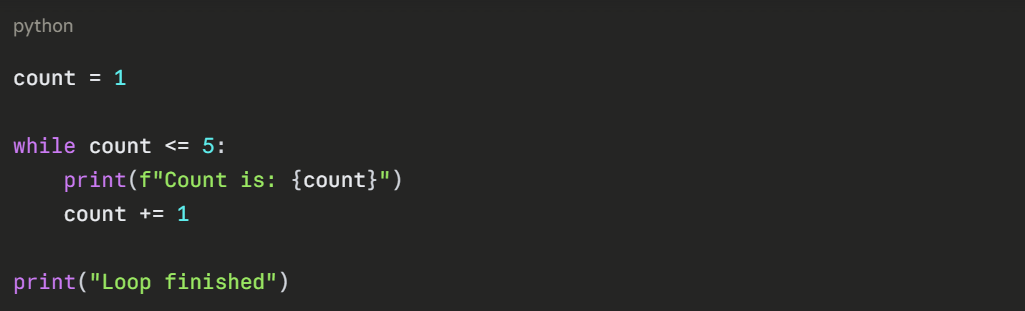
The while loop continues executing as long as a condition remains true:
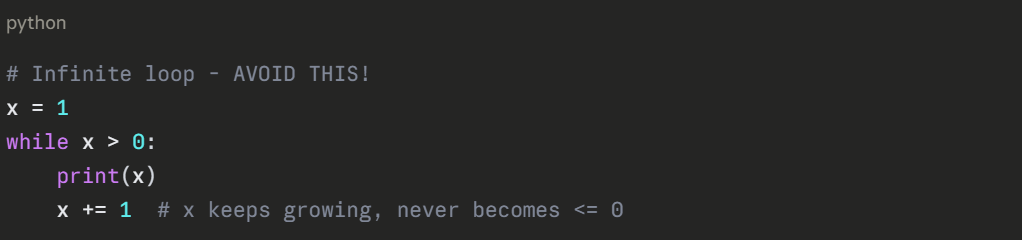
Critical Warning: Always ensure the condition eventually becomes false, or you'll create an infinite loop:
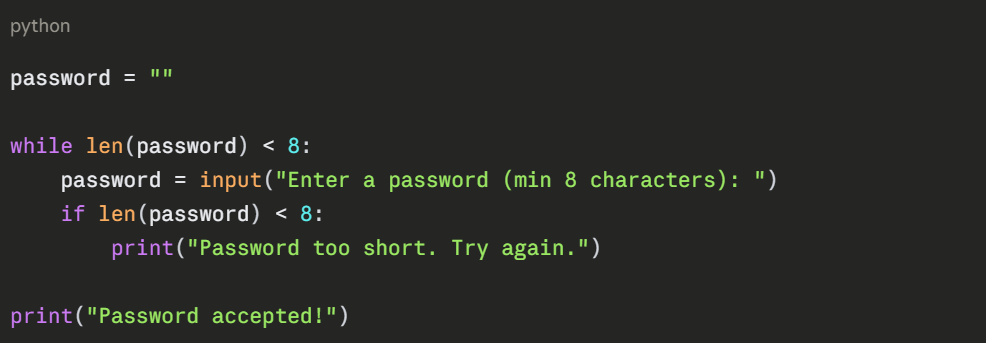
Practical Use Case: User Input Validation
Loop Control Statements
Python provides special keywords to modify loop behavior mid-execution.
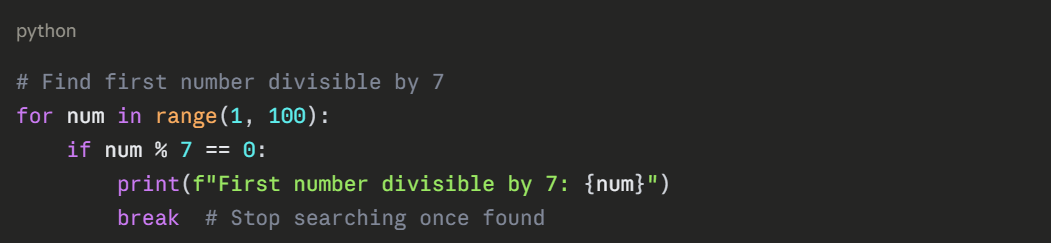
break: Exit the Loop
The break statement immediately terminates the loop:
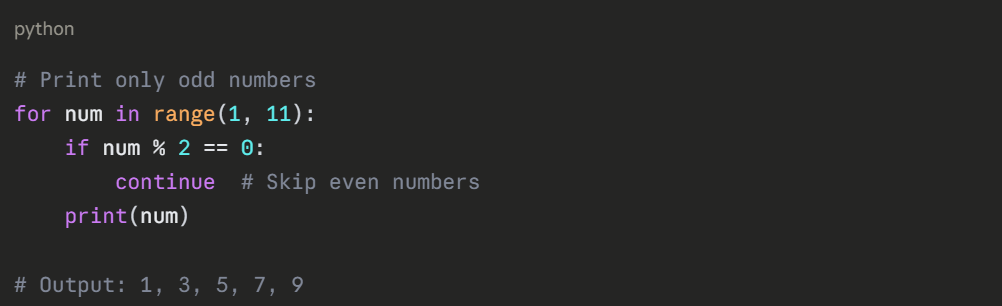
continue: Skip to Next Iteration
The continue statement skips the remaining code in the current iteration and moves to the next one:
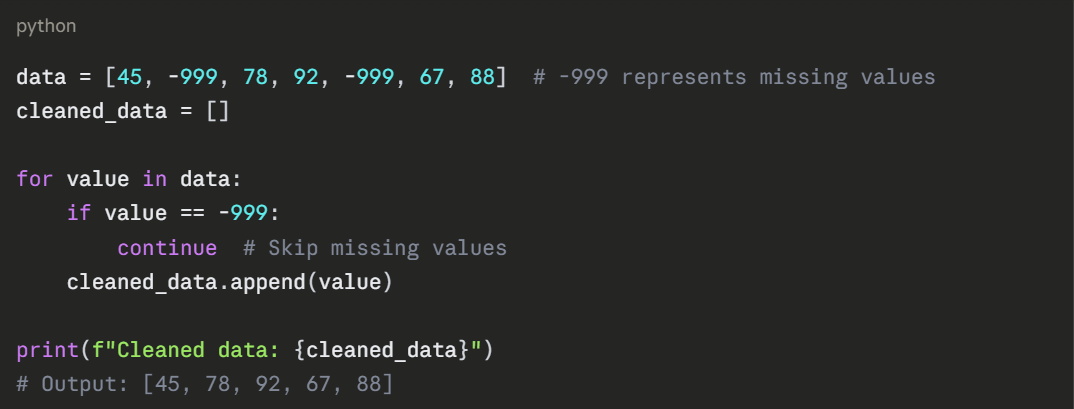
Practical Example: Data Cleaning
else with Loops
Python allows an else clause with loops—it executes when the loop completes normally (not via break):
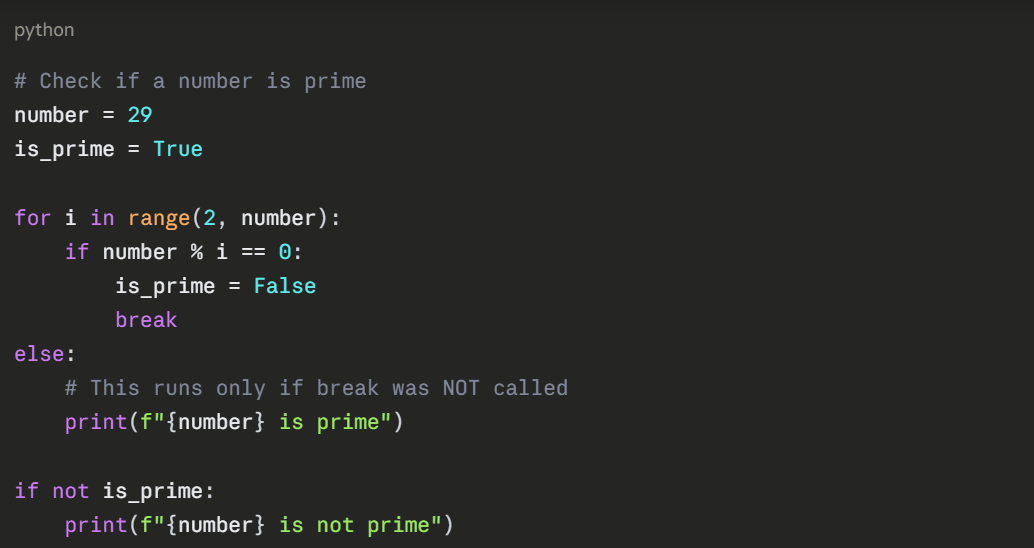
This feature is rarely used but can make certain algorithms cleaner.
Nested Loops
Loops can contain other loops, useful for working with multi-dimensional data:
.png)
Performance Consideration: Nested loops multiply execution time. A loop running 100 times containing another loop running 100 times executes 10,000 times total. Use caution with large datasets.
Combining Conditionals and Loops
The real power emerges when combining these constructs:
Example: Categorizing Data
python
temperatures = [22, 35, 18, 40, 28, 15, 33]
hot_days = 0
warm_days = 0
cool_days = 0
for temp in temperatures:
if temp >= 35:
hot_days += 1
elif temp >= 25:
warm_days += 1
else:
cool_days += 1
print(f"Hot days (≥35°C): {hot_days}")
print(f"Warm days (25-34°C): {warm_days}")
print(f"Cool days (<25°C): {cool_days}")
Example: Processing Sales Data
python
sales = [1200, 1500, 800, 2000, 1100, 1800, 950]
target = 1000
days_met = 0
total_above_target = 0
for day, amount in enumerate(sales, start=1):
if amount >= target:
days_met += 1
excess = amount - target
total_above_target += excess
print(f"Day {day}: Target met! (${amount})")
else:
shortfall = target - amount
print(f"Day {day}: Below target by ${shortfall}")
print(f"\nDays meeting target: {days_met}/{len(sales)}")
print(f"Total above target: ${total_above_target}")
Best Practices
1. Keep Conditions Simple
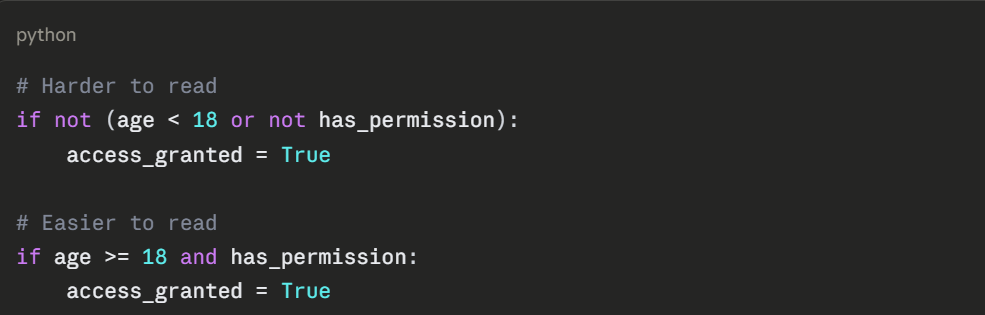
2. Avoid Deep Nesting: If you find yourself nesting more than 2-3 levels, consider restructuring your logic or creating functions.
3. Use Meaningful Variable Names
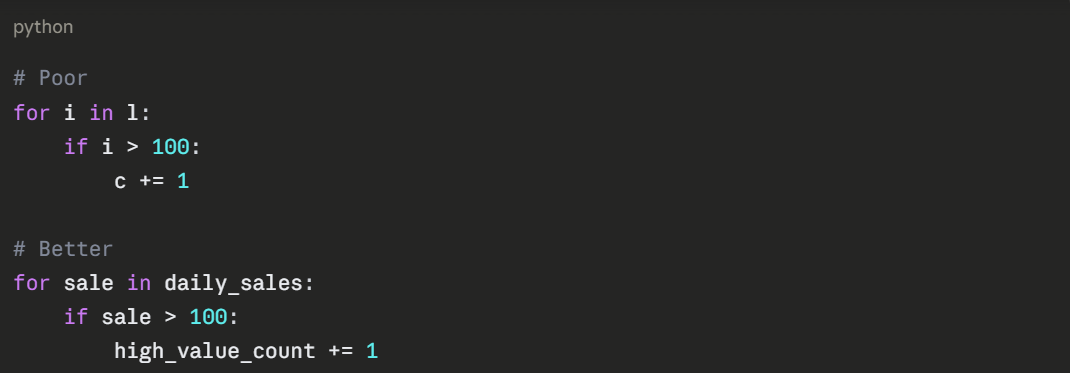
4. Choose the Right Loop
Use for when you know how many iterations you need.
Use while when iterations depend on a condition that might change unpredictably.

Class Sessions
Sales Campaign

We have a sales campaign on our promoted courses and products. You can purchase 1 products at a discounted price up to 15% discount.