As your Python programs grow more complex, writing everything in one continuous script becomes unmanageable and repetitive.
Functions allow you to package code into reusable blocks that perform specific tasks, while modules organize related functions into separate files you can import as needed.
These organizational tools are essential for writing clean, maintainable code and leveraging Python's vast ecosystem of pre-built functionality.
Understanding Functions
Functions are reusable blocks of code designed to perform a specific task. Instead of writing the same code multiple times, you define it once and call it whenever needed.
Why Use Functions?
1. Reusability: Write code once, use it many times.
2. Organization: Break complex problems into manageable pieces.
3. Readability: Well-named functions make code self-documenting.
4. Maintainability: Fix bugs or make improvements in one place.
5. Testing: Isolate and test specific functionality independently.
Defining a Function
Create a function using the def keyword:
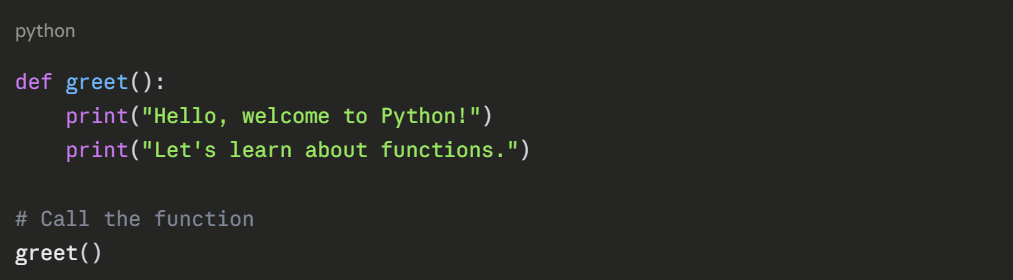
Function Components:
1. def: Keyword that starts function definition.
2. greet: Function name (follows variable naming rules).
3. (): Parentheses for parameters (empty here).
4. :: Marks the start of the function body.
5. Indented code: The function's executable statements.
Functions with Parameters
Parameters allow functions to accept input values:
.png)
Multiple Parameters
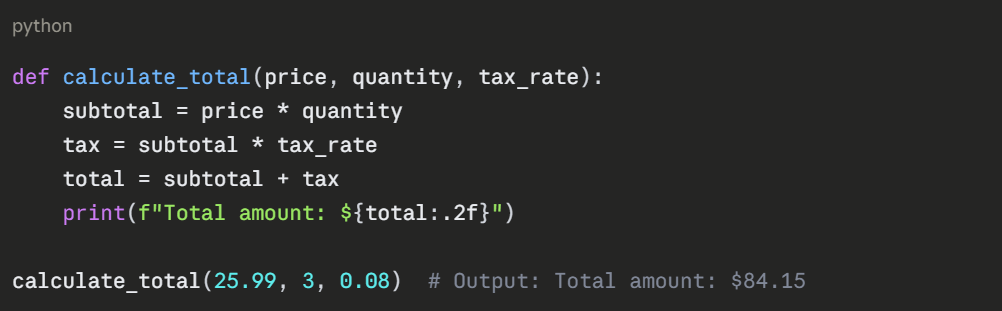
Parameters must be provided in the correct order unless you use keyword arguments.
Return Values
Functions can send results back to the caller using return:
.png)
Multiple Return Values
Python functions can return multiple values as a tuple:
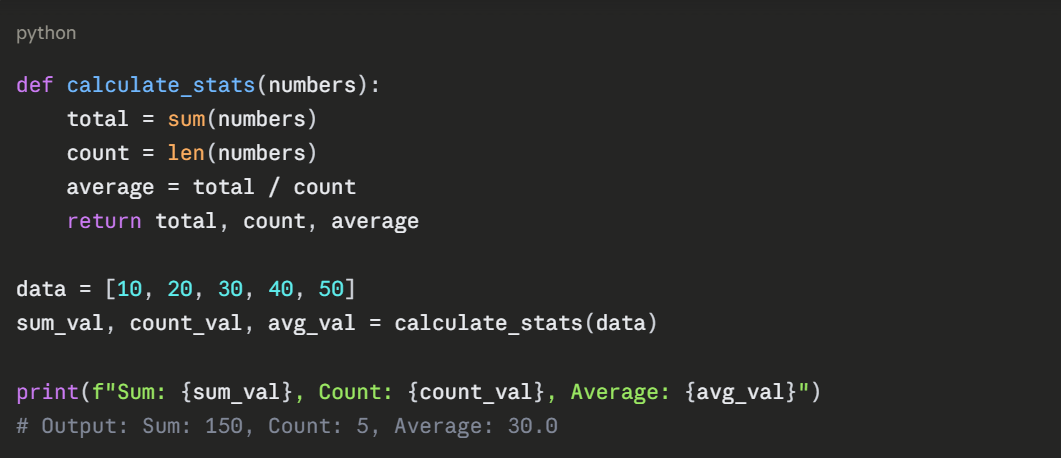
Default Parameters
Provide default values for parameters that might not always be specified:
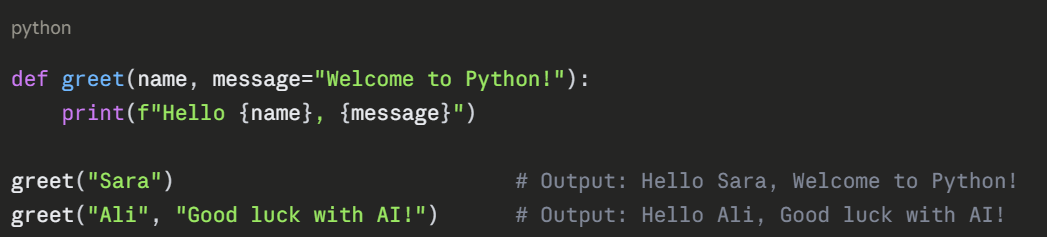
Important: Default parameters must come after non-default parameters in the function definition.
Call functions using parameter names, allowing any order:
.png)
This improves code clarity, especially with many parameters.
Practical Function Examples
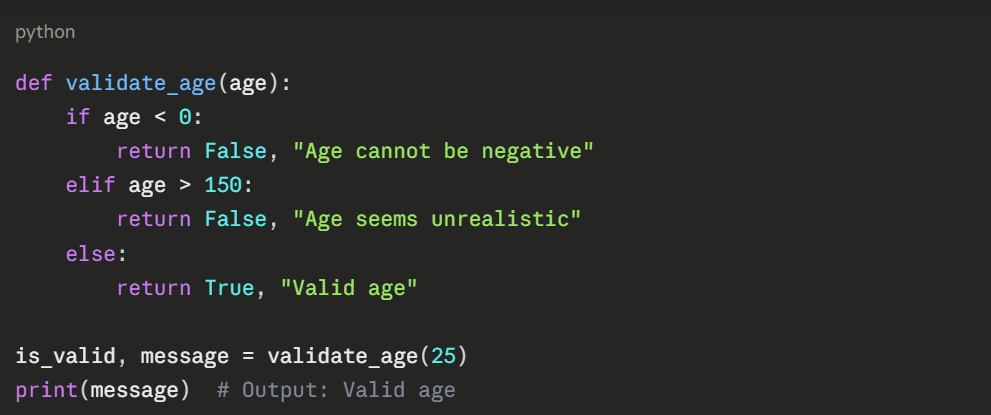
Data Validation Function
Data Processing Function
python
def clean_sales_data(sales_list):
"""Remove negative values and calculate total"""
cleaned = []
for sale in sales_list:
if sale >= 0:
cleaned.append(sale)
total = sum(cleaned)
count = len(cleaned)
return cleaned, total, count
raw_data = [1200, -50, 1500, 980, -999, 1350]
clean_data, total_sales, valid_count = clean_sales_data(raw_data)
print(f"Cleaned data: {clean_data}")
print(f"Total: ${total_sales}, Valid entries: {valid_count}")
Docstrings: Documenting Functions
Add documentation using triple-quoted strings immediately after the function definition:
python
def calculate_discount(price, discount_percent):
"""
Calculate the final price after applying a discount.
Parameters:
price (float): Original price
discount_percent (float): Discount percentage (0-100)
Returns:
float: Final price after discount
"""
discount_amount = price * (discount_percent / 100)
final_price = price - discount_amount
return final_price
Access documentation using help(calculate_discount) or by viewing the __doc__ attribute.
Understanding Modules
Modules are Python files containing functions, variables, and classes that you can import and use in other programs. They organize code into logical units and enable code sharing.
Why Use Modules?
1. Organization: Group related functionality together.
2. Namespace management: Avoid naming conflicts.
3. Code reuse: Share code across multiple projects.
4. Leverage existing solutions: Use thousands of pre-built modules.
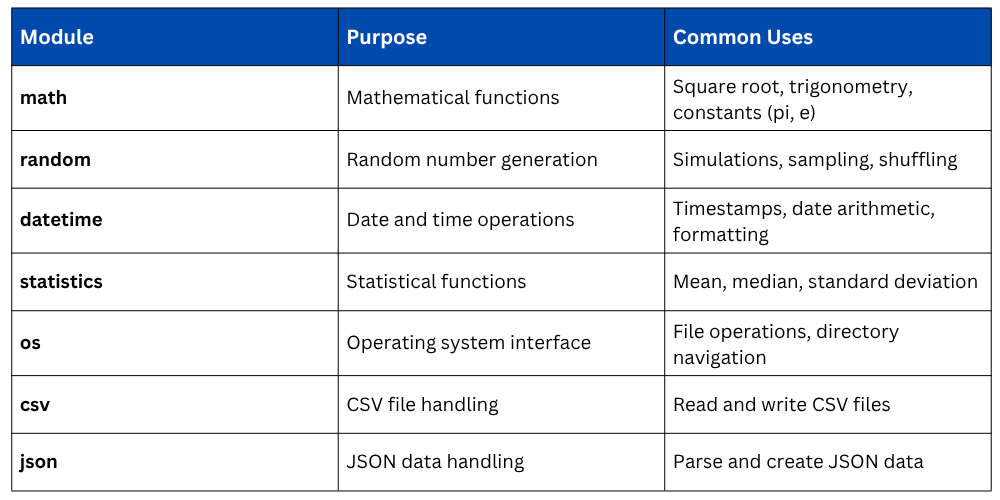
Python's Standard Library
Python includes many built-in modules for common tasks:
Importing Modules
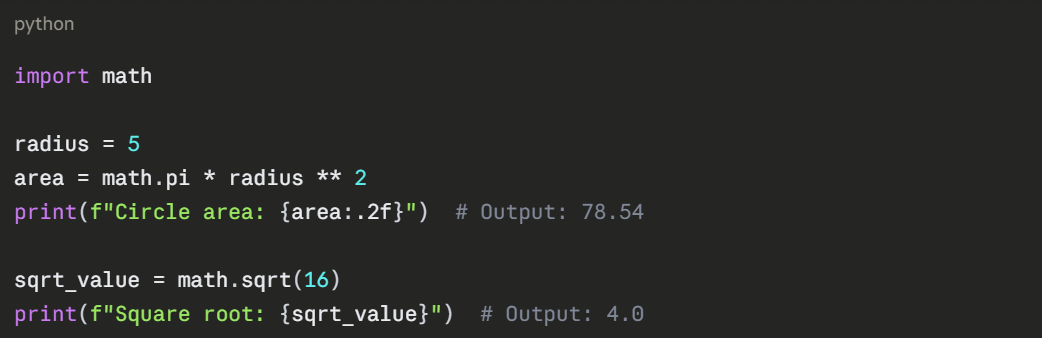
Import Entire Module
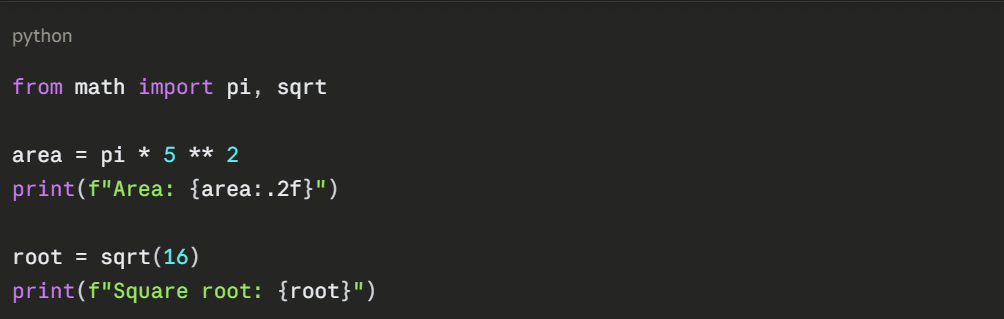
Import Specific Functions
Import with Alias
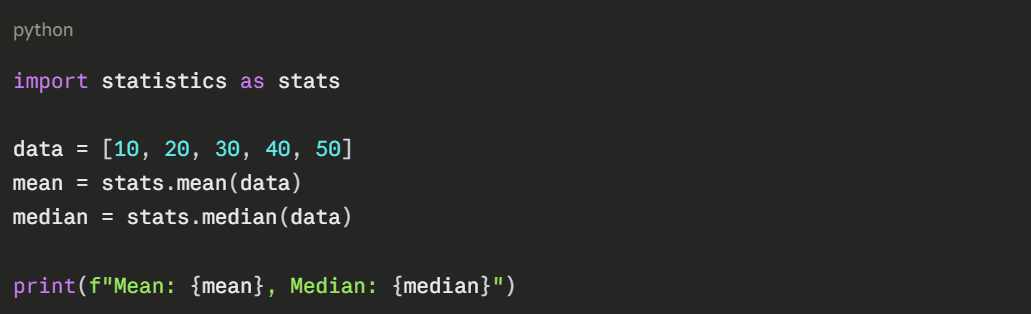
Import All (Not Recommended)
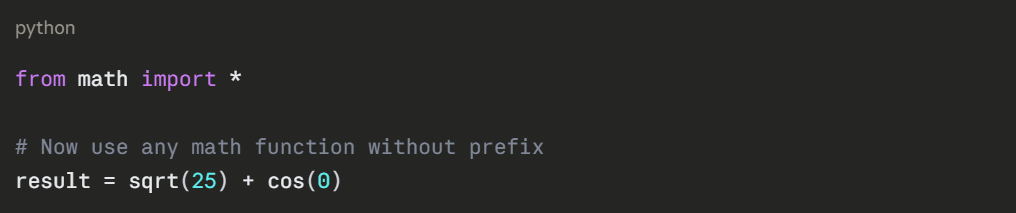
This approach can cause naming conflicts and makes code less clear about where functions come from.
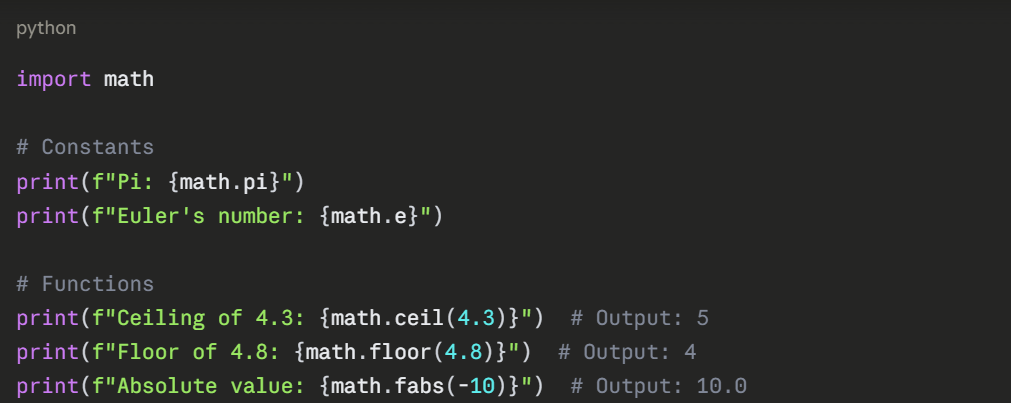
Working with Common Modules
math Module
random Module
python
import random
# Random integer in range
dice_roll = random.randint(1, 6)
print(f"Dice roll: {dice_roll}")
# Random float between 0 and 1
probability = random.random()
print(f"Random probability: {probability:.2f}")
# Random choice from list
colors = ["red", "blue", "green", "yellow"]
chosen_color = random.choice(colors)
print(f"Chosen color: {chosen_color}")
# Shuffle list
numbers = [1, 2, 3, 4, 5]
random.shuffle(numbers)
print(f"Shuffled: {numbers}")
datetime Module
python
from datetime import datetime, date, timedelta
# Current date and time
now = datetime.now()
print(f"Current datetime: {now}")
# Current date only
today = date.today()
print(f"Today's date: {today}")
# Date arithmetic
tomorrow = today + timedelta(days=1)
next_week = today + timedelta(weeks=1)
print(f"Tomorrow: {tomorrow}")
print(f"Next week: {next_week}")
# Format dates
formatted = now.strftime("%B %d, %Y %I:%M %p")
print(f"Formatted: {formatted}") # Output: April 15, 2026 02:30 PM
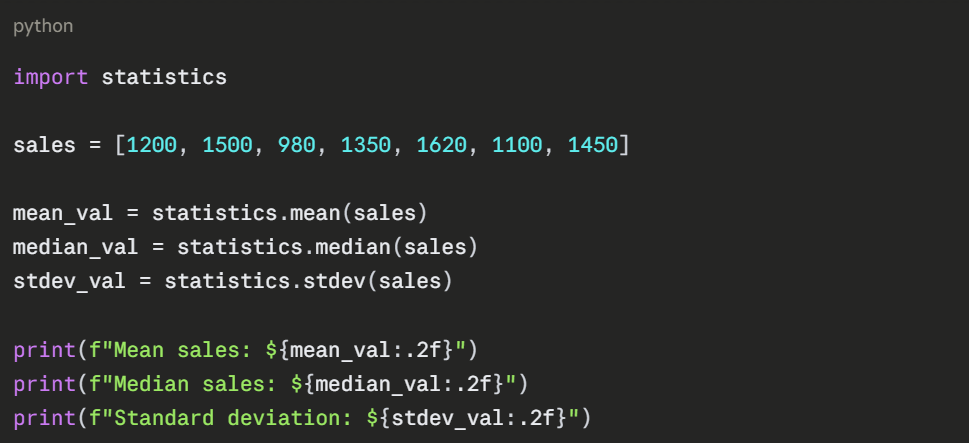
statistics Module
Creating Your Own Modules
You can create custom modules by saving functions in a .py file:
File: analytics_tools.py
python
def calculate_average(numbers):
"""Calculate the average of a list of numbers"""
return sum(numbers) / len(numbers)
def find_max_min(numbers):
"""Return maximum and minimum values"""
return max(numbers), min(numbers)
def count_above_threshold(numbers, threshold):
"""Count how many numbers exceed threshold"""
count = 0
for num in numbers:
if num > threshold:
count += 1
return count
Using Your Module:
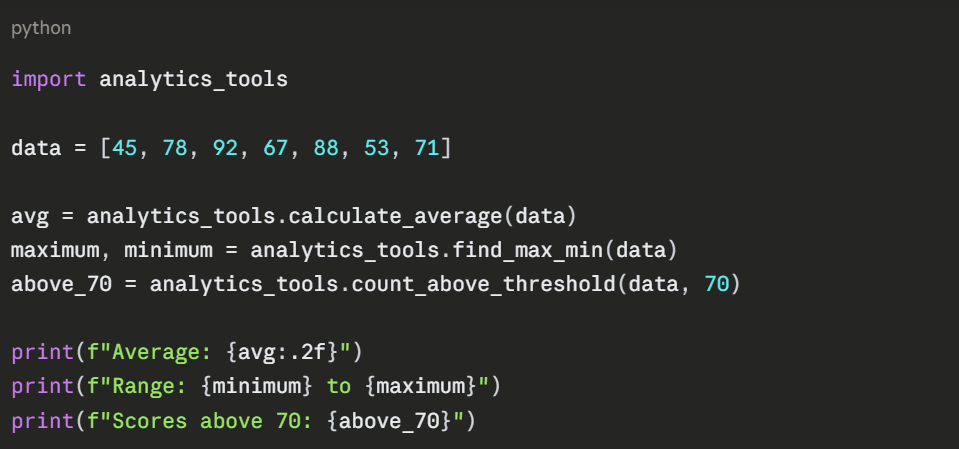
Both files must be in the same directory, or the module must be in Python's path.
Best Practices
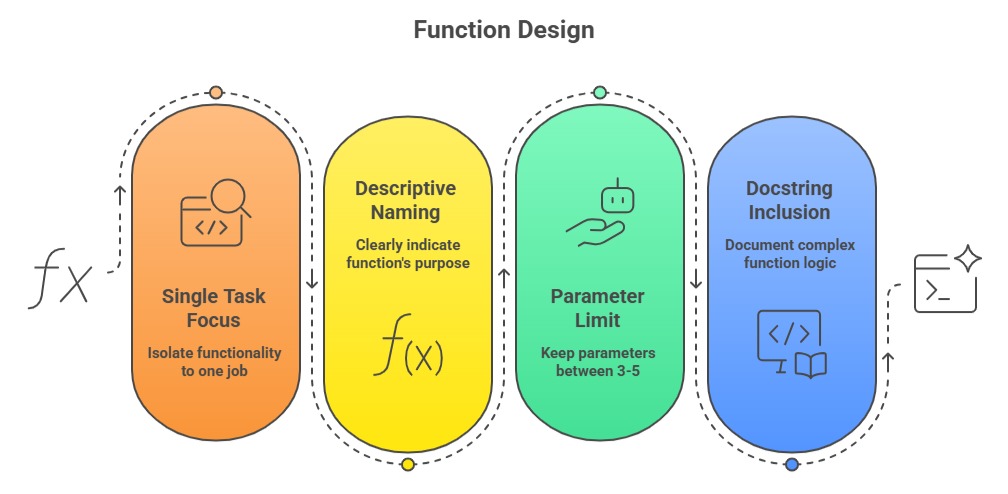
Module Organization
1. Group related functions into the same module.
2. Use clear, descriptive module names.
3. Import only what you need to keep namespaces clean.
4. Prefer explicit imports (import math) over wildcard imports (from math import *).

Class Sessions
Sales Campaign

We have a sales campaign on our promoted courses and products. You can purchase 1 products at a discounted price up to 15% discount.