Data rarely exists in isolation, it comes in collections. Python provides four fundamental data structures for storing and organizing multiple values: lists, tuples, sets, and dictionaries.
Each structure serves specific purposes and offers unique characteristics that make certain tasks easier and more efficient.
Understanding when and how to use each collection type is crucial for effective data analysis, as you'll constantly work with datasets, perform lookups, eliminate duplicates, and organize related information.
Lists: Ordered and Mutable Collections
Lists are the most versatile and commonly used data structure in Python. They store ordered sequences of items that can be modified after creation.
Creating Lists
python
# Empty list
empty_list = []
# List with numbers
temperatures = [22, 25, 19, 28, 24]
# List with strings
cities = ["New York", "London", "Tokyo", "Paris"]
# Mixed data types (allowed but use carefully)
mixed = [42, "Alice", 3.14, True]
# Nested lists
matrix = [[1, 2, 3], [4, 5, 6], [7, 8, 9]]
Accessing List Elements
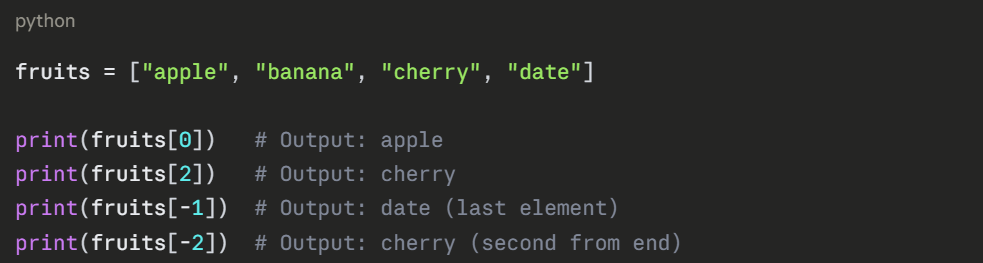
Lists use zero-based indexing—the first element is at position 0:
Slicing Lists
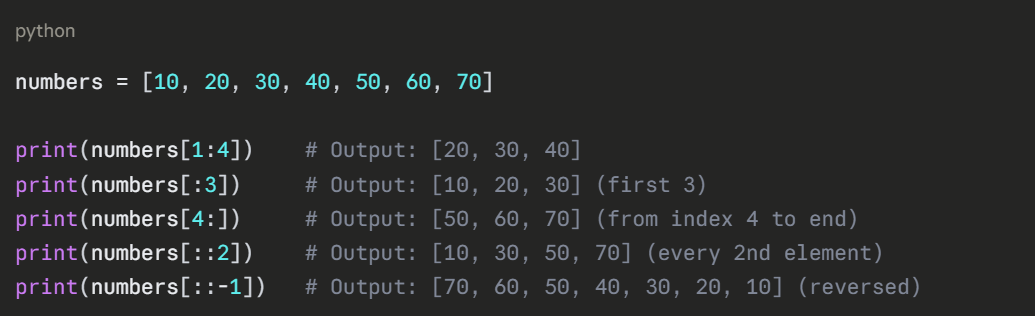
Extract portions of lists using slice notation [start:stop:step]:
Modifying Lists
Lists are mutable—you can change their contents:
python
sales = [1200, 1500, 980]
# Change single element
sales[1] = 1600
print(sales) # Output: [1200, 1600, 980]
# Append to end
sales.append(1450)
print(sales) # Output: [1200, 1600, 980, 1450]
# Insert at specific position
sales.insert(1, 1350)
print(sales) # Output: [1200, 1350, 1600, 980, 1450]
# Remove by value
sales.remove(980)
print(sales) # Output: [1200, 1350, 1600, 1450]
# Remove by index
removed = sales.pop(2)
print(f"Removed: {removed}, List: {sales}") # Removed: 1600
# Extend with another list
sales.extend([1700, 1550])
print(sales) # Output: [1200, 1350, 1450, 1700, 1550]
Common List Operations
python
numbers = [45, 78, 23, 67, 89, 23, 56]
# Length
print(len(numbers)) # Output: 7
# Sort (modifies original)
numbers.sort()
print(numbers) # Output: [23, 23, 45, 56, 67, 78, 89]
# Reverse
numbers.reverse()
print(numbers) # Output: [89, 78, 67, 56, 45, 23, 23]
# Count occurrences
print(numbers.count(23)) # Output: 2
# Find index
print(numbers.index(67)) # Output: 2
# Check membership
print(56 in numbers) # Output: True
print(100 in numbers) # Output: False
List Comprehensions
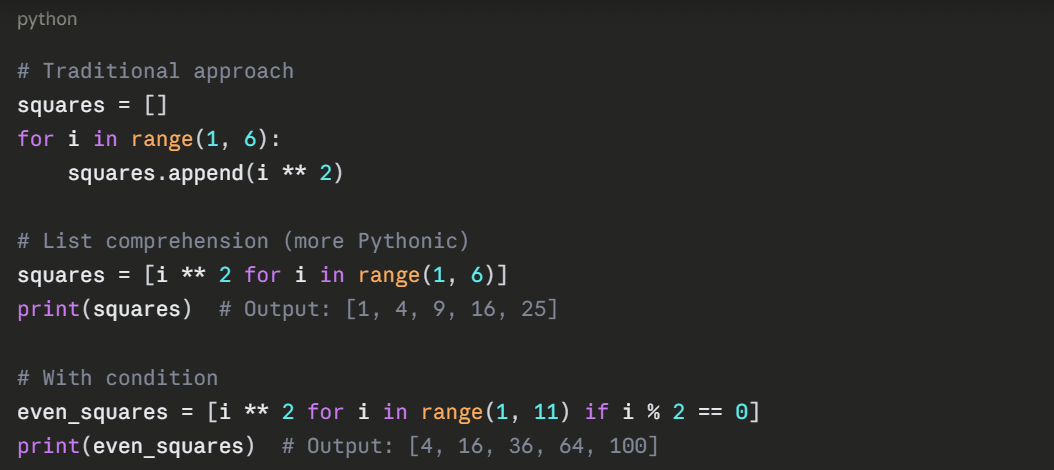
Create lists concisely using comprehensions:
Tuples: Ordered and Immutable Collections
Tuples are similar to lists but cannot be modified after creation. This immutability makes them useful for data that shouldn't change.
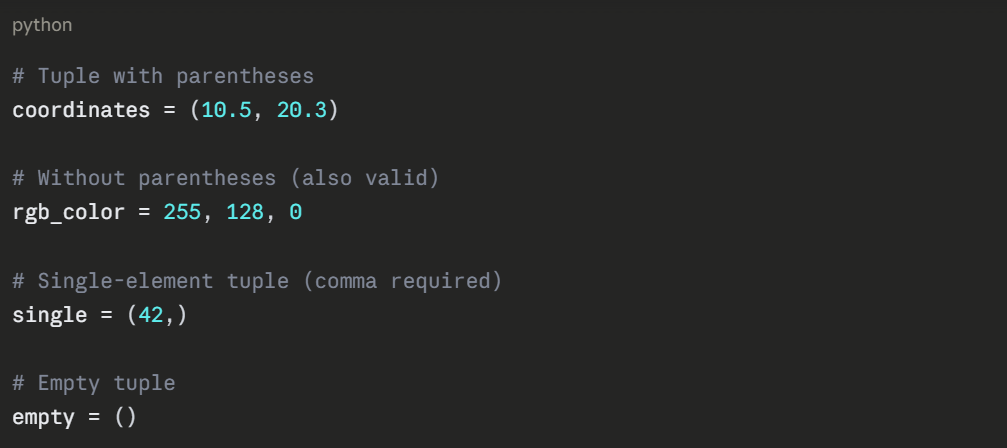
Creating Tuples
Accessing Tuple Elements
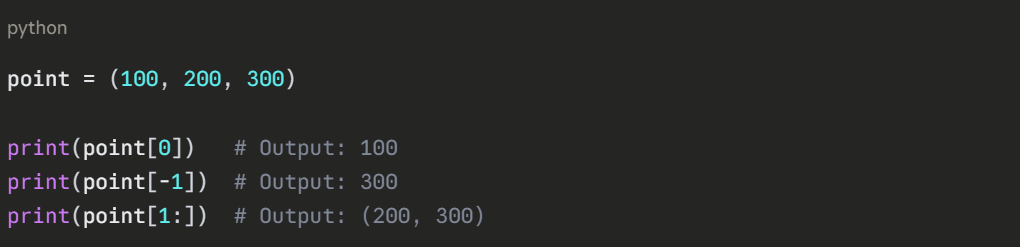
Tuple Unpacking
.png)
Why Use Tuples?
1. Data integrity: Values cannot be accidentally modified.
2. Performance: Slightly faster than lists.
3. Dictionary keys: Tuples can be dictionary keys (lists cannot).
4. Function returns: Natural way to return multiple values.

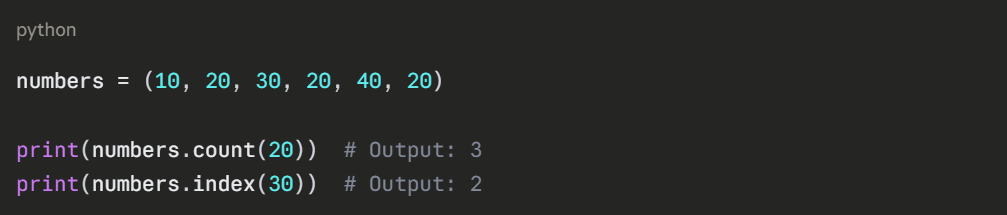
Tuple Methods
Sets: Unordered Collections of Unique Elements
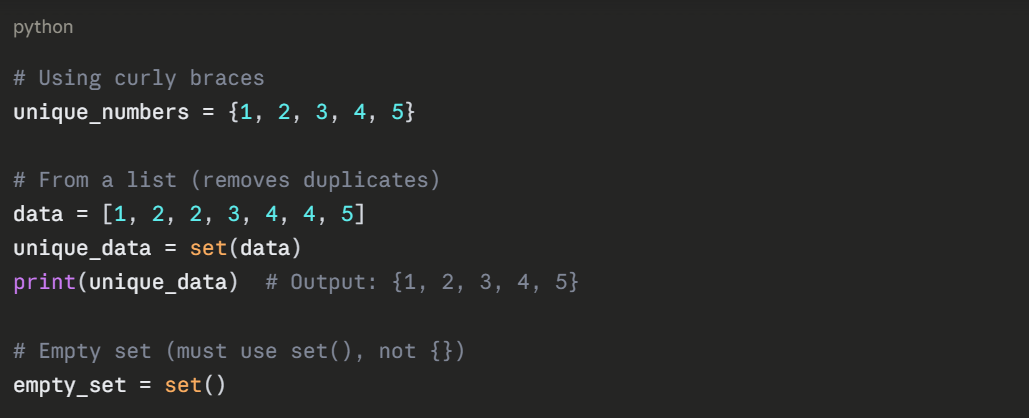
Sets store unique values without a specific order. They're perfect for eliminating duplicates and performing mathematical set operations.
Creating Sets
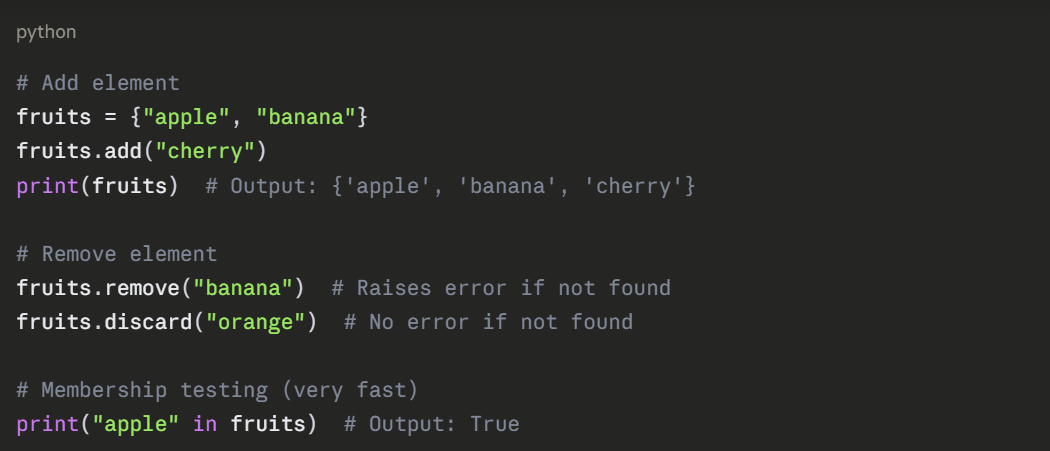
Set Operations
Mathematical Set Operations
python
set1 = {1, 2, 3, 4, 5}
set2 = {4, 5, 6, 7, 8}
# Union (all elements from both)
print(set1 | set2) # Output: {1, 2, 3, 4, 5, 6, 7, 8}
print(set1.union(set2)) # Same result
# Intersection (common elements)
print(set1 & set2) # Output: {4, 5}
print(set1.intersection(set2)) # Same result
# Difference (in set1 but not set2)
print(set1 - set2) # Output: {1, 2, 3}
print(set1.difference(set2)) # Same result
# Symmetric difference (in either but not both)
print(set1 ^ set2) # Output: {1, 2, 3, 6, 7, 8}
Practical Use Case: Finding Unique Values

Dictionaries: Key-Value Pairs
Dictionaries store data as key-value pairs, allowing fast lookups by key. They're essential for organizing related information.
Creating Dictionaries
.png)
Accessing Values
.png)
Modifying Dictionaries
python
inventory = {"apples": 50, "bananas": 30}
# Add new key-value pair
inventory["oranges"] = 25
# Update existing value
inventory["apples"] = 60
# Update multiple values
inventory.update({"bananas": 35, "grapes": 40})
print(inventory)
# Output: {'apples': 60, 'bananas': 35, 'oranges': 25, 'grapes': 40}
# Remove key-value pair
removed = inventory.pop("oranges")
print(f"Removed: {removed}") # Output: 25
Dictionary Methods
python
product = {"name": "Laptop", "price": 999, "stock": 25}
# Get all keys
print(product.keys()) # Output: dict_keys(['name', 'price', 'stock'])
# Get all values
print(product.values()) # Output: dict_values(['Laptop', 999, 25])
# Get all key-value pairs
print(product.items())
# Output: dict_items([('name', 'Laptop'), ('price', 999), ('stock', 25)])
# Check if key exists
print("price" in product) # Output: True
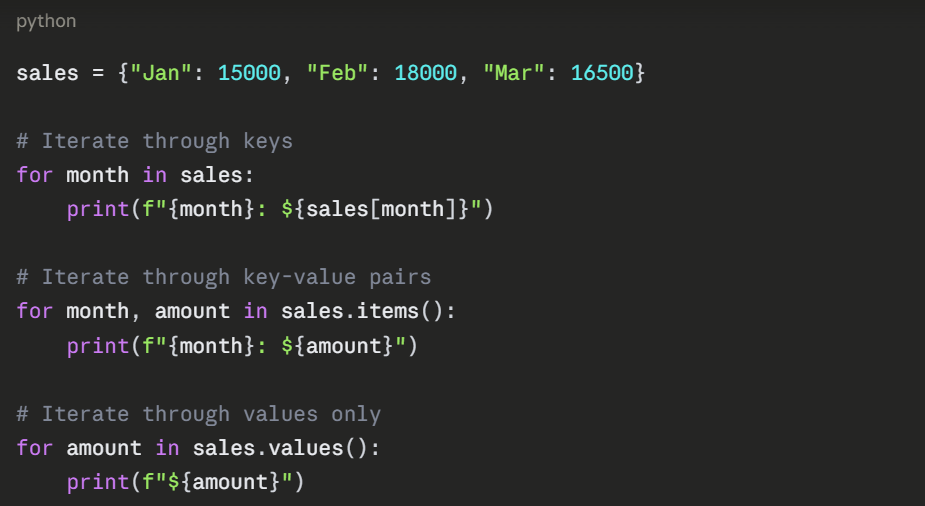
Iterating Through Dictionaries
Nested Dictionaries
.png)
Choosing the Right Data Structure
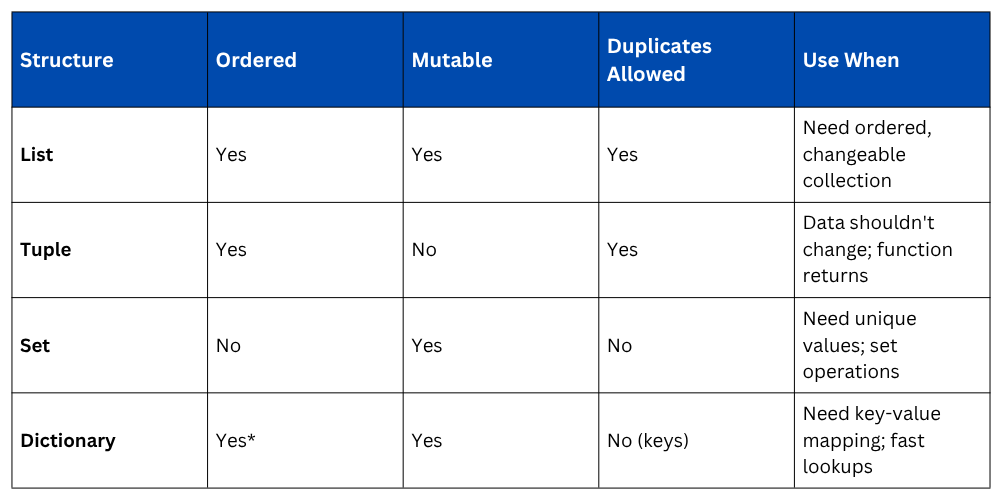
Dictionaries maintain insertion order as of Python 3.7+
Practical Example: Data Analysis Scenario
python
# Student grades stored as list of dictionaries
students = [
{"name": "Alice", "scores": [85, 90, 88]},
{"name": "Bob", "scores": [78, 82, 85]},
{"name": "Charlie", "scores": [92, 88, 95]}
]
# Calculate averages
for student in students:
scores = student["scores"]
average = sum(scores) / len(scores)
student["average"] = round(average, 2)
# Find unique scores (using set)
all_scores = []
for student in students:
all_scores.extend(student["scores"])
unique_scores = set(all_scores)
print(f"Unique scores: {sorted(unique_scores)}")
# Create grade distribution (using dictionary)
grade_count = {}
for student in students:
avg = student["average"]
if avg >= 90:
grade = "A"
elif avg >= 80:
grade = "B"
else:
grade = "C"
grade_count[grade] = grade_count.get(grade, 0) + 1
print(f"Grade distribution: {grade_count}")
