While Python's built-in lists are versatile for general-purpose programming, they fall short when handling large-scale numerical computations required in data analysis.
NumPy (Numerical Python) addresses this limitation by providing powerful array objects optimized for mathematical operations on numerical data.
NumPy arrays form the foundation of the entire scientific Python ecosystem—libraries like Pandas, Matplotlib, and scikit-learn all build upon NumPy's capabilities.
What is NumPy?
NumPy is Python's fundamental package for scientific computing, providing support for large, multi-dimensional arrays and matrices along with a vast collection of mathematical functions to operate on these arrays.
Why NumPy is Essential
1. Speed and Efficiency
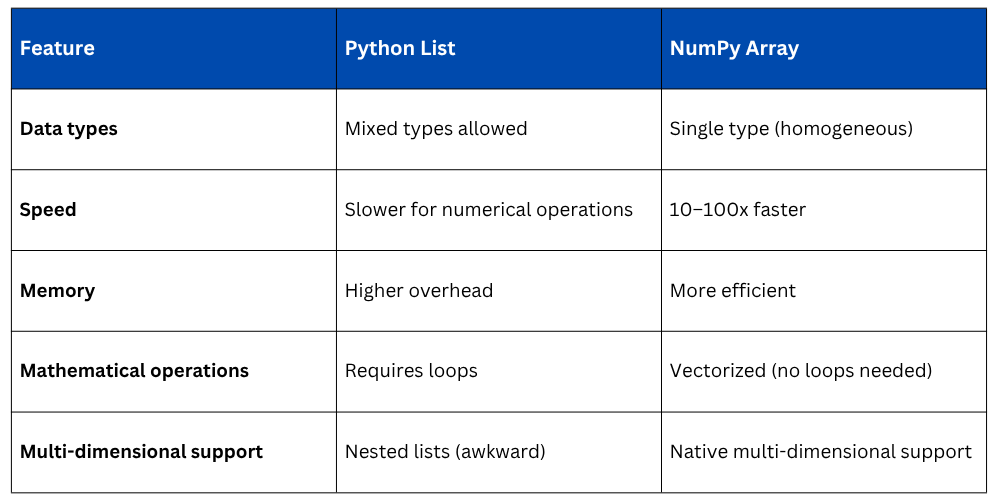
NumPy operations execute 10 to 100 times faster than equivalent Python list operations. This speed difference becomes critical when working with thousands or millions of data points. NumPy achieves this through optimized C code running behind the scenes and efficient memory storage.
2. Mathematical Operations
Perform complex mathematical operations on entire arrays with simple syntax. What would require loops with Python lists becomes a single line with NumPy.
3. Memory Efficiency
NumPy arrays consume significantly less memory than Python lists because they store data in a contiguous block with a fixed data type, unlike lists that store references to objects scattered in memory.
4. Foundation for Data Science
Virtually every data science library in Python uses NumPy arrays as the underlying data structure. Understanding NumPy is essential for mastering Pandas, data visualization, and machine learning.
Installing and Importing NumPy
If using Anaconda, NumPy is pre-installed. Otherwise, install it using:

Import NumPy with the standard alias:
.png)
The np alias is a universal convention—everyone uses it, making code immediately recognizable.
Understanding NumPy Arrays
A NumPy array (ndarray) is a grid of values, all of the same type, indexed by a tuple of non-negative integers. Think of it as a more powerful, efficient version of Python lists specifically designed for numerical data.
Key Characteristics
1. Homogeneous: All elements must be the same data type (all integers, all floats, etc.).
2. Fixed size: Once created, the size cannot change (though you can create new arrays).
3. Multi-dimensional: Can represent vectors (1D), matrices (2D), or higher-dimensional structures.
4. Fast: Operations are vectorized and run at compiled C speed.
NumPy Arrays vs. Python Lists
Creating NumPy Arrays
NumPy provides multiple ways to create arrays depending on your data source and needs.
From Python Lists
python
import numpy as np
# 1D array from list
numbers = [10, 20, 30, 40, 50]
arr1d = np.array(numbers)
print(arr1d) # Output: [10 20 30 40 50]
print(type(arr1d)) # Output: <class 'numpy.ndarray'>
# 2D array from nested lists
matrix = [[1, 2, 3], [4, 5, 6], [7, 8, 9]]
arr2d = np.array(matrix)
print(arr2d)
# Output:
# [[1 2 3]
# [4 5 6]
# [7 8 9]]
Using Built-in Functions
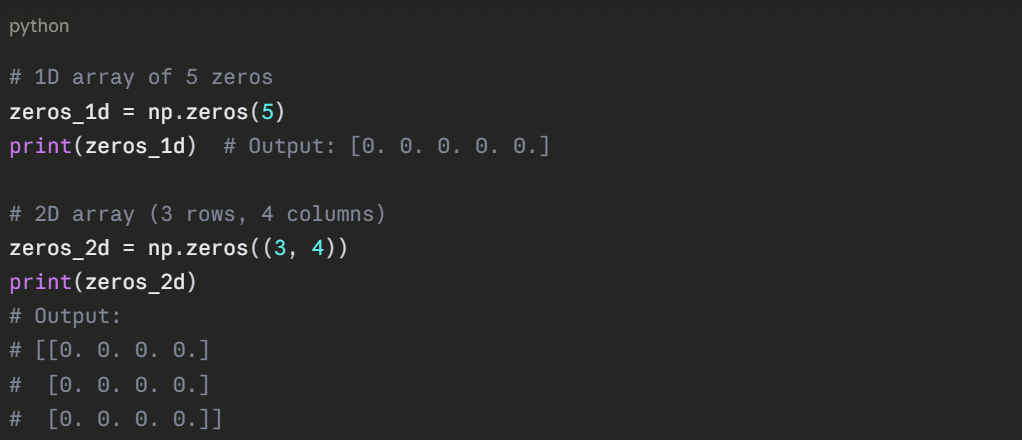
Array of Zeros
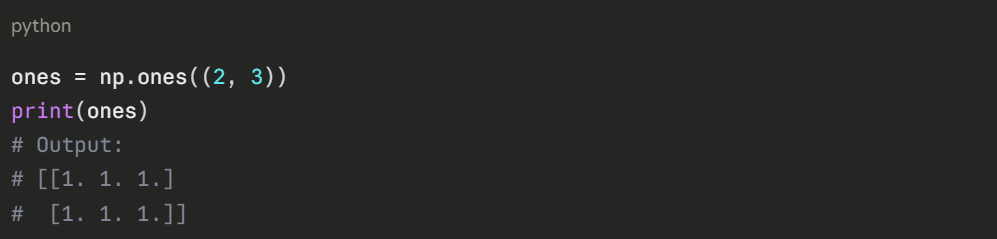
Array of Ones
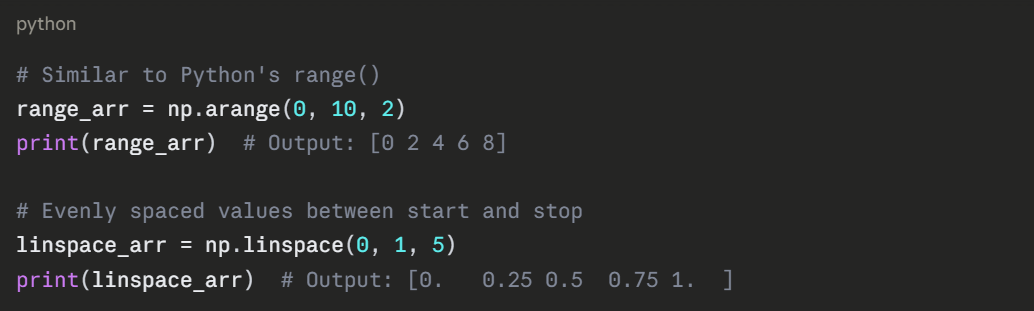
Array with Range of Values
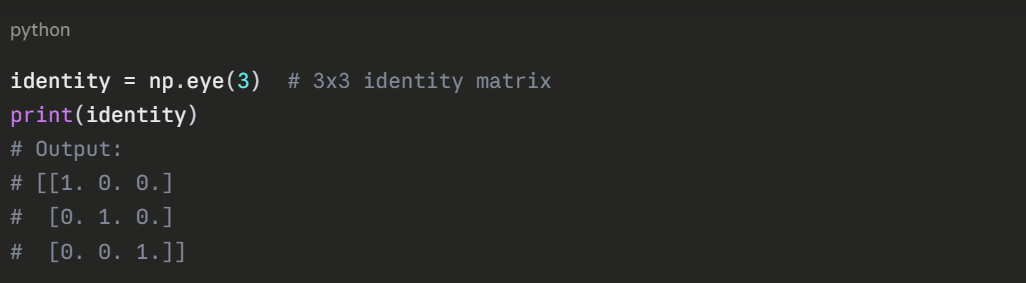
Identity Matrix
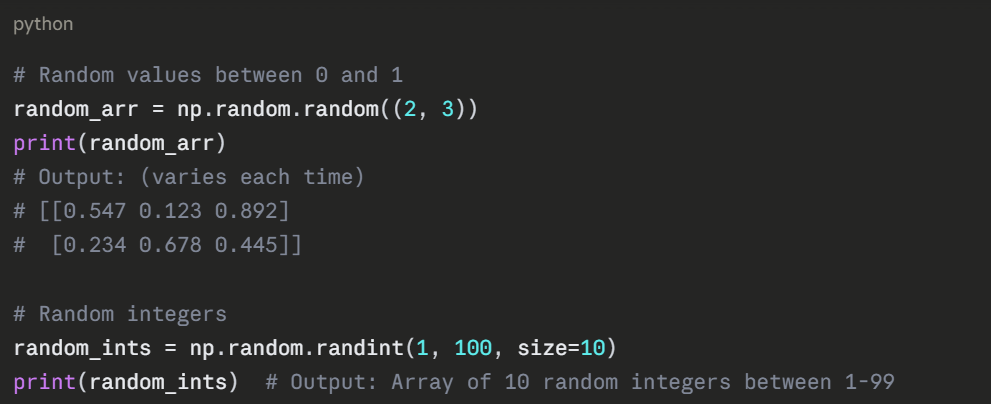
Random Arrays
Array Attributes
NumPy arrays have several important attributes that provide information about their structure and contents.
1. (5,) — 1D array with 5 elements
2. (3, 4) — 2D array with 3 rows and 4 columns
3. (2, 3, 4) — 3D array with 2 blocks, each containing 3 rows and 4 columns
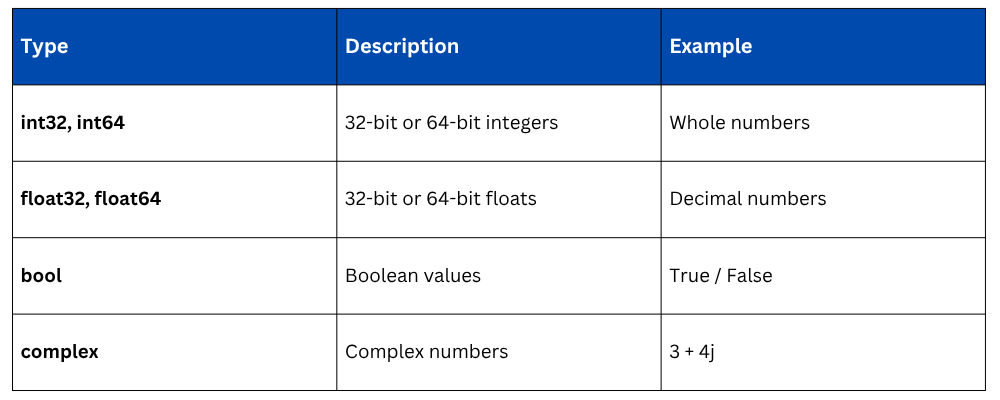
NumPy supports various data types optimized for different numerical needs.
Common NumPy Data Types
Specifying Data Type
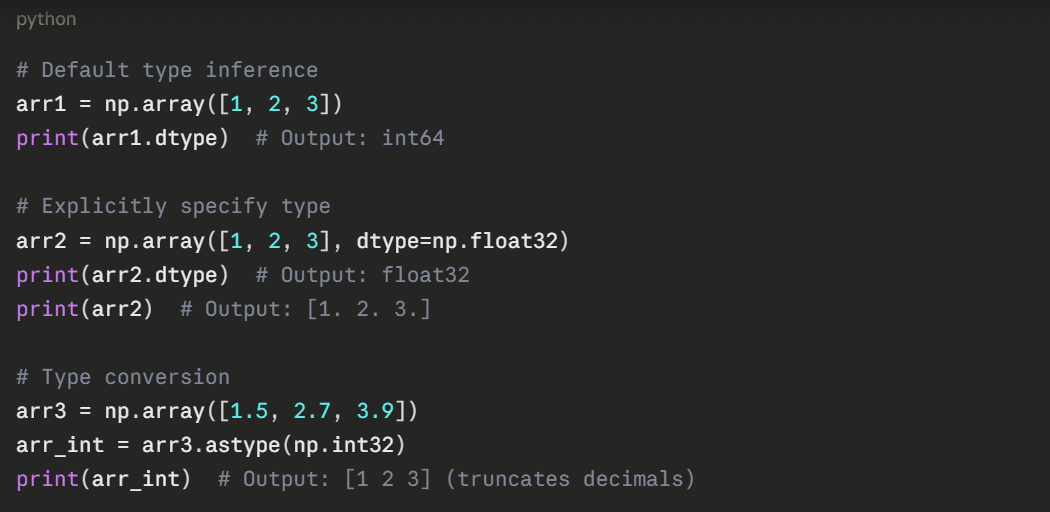
Why Data Types Matter
1. Memory: float32 uses half the memory of float64.
2. Precision: float64 provides higher precision for scientific calculations.
3. Performance: Operations on smaller types (like int32) can be faster.
4. Compatibility: Some libraries require specific data types.
Basic Array Operations
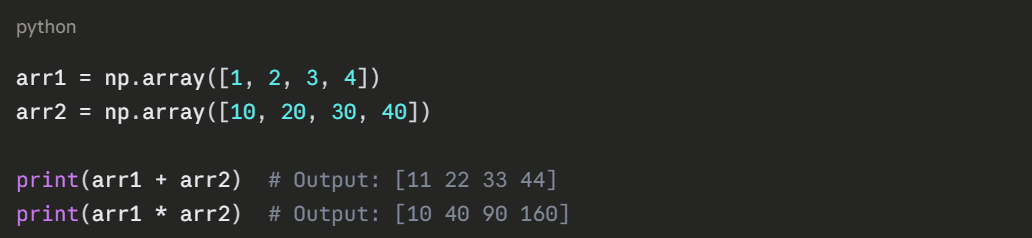
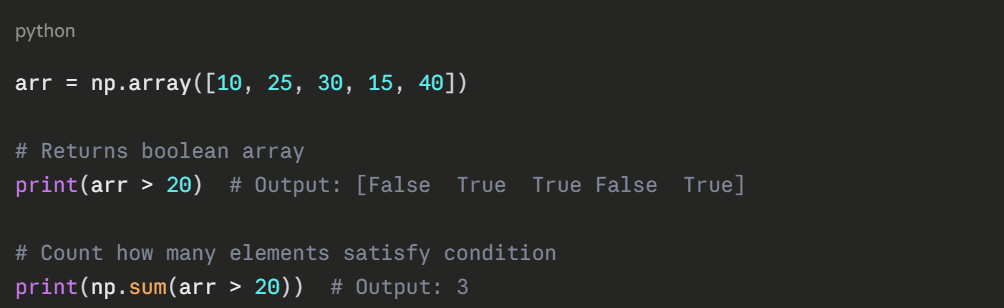
NumPy's power lies in vectorized operations—performing calculations on entire arrays without explicit loops.
Arithmetic Operations
.png)
Element-wise Operations Between Arrays
Comparison Operations
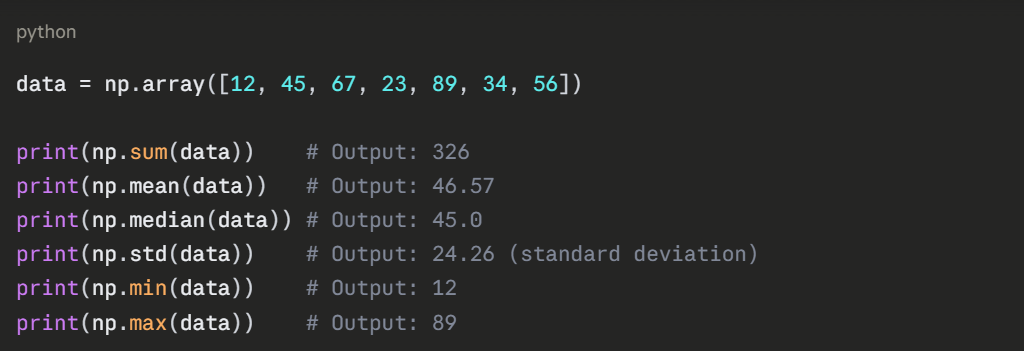
Aggregate Functions
2D Array Operations
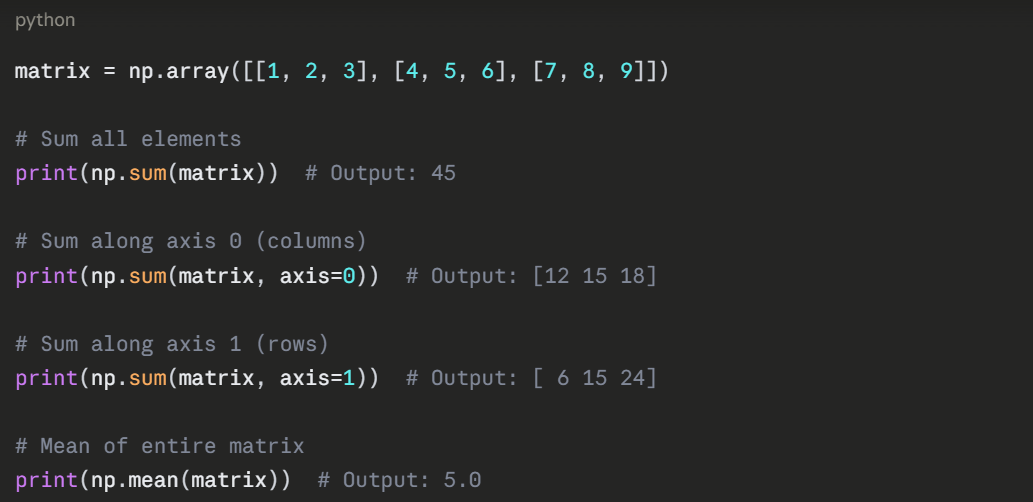
Understanding Axes
1. axis=0: Operations performed down columns (vertically)
2. axis=1: Operations performed across rows (horizontally)
3. No axis specified: Operation on entire array
Why NumPy Matters for Data Analysis
Real-World Example: Sales Data Analysispython
# Daily sales for one week
sales = np.array([1200, 1500, 980, 1350, 1620, 1100, 1450])
# Calculate statistics
total_sales = np.sum(sales)
average_sales = np.mean(sales)
best_day = np.max(sales)
worst_day = np.min(sales)
print(f"Total weekly sales: ${total_sales}")
print(f"Average daily sales: ${average_sales:.2f}")
print(f"Best day: ${best_day}")
print(f"Worst day: ${worst_day}")
# Find days above average
above_average = sales > average_sales
print(f"Days above average: {np.sum(above_average)}")
# Calculate percentage change
daily_change = np.diff(sales) # Difference between consecutive days
print(f"Daily changes: {daily_change}")
This simple example demonstrates NumPy's power, performing complex analyses in just a few lines of code that would require multiple loops and variables with standard Python.

Class Sessions
Sales Campaign

We have a sales campaign on our promoted courses and products. You can purchase 1 products at a discounted price up to 15% discount.