Every programming language requires a way to store information, classify different kinds of data, and perform operations on them. In Python, these fundamentals are called variables, data types, and operators—the building blocks of all data analysis code.
Understanding Variables
Variables are containers that store data values. Think of them as labeled boxes where you can keep information for later use.
Creating Variables
In Python, creating a variable is remarkably simple—just assign a value using the equals sign:

Notice that you don't need to declare the variable type beforehand. Python automatically determines what kind of data you're storing based on the value you assign. This feature, called dynamic typing, makes Python code cleaner and more intuitive.
Variable Naming Rules
Python has specific requirements for variable names:
1. Must start with a letter (a-z, A-Z) or underscore (_).
2. Can contain letters, numbers, and underscores.
3. Cannot contain spaces or special characters (@, #, $, etc.).
4. Cannot be Python keywords (like if, for, while, import).
5. Case-sensitive: Age and age are different variables.
Naming Conventions
While Python allows various naming styles, following conventions improves code readability:
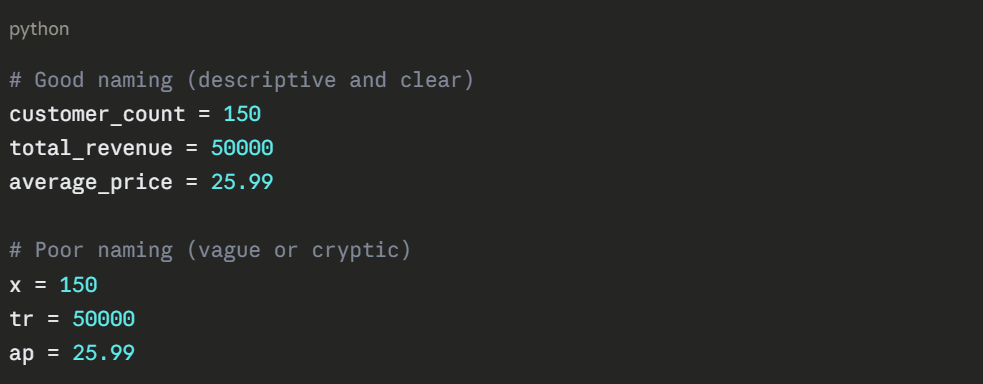
Use lowercase with underscores for regular variables (snake_case). This makes multi-word names readable without creating confusion.
Reassigning Variables
Variables can change their values and even their types:

While Python allows type changes, it's generally better to maintain consistency for code clarity.
Core Data Types
Python organizes data into types, each with specific characteristics and purposes. Understanding these types helps you choose the right one for your analysis tasks.
Numeric Types
Numbers come in three varieties:
1. Integer (int)
Whole numbers without decimal points:
.png)
2. Float
Numbers with decimal points:
.png)
3. Complex
Numbers with real and imaginary parts (rarely used in data analysis):

For data analysis, you'll primarily work with integers and floats. Python automatically chooses the appropriate numeric type based on whether you include a decimal point.
Text Type
1. String (str)
Text data enclosed in quotes (single or double):
.png)
Strings can span multiple lines using triple quotes:

Boolean Type
1. Boolean (bool)
Represents truth values—either True or False:
.png)
Booleans are essential for conditional logic and filtering data. Note that Python's boolean values are capitalized (unlike some other languages).
Checking Data Types
Use the type() function to verify what type a variable holds:
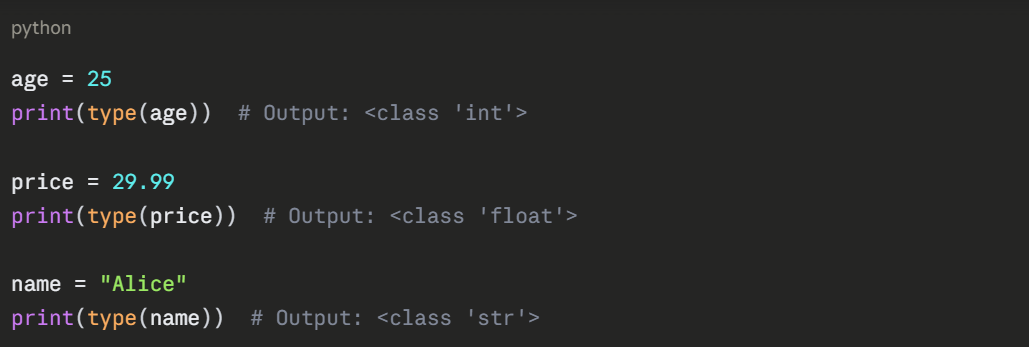
This becomes useful when troubleshooting code or ensuring data is in the expected format.
Type Conversion
Sometimes you need to convert data from one type to another—a process called type casting.
Common Conversions
python
# String to integer
age_text = "25"
age_number = int(age_text) # Result: 25
# Integer to string
count = 100
count_text = str(count) # Result: "100"
# String to float
price_text = "29.99"
price_number = float(price_text) # Result: 29.99
# Float to integer (removes decimal)
rating = 4.7
rating_int = int(rating) # Result: 4 (not rounded, just truncated)
# Number to boolean
value = 0
is_true = bool(value) # Result: False (0 is False, any other number is True)
Conversion Errors
Not all conversions work. Python raises errors when conversion is impossible:

Always ensure your data can be meaningfully converted before attempting type casting.
Operators: Performing Operations
Operators allow you to perform calculations, make comparisons, and combine values. They're the verbs of your code.
Arithmetic Operators
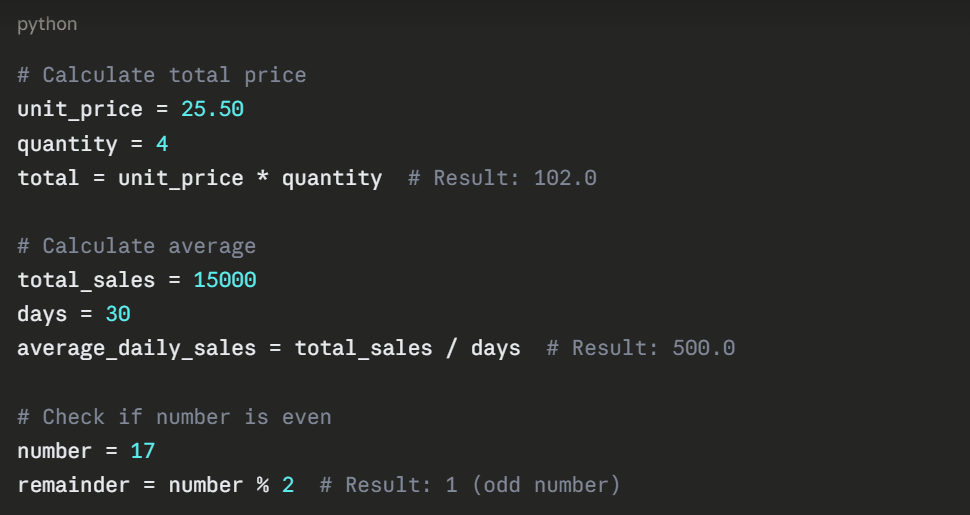
These perform mathematical calculations:
.png)
Practical Examples
Comparison Operators
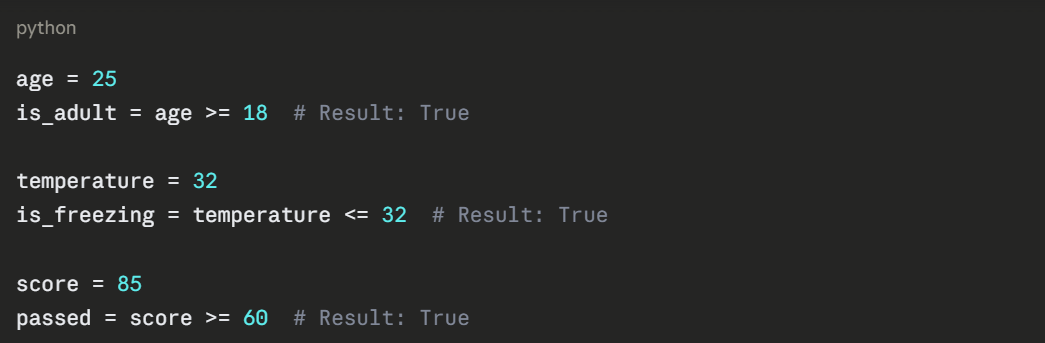
These compare values and return boolean results (True or False):
.png)
Usage in Context
Logical Operators
These combine boolean expressions:
and: Both conditions must be True

or: At least one condition must be True

not: Reverses the boolean value

Assignment Operators
These assign and modify variable values:
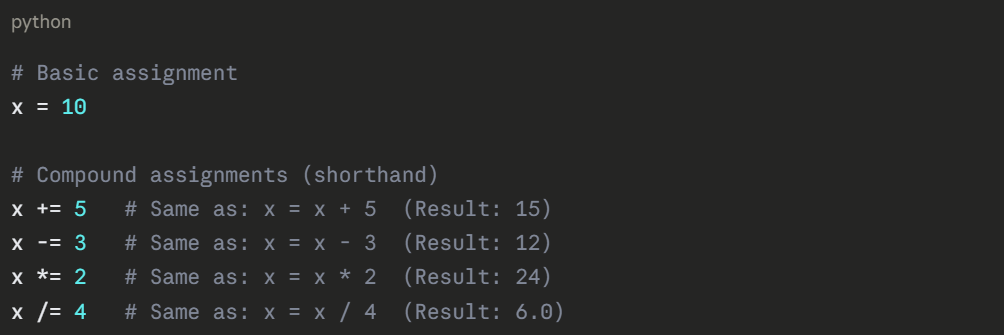
Compound assignments make code more concise, especially when updating counters or accumulators in loops.
Operator Precedence
When multiple operators appear in an expression, Python follows precedence rules (similar to mathematical order of operations):
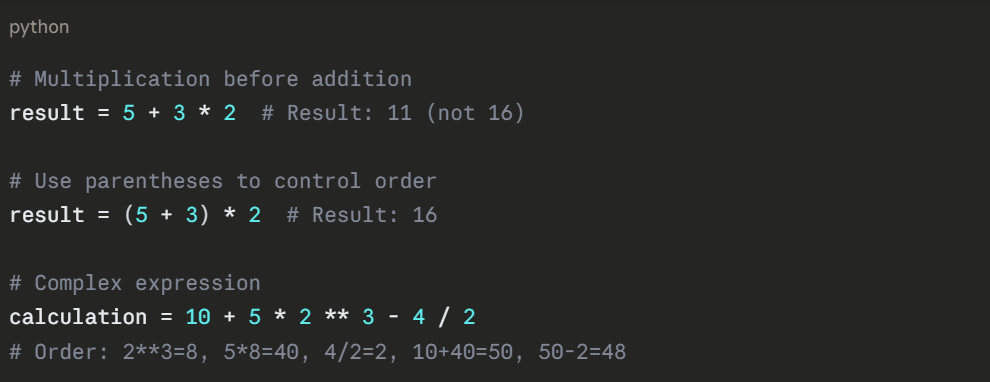
Precedence Order (Highest to Lowest)
1. Parentheses ()
2. Exponentiation **
3. Multiplication, Division, Floor Division, Modulus *, /, //, %
4. Addition, Subtraction +, -
5. Comparison operators <, >, <=, >=, ==, !=
6. Logical operators not, and, or
When in doubt, use parentheses to make your intentions explicit.
Working with Strings
Strings support unique operations beyond standard operators.
Concatenation
Join strings using the + operator:

Repetition
Repeat strings using the * operator:

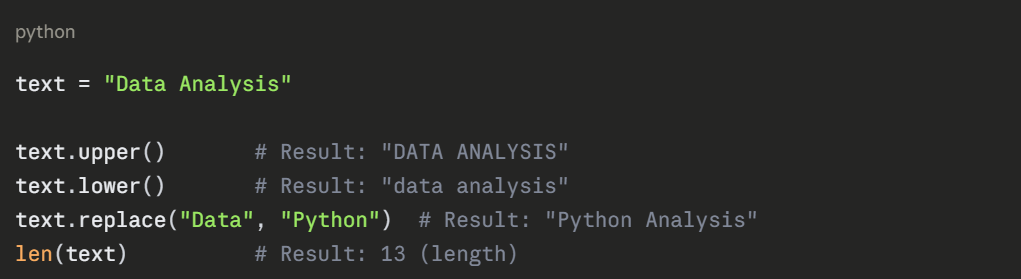
String Methods
Python provides built-in functions for string manipulation:
f-strings (Formatted Strings)
Modern Python uses f-strings for combining variables with text:
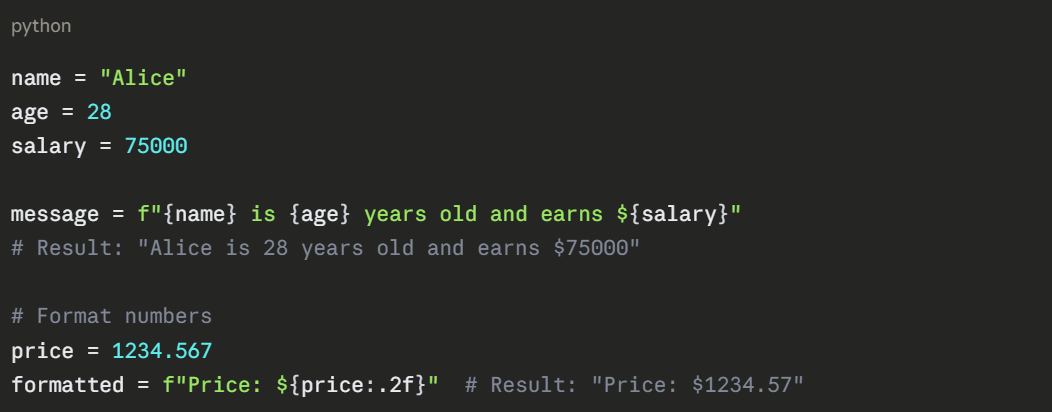
This approach is cleaner and more readable than older string formatting methods.

Class Sessions
Sales Campaign

We have a sales campaign on our promoted courses and products. You can purchase 1 products at a discounted price up to 15% discount.