Pandas, the most widely used library for data manipulation and analysis in Python. While NumPy excels at numerical computations on homogeneous arrays, real-world data is rarely that simple.
It comes in tables with mixed data types, labeled columns, missing values, and row identifiers. Pandas was built specifically to handle this kind of data.
At the heart of Pandas are two core data structures, the Series and the DataFrame, and understanding them thoroughly is the first step to becoming proficient in data analysis with Python.
Installing and Importing Pandas
If you are using Anaconda, Pandas comes pre-installed. Otherwise, install it using:
.png)
Import Pandas with its standard alias:
.png)
The pd alias is a universal convention across the entire data science community.
What is a Series?
A Pandas Series is a one-dimensional labeled array capable of holding any data type, integers, floats, strings, or even Python objects. Think of it as a single column from a spreadsheet, but with a customizable index (label) attached to each value.
Creating a Series
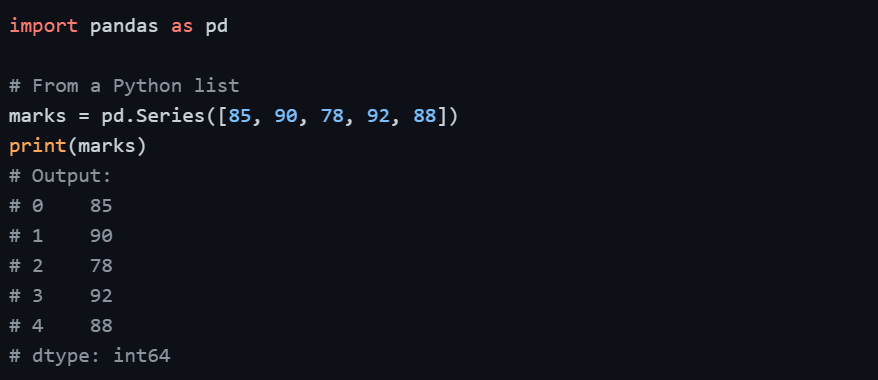
By default, Pandas assigns a numeric index starting from 0. However, you can define your own custom labels.
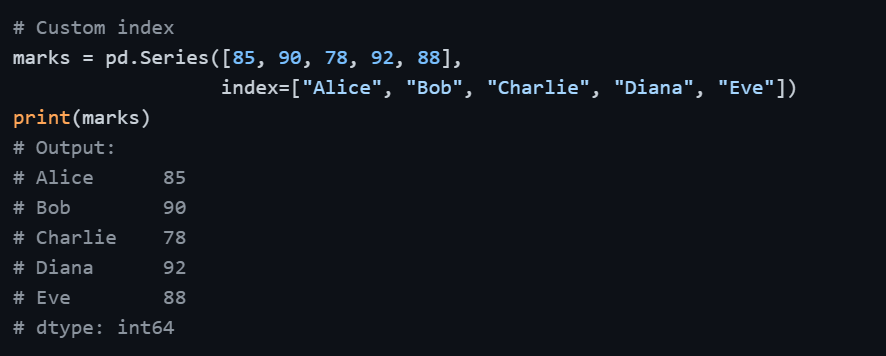
Creating a Series from a Dictionary
When you create a Series from a dictionary, the keys automatically become the index labels.

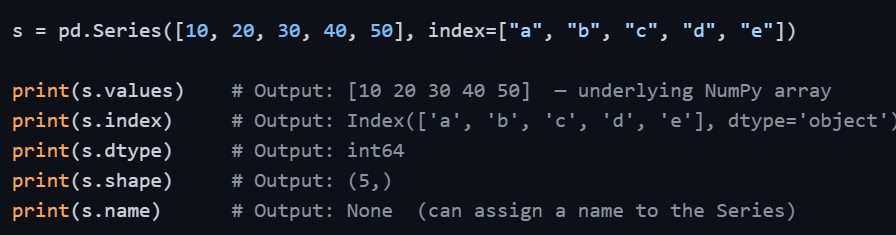
Key Series Attributes
Accessing Series Elements

Series vs. NumPy Array
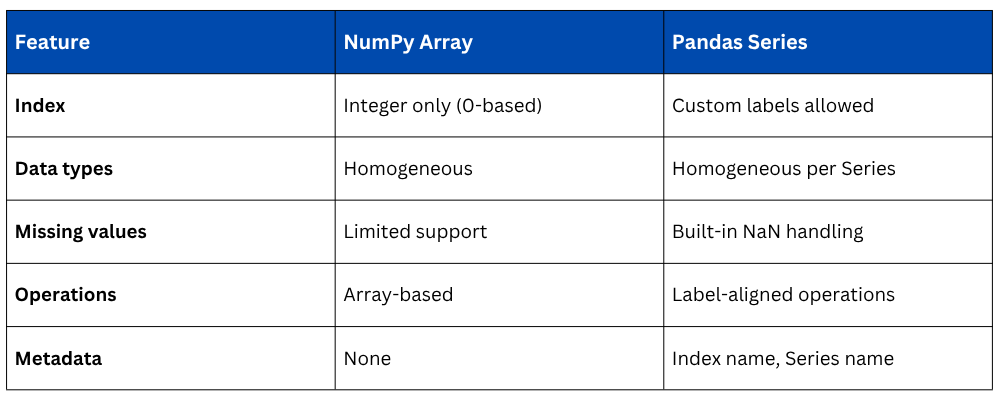
The most important advantage of a Series over a plain NumPy array is label alignment — when you perform operations between two Series, Pandas aligns them by their index labels automatically, not just by position.
What is a DataFrame?
A Pandas DataFrame is a two-dimensional, tabular data structure with labeled rows and columns, essentially a spreadsheet or SQL table in Python. Each column in a DataFrame is a Series, and all columns share the same row index.
Think of a DataFrame as a collection of Series objects aligned along a common index.
Creating a DataFrame
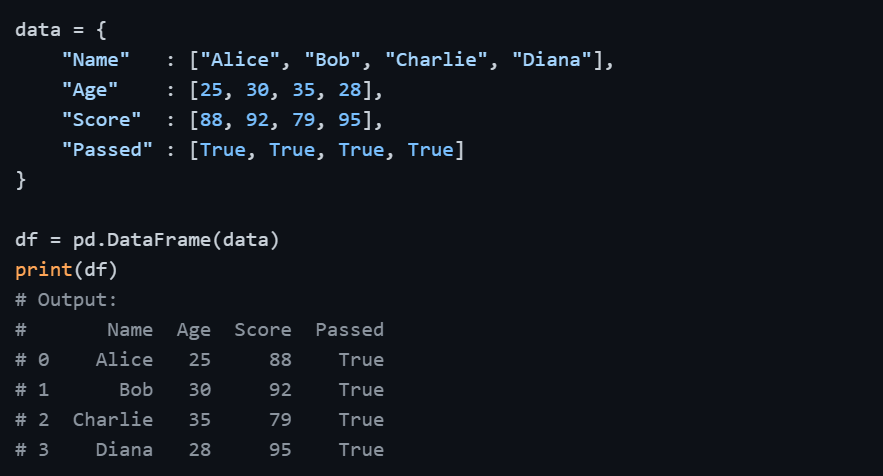
From a Dictionary of Lists
The most common way to create a DataFrame is by passing a dictionary where each key becomes a column name and each value (a list) becomes the column data.
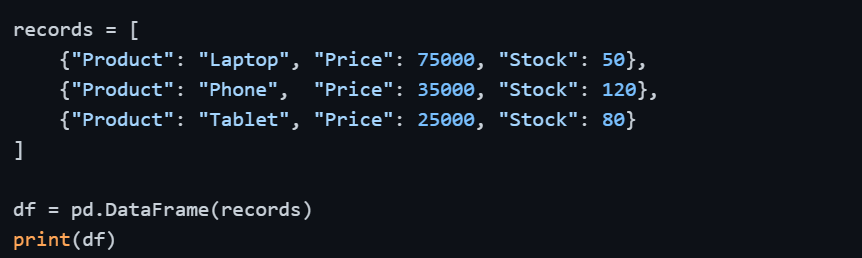
From a List of Dictionaries
Each dictionary represents one row of data.
From a NumPy Array

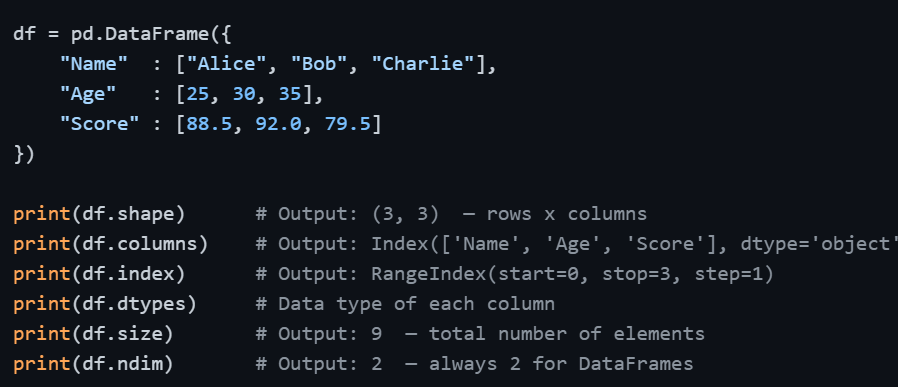
Key DataFrame Attributes
Once you have a DataFrame, these attributes give you an immediate structural overview.
Accessing Columns and Rows
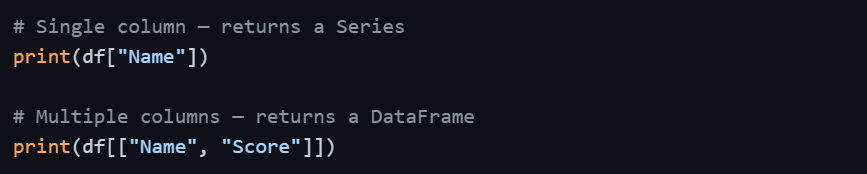
Understanding how to access specific parts of a DataFrame is essential before moving into data manipulation.
Accessing Columns
Accessing Rows
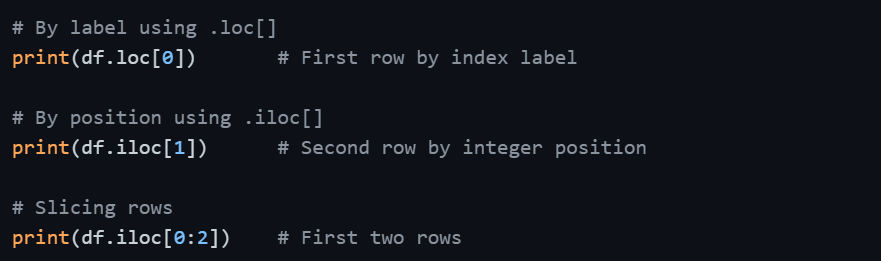
.loc[] uses label-based access and .iloc[] uses position-based access. This distinction becomes especially important when working with custom or non-numeric indexes.
DataFrame Structure Overview
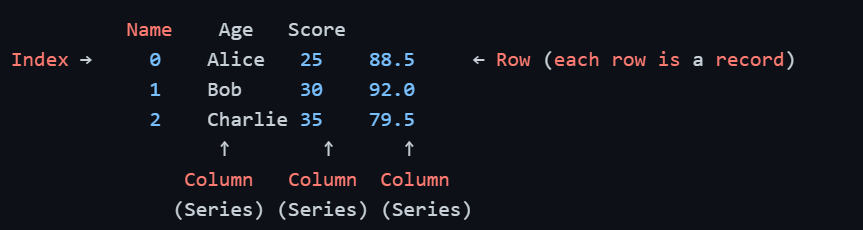
Every column is a Series. Every row is a record. The index ties everything together.
Modifying a DataFrame
Adding a New Column

Dropping a Column

Renaming Columns
.png)
Setting a Custom Index

Series vs. DataFrame
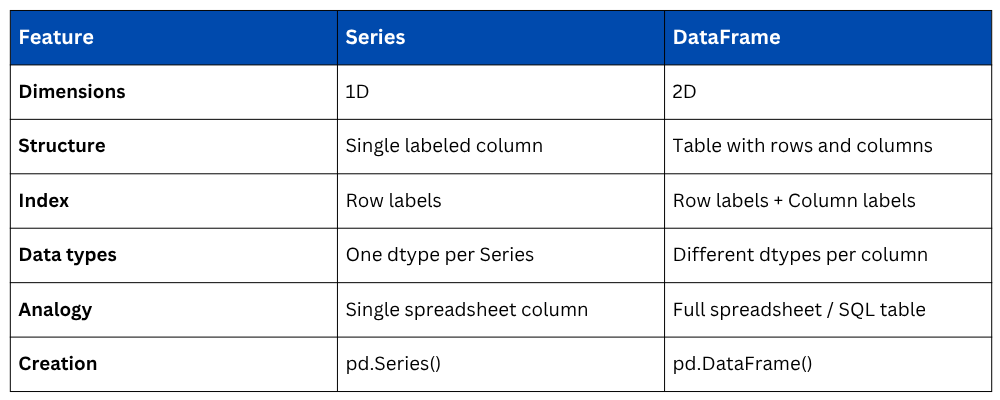

Class Sessions
Sales Campaign

We have a sales campaign on our promoted courses and products. You can purchase 1 products at a discounted price up to 15% discount.