Once you know how to create and operate on NumPy arrays, the next essential skill is knowing how to access, extract, and restructure the data within them.
Indexing lets you retrieve specific elements, slicing lets you extract portions of an array, and reshaping lets you change the array's structure without altering its data.
These three capabilities are used constantly in real-world data analysis workflows, making them fundamental to working effectively with NumPy.
Indexing
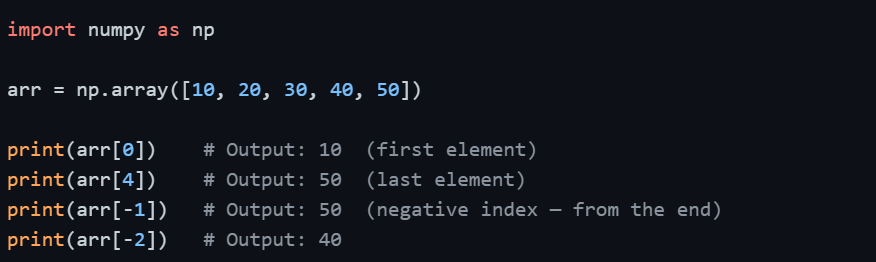
Indexing in NumPy works similarly to Python lists but extends naturally into multiple dimensions. It allows you to access individual elements or specific positions within an array.
1D Array Indexing
2D Array Indexing
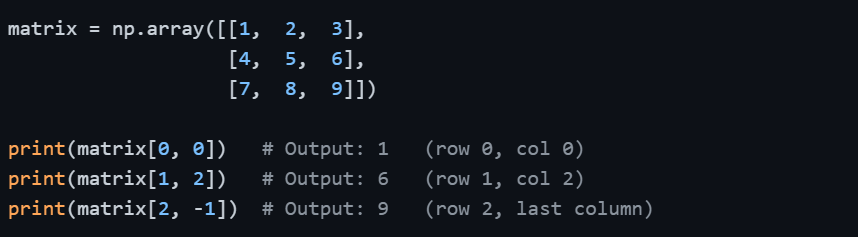
For 2D arrays, you specify the row index first, followed by the column index — written as arr[row, col].
3D Array Indexing
For 3D arrays, indexing follows the pattern arr[block, row, col].

Slicing
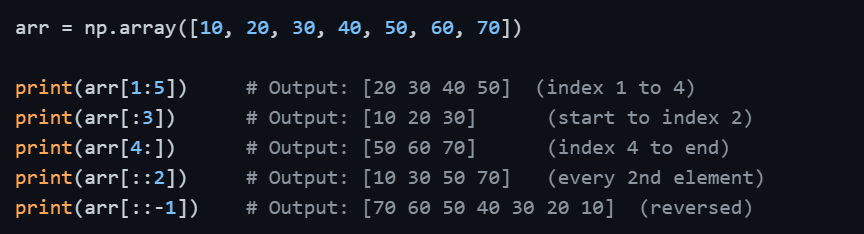
Slicing allows you to extract a range of elements from an array using the start:stop:step syntax — the same pattern used in Python lists, but extended to multiple dimensions in NumPy.
1D Array Slicing
2D Array Slicing
In 2D arrays, you slice rows and columns separately, separated by a comma.
matrix = np.array([[1, 2, 3, 4],
[5, 6, 7, 8],
[9, 10, 11, 12]])
# Extract first two rows
print(matrix[:2, :])
# Output:
# [[1 2 3 4]
# [5 6 7 8]]
# Extract last two columns
print(matrix[:, 2:])
# Output:
# [[ 3 4]
# [ 7 8]
# [11 12]]
# Extract a sub-matrix (rows 0–1, cols 1–2)
print(matrix[:2, 1:3])
# Output:
# [[2 3]
# [6 7]]
The : alone means "select everything" along that dimension. So matrix[:, 0] means all rows, column 0.
Important: Views vs. Copies
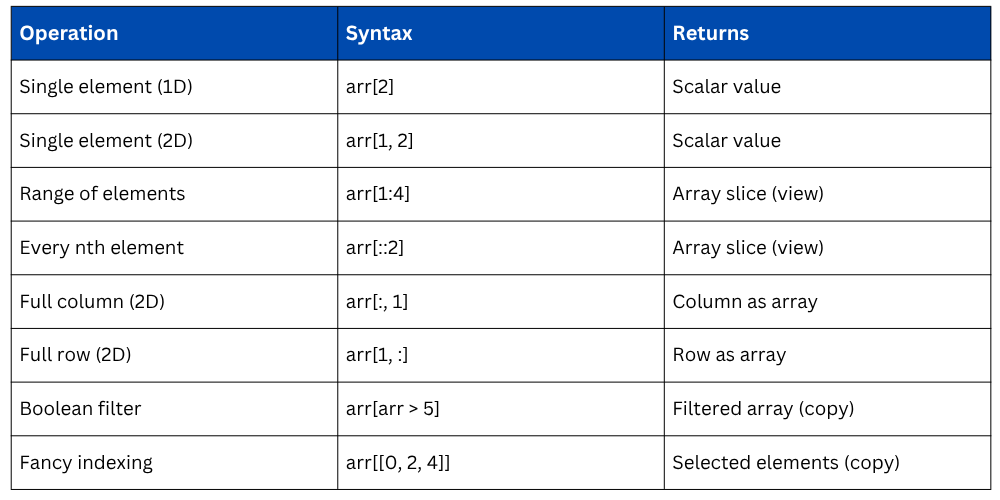
One critical behavior to understand is that NumPy slices return views, not copies. This means modifying the slice will also modify the original array.

To avoid unintentional changes to the original array, use .copy() explicitly.

Boolean Indexing
Boolean indexing lets you filter elements based on a condition, returning only the elements that meet the criteria.
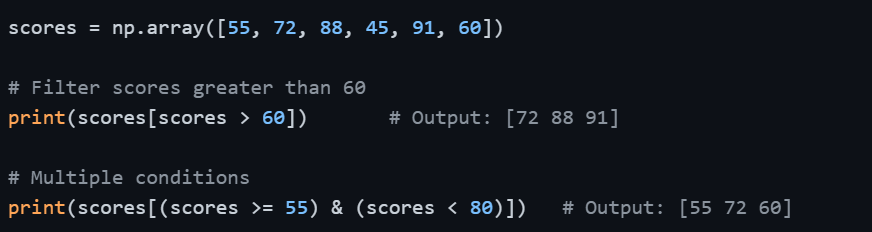
This technique is heavily used in data filtering and is the foundation of Pandas conditional filtering as well.
Fancy Indexing
Fancy indexing means passing an array of indices to retrieve multiple specific elements at once.

Unlike slicing, fancy indexing always returns a copy, not a view.
Slicing vs. Indexing
Reshaping
Reshaping allows you to change the shape (dimensions) of an array without changing its data or total number of elements. This is frequently needed when preparing data for machine learning models or aligning data structures.
reshape()
.png)
The total number of elements must remain the same. For example, a 12-element array can be reshaped to (3, 4), (2, 6), (4, 3), or (2, 2, 3) — but not (3, 5) as that would require 15 elements.
Using -1 in Reshape
NumPy can automatically calculate one dimension if you pass -1. This is very convenient when you know one dimension but want NumPy to figure out the other.

flatten() and ravel()
Both functions convert a multi-dimensional array into a 1D array. The difference is subtle but important.
 and ravel().png)
Use flatten() when you need a safe independent copy, and ravel() when memory efficiency matters.
Transposing Arrays
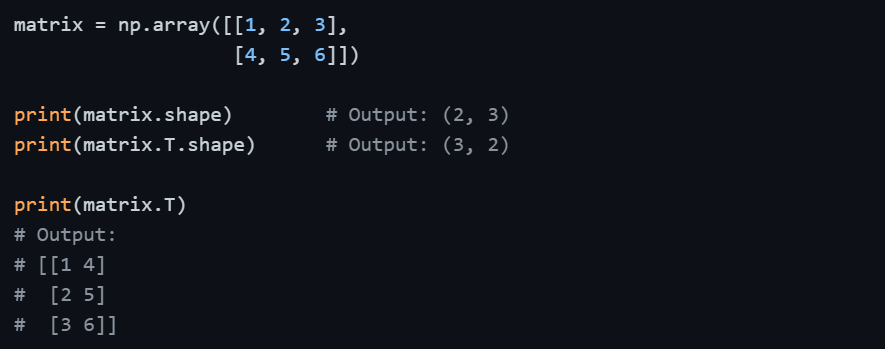
Transposing swaps the rows and columns of a 2D array, turning a shape of (m, n) into (n, m). This is commonly used in matrix operations and data preparation.

Class Sessions
Sales Campaign

We have a sales campaign on our promoted courses and products. You can purchase 1 products at a discounted price up to 15% discount.