Safe browsing and user awareness are critical components of cybersecurity that focus on empowering individuals to recognize potential online threats and practice behaviors that protect them from cyber attacks. Safe browsing involves using secure and vigilant habits while accessing the internet to avoid malicious websites, phishing scams, and malware.
User awareness complements technical defenses by educating users about risks and reinforcing protective practices to maintain personal and organizational security.
Safe Browsing Fundamentals
Adopting secure browsing habits is critical in minimizing risks from phishing, malware, and other online exploits. Highlighted here are effective approaches to maintain a safer online experience:
1. Use Updated Browsers and Plugins: Modern browsers incorporate security features and patches to defend against vulnerabilities and malicious websites. Keeping browsers and plugins current reduces exposure.
2. Always Check URLs and HTTPS: Ensure websites use “https://” indicating encrypted connections. Look for the padlock icon in the browser address bar to confirm site legitimacy and data security.
3. Avoid Suspicious Links and Downloads: Do not click on links or download files from unknown or untrusted sources, including email attachments or pop-up ads, which often carry malware or phishing payloads.
4. Clear Cookies and Cache Regularly: Deleting browser cookies and cached data prevents persistent tracking and reduces the risk of session hijacking.
5. Use Ad Blockers and Script Blockers: Tools like AdBlock Plus or uBlock Origin can prevent malicious scripts and advertisements from running on your browser, enhancing security and privacy.
User Awareness Practices 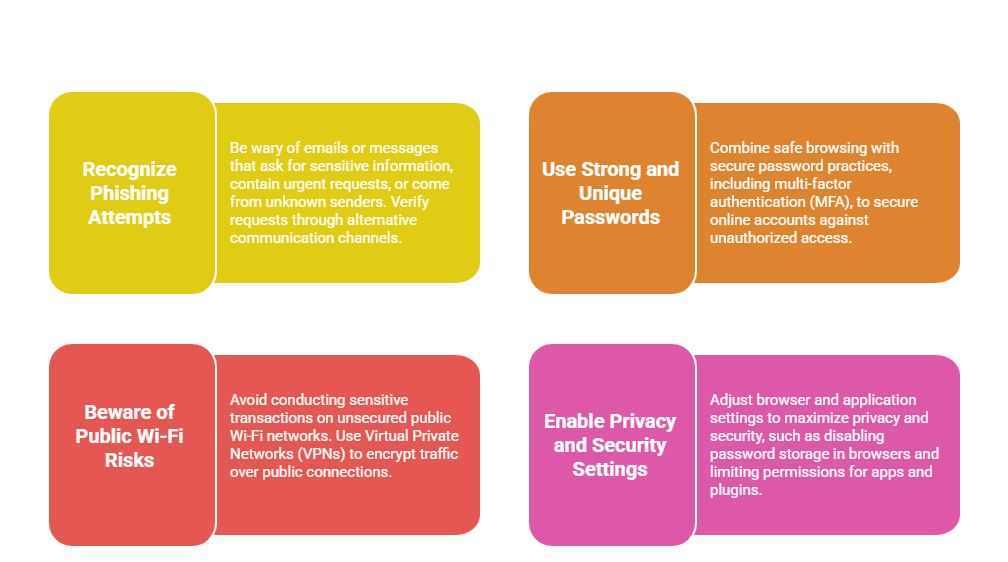
Keep operating systems, antivirus software, and applications updated to protect against threats exploiting known vulnerabilities.
Additional Tips for Safe Browsing
1. Use private/incognito browsing modes to limit data retention during sessions.
2. Expand shortened URLs before clicking to verify destination safety.
3. Educate yourself about new cyber threats and trends continually.
4. Back up important data periodically to recover from potential ransomware or data loss.

Class Sessions
Sales Campaign

We have a sales campaign on our promoted courses and products. You can purchase 1 products at a discounted price up to 15% discount.