Malware, short for malicious software, refers to a broad category of software designed to damage, disrupt, or gain unauthorized access to computer systems.
Among the basic and most common malware types are viruses, worms, and Trojan horses. Each type has distinct characteristics and methods of propagation, affecting cybersecurity differently.
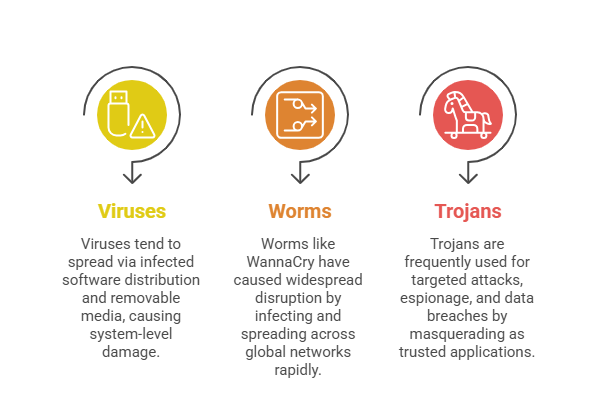
Virus
A virus is a type of malicious program that attaches itself to a legitimate executable file or application and requires user action to run the infected program, activating the viral code.
Once active, the virus can replicate by infecting other files and spreading across systems when infected files are shared. Viruses often corrupt or delete data, disrupt system operations, or cause crashes.
Because they rely on host programs, their spread is largely dependent on human activity, such as opening files or executing applications.
Worm
Worms are standalone malware programs that can self-replicate and spread independently across networks without attaching to host files. They exploit network vulnerabilities or weak configurations to propagate automatically to other devices.
Worms can consume significant bandwidth and system resources, causing network slowdowns or system crashes. Some worms carry additional payloads, such as ransomware or backdoors.
Their ability to spread rapidly and widely makes them particularly dangerous in networked environments.
Trojan Horse
Named after the Greek myth, a Trojan horse disguises itself as legitimate or harmless software to trick users into executing it. Unlike viruses or worms, Trojans do not self-replicate and rely on social engineering techniques such as phishing emails or downloads from untrusted sources.
Once activated, they can steal data, create backdoors for future access, or install additional malware. Trojans are often hidden inside seemingly useful programs or pirated software and may remain dormant until certain conditions trigger them.
Their deceptive nature makes them difficult to detect without proper security measures.
Real-World Implications
Defensive Measures
Combining technical controls with user training is crucial to preventing malware propagation and data compromise. These strategies outline how to defend against viruses, worms, and Trojans effectively:
1. Maintain updated antivirus and antimalware software to detect and quarantine viruses and Trojans.
2. Apply timely patches and security updates to close vulnerabilities, worms exploit.
3. Educate users on avoiding suspicious links, downloads, and attachments to mitigate Trojan infections.
4. Use network monitoring and segmentation to detect and limit worm propagation.

Class Sessions
Sales Campaign

We have a sales campaign on our promoted courses and products. You can purchase 1 products at a discounted price up to 15% discount.