Operating systems (OS) are the foundational software that manage computer hardware and provide a platform for applications to run. Among the many OS options available today, Windows and Linux are two of the most widely used, each with unique characteristics and security considerations.
An understanding of these operating systems, their architecture, and security features is essential for cybersecurity professionals, system administrators, and anyone responsible for securing IT environments.
Windows OS
Windows, developed by Microsoft, is a commercially dominant OS with a user-friendly graphical interface. It is widely used in desktops, laptops, servers, and enterprise environments. Windows uses a layered architecture comprising kernel mode, user mode, and hardware abstraction layers, making it accessible and easy to use.
Security Aspects of Windows
1. Windows includes built-in security features such as Windows Defender Antivirus, Windows Firewall, and BitLocker encryption.
2. User Account Control (UAC) helps prevent unauthorized changes by requiring administrator approval.
3. Regular updates and patches address vulnerabilities; however, Windows remains a common target for malware due to its popularity.
4. Common security threats include malware, ransomware, privilege escalation vulnerabilities, and phishing attacks.
Linux OS
Linux, an open-source OS, is highly customizable with distributions like Ubuntu, CentOS, Debian, and Kali Linux. It has a modular architecture consisting of the Linux kernel, shell, and user applications. Linux is renowned for stability, security, and flexibility, making it ideal for servers, embedded systems, and security-focused environments.
Security Aspects of Linux
1. Linux employs user permissions and access controls based on the Unix model—users, groups, and permissions (read, write, execute).
2. It inherently offers strong security features such as SELinux (Security-Enhanced Linux) and AppArmor, which enforce mandatory access controls.
3. Linux’s open-source nature allows for transparency and community-driven vulnerability detection and patching.
4. Linux systems are less targeted than Windows but still face threats like rootkits, privilege escalation, and malware.
.png)
Key Considerations for Security Professionals
Ensuring system security involves understanding how each OS manages risks, user behavior, and built-in protection mechanisms. These points outline the important areas security professionals must focus on:
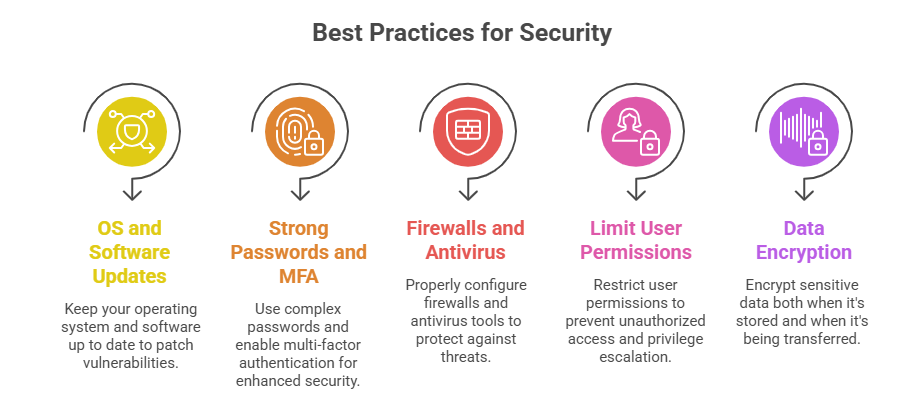
1. Both OS require proper configuration, regular updates, and adherence to security best practices.
2. Windows security relies heavily on user awareness, patches, and endpoint protection tools.
3. Linux security emphasizes permissions, kernel security modules, and community vigilance.
4. Understanding vulnerabilities specific to each OS helps in creating effective defense strategies.

Class Sessions
Sales Campaign

We have a sales campaign on our promoted courses and products. You can purchase 1 products at a discounted price up to 15% discount.