Operating systems (OS) provide essential services that enable hardware and software to function harmoniously. However, inherent weaknesses such as unpatched vulnerabilities and improper permission settings can expose systems to significant cyber risks.
These weaknesses are frequently exploited by attackers to gain unauthorized access, escalate privileges, and persist within environments. Understanding these OS weaknesses is paramount for IT professionals to implement robust security measures and protect organizational assets.
Unpatched Systems
Unpatched systems refer to OS installations where security updates and fixes issued by vendors have not been applied in a timely manner.
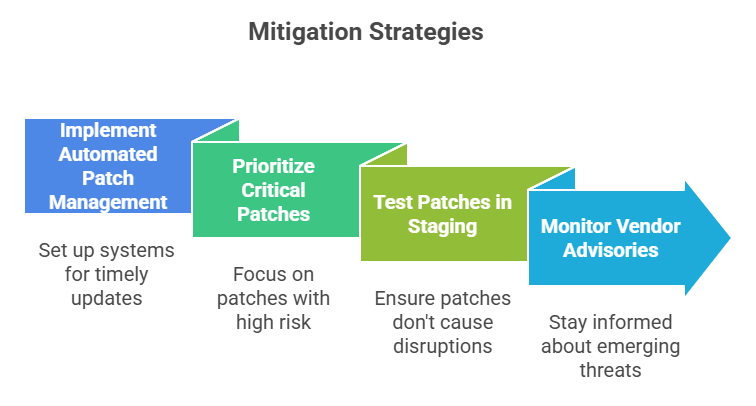
Why Unpatched Systems are Vulnerable: Security patches frequently address discovered vulnerabilities that attackers actively exploit soon after disclosure. Systems lacking patches remain exposed to malware, remote code execution, and privilege escalation attacks.
Examples of Unpatched Vulnerabilities:
1. Buffer overflow vulnerabilities enable arbitrary code execution.
2. Privilege escalation flaws allow attackers to gain administrative rights.
3. Vulnerabilities in drivers or system components leading to denial-of-service (DoS) or unauthorized data access.
Consequences: Exploitation can lead to full system compromise, data breaches, ransomware infection, and lateral movement across networks.
Improper Permissions
Improper permissions arise when operating systems, files, or applications have overly permissive access controls, allowing unauthorized users excessive rights.
Common Issues:
1. Files or directories accessible to all users, including sensitive configuration or credential files.
2. Administrative or root privileges are mistakenly granted to standard users or processes.
3. Network shares or system services are exposed without adequate restrictions.
Security Implications: Attackers leveraging improper permissions can escalate privileges, move laterally, or access confidential data.
Examples:
1. Windows systems allow write access to critical system folders for non-admin users.
2. Linux systems with misconfigured sudo settings or world-writable files.
3. Permission issues enable attackers to overwrite binaries or insert malicious code..png)
Combined Impact and Real-World Examples
Many high-profile cyberattacks exploit a combination of unpatched vulnerabilities and weak permission configurations to gain a foothold and maintain long-term control over systems. Persistently vulnerable environments become attractive targets for ransomware groups and nation-state attackers seeking easy entry points.
Organizations that fail to enforce strong permission hygiene often struggle to detect, respond to, and contain breaches effectively, leading to wider compromise and prolonged damage.

Class Sessions
Sales Campaign

We have a sales campaign on our promoted courses and products. You can purchase 1 products at a discounted price up to 15% discount.