Scanning tools are essential in cybersecurity for discovering and analysing network devices, open ports, services, and potential vulnerabilities. These tools enable security professionals and ethical hackers to map an organisation’s external and internal networks, understand the attack surface, and identify security weaknesses.
Among these tools, Nmap is one of the most widely used for network scanning, while various online reconnaissance tools provide accessible ways to gather intelligence without installing software.
Nmap Basics
Nmap (Network Mapper) is an open-source port scanning and network discovery tool that helps identify hosts and services on a computer network. It works by sending packets to target systems and analysing responses to infer details about the network.
Key Features:
1. Host discovery to find live devices on a network.
2. Port scanning to detect open, closed, or filtered ports.
3. Service and version detection to identify running services and their versions.
4. OS detection to infer the operating system of hosts.
5. Scriptable interaction through the Nmap Scripting Engine (NSE) for advanced scanning and vulnerability detection.
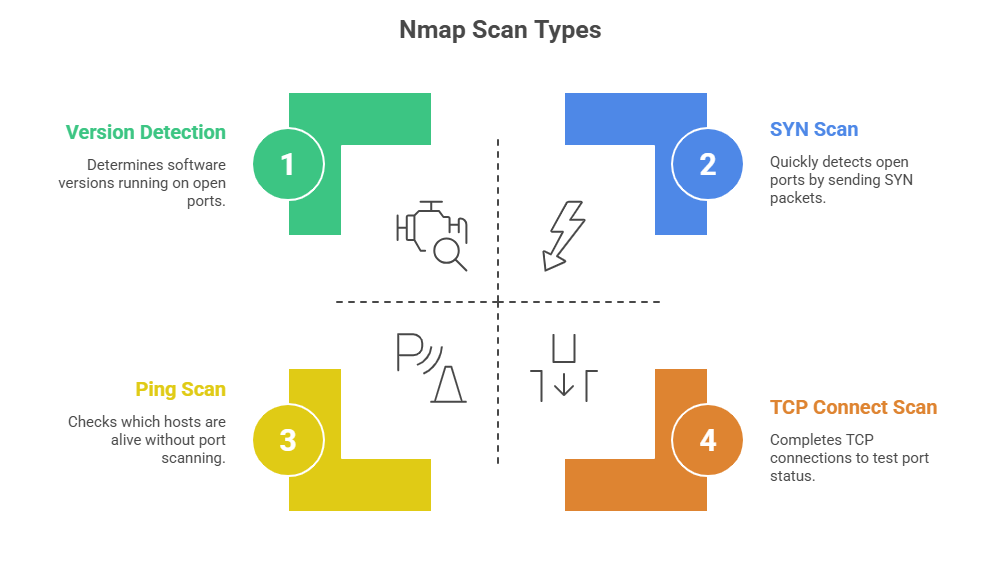
Use Cases: Nmap is used in penetration tests, network audits, and security assessments to gather detailed, actionable network information.
Online Reconnaissance Tools
Online reconnaissance tools are web-based services that provide scanning and information gathering capabilities without the need to install software. They are user-friendly and accessible, often requiring only a target domain or IP address as input.
Examples of Online Tools:
1. Shodan: A search engine for internet-connected devices, revealing server details, open ports, vulnerabilities, and device types.
2. Censys: Continuously scans the internet to inventory devices and certificates, detecting security issues and exposures.
3. VirusTotal: Aggregates multiple scanners to analyse URLs and files for malware and suspicious behaviour.
4. Google Dorking: Uses advanced Google search queries to find sensitive or misconfigured servers and information.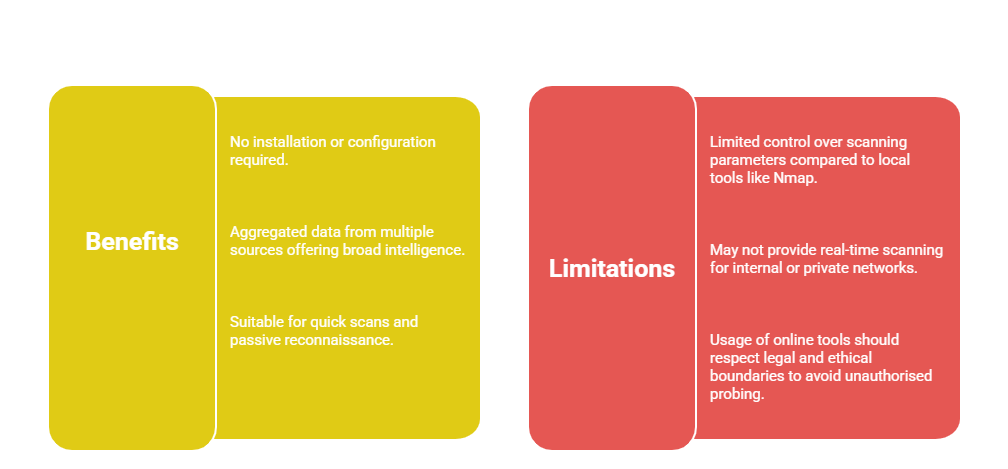
Combining Scanning Tools in Reconnaissance
Using both passive and active tools allows analysts to obtain comprehensive network data while minimising risk and maximising insight. Listed here are the main ways these methods complement each other in reconnaissance:
1. Security professionals often begin with passive, online reconnaissance tools to collect open-source intelligence.
2. Nmap and similar active scanning tools follow to validate findings and perform deeper network analysis with explicit permission.
3. Combining both approaches provides comprehensive visibility and aids in accurate vulnerability assessment.

Class Sessions
Sales Campaign

We have a sales campaign on our promoted courses and products. You can purchase 1 products at a discounted price up to 15% discount.