Using variables and advanced calculation techniques are pivotal for writing efficient, readable, and maintainable DAX formulas in Power BI.
Variables help simplify complex expressions by storing intermediate results, which can be reused within the same formula, improving performance and clarity.
Advanced calculation techniques leverage DAX’s rich function library and context manipulation capabilities, enabling BI professionals to solve intricate analytical challenges with elegant, optimized code.
Using Variables in DAX
Variables in DAX are declared using the VAR keyword and assigned values or expressions that remain constant within a single evaluation of the formula.
After defining variables, the RETURN statement specifies the final result that uses one or multiple variables. This approach prevents redundant calculations, reduces formula verbosity, and makes debugging easier.
Declaration Syntax:
VAR VariableName = <expression>

RETURN

<expression using VariableName>
Multiple variables: You can declare several variables sequentially before the final RETURN expression.
Benefits: It helps avoid recalculating the same expression multiple times while improving formula readability by breaking complex logic into clear, logical parts.
It also simplifies debugging and ongoing maintenance, and can enhance performance by reducing repeated evaluations during calculation execution.
Example:
TotalProfitMargin =

VAR TotalSales = SUM(Sales[Amount])

VAR TotalCost = SUM(Sales[Cost])

RETURN

DIVIDE(TotalSales - TotalCost, TotalSales)
This calculates profit margin while avoiding redundant summing operations.
Advanced Calculation Techniques
Advanced techniques include context transition with CALCULATE(), nested iterators like SUMX(), FILTER(), and leveraging functions such as SWITCH(), IF(), and SELECTEDVALUE() for dynamic logic based on user input or report state.
1. Context Manipulation
Use CALCULATE() to modify filter context, enabling dynamic recalculations based on slicers or filters.
Variables help capture intermediate context filters for layered logic.
2. Iterators
Functions like SUMX(), FILTER(), and ADDCOLUMNS() iterate over tables to perform row-wise calculations that aggregate after iteration.
Combine with variables to store intermediate tables or results for clarity.
3. Conditional Logic
Use nested IF(), SWITCH() for complex decision trees.
Variables simplify nested conditions by isolating logic components.
4. Dynamic Selection: SELECTEDVALUE() returns the value of a column when a single value is selected, useful in dynamic titles or calculations.
5. Error Handling: Implement safe calculations with IFERROR(), DIVIDE() (which avoids divide-by-zero errors), enhancing formula robustness.
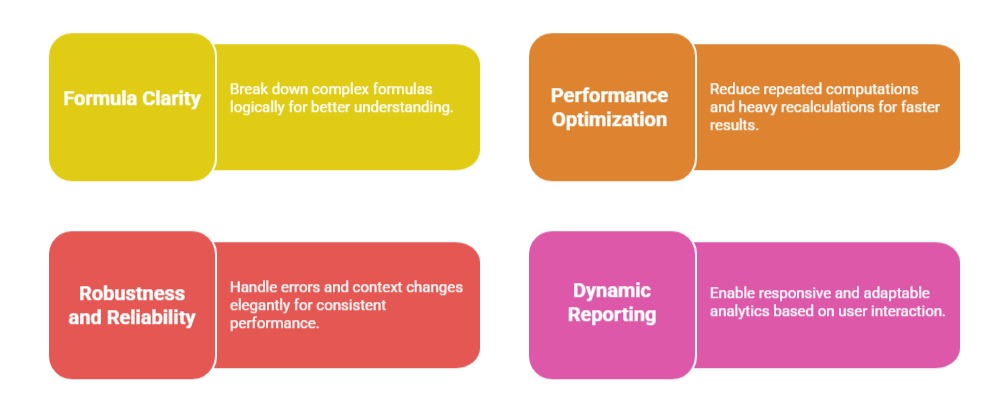
Benefits of Mastering Variables and Advanced Calculations

Class Sessions
Sales Campaign

We have a sales campaign on our promoted courses and products. You can purchase 1 products at a discounted price up to 15% discount.