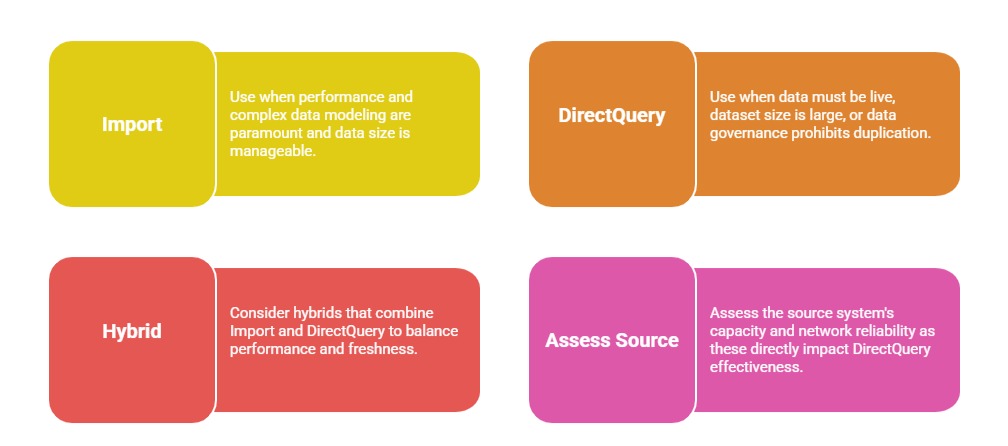
Data Import and DirectQuery are two fundamental data connectivity modes in Power BI, each offering distinct approaches to how data is accessed and managed within the platform.
Choosing between these methods significantly impacts report performance, data freshness, scalability, and the complexity of data transformations achievable.
Understanding the differences, advantages, limitations, and ideal use cases for each option helps BI professionals optimize their data integration and analytics workflows.
Data Import Mode
In Import mode, Power BI copies data from the source into its in-memory storage engine. This cached dataset serves as the basis for all queries and visualizations, enabling rapid response times and extensive data modeling capabilities.
As the data resides within Power BI, users benefit from faster interactions and the ability to use the full breadth of Power Query transformations and DAX calculations without depending on continuous connectivity to the data source.
Advantages: High performance through in-memory caching while supporting complex data transformations and calculations. It also enables offline report consumption by storing data locally and allows seamless integration of multiple data sources within a single model.
Limitations: Dataset size, typically capped at 1 GB per dataset without Power BI Premium. Additionally, data remains static between refreshes, and refresh latency may not be suitable for real-time or near real-time reporting needs.
Typical use cases:
1. Small to medium datasets that do not require real-time updates.
2. Scenarios demanding complex calculations or advanced modeling.
3. Reports consumed frequently with similar datasets.
DirectQuery Mode
DirectQuery mode establishes a live connection to the data source, leaving data in place. Queries are sent back to the source system in real-time every time a report element is interacted with.
This ensures the freshest data is always displayed but introduces added dependency on the source system's query performance and network latency.
Advantages: Access to large and continuously evolving datasets without being constrained by in-memory limits. It provides real-time or near real-time data access while reducing storage requirements in Power BI since data is queried directly rather than cached.
Limitations: Relies heavily on the performance of the source system and network, which can impact query response times. It also offers limited Power Query transformations, restricts certain Power BI features, and does not support offline report viewing since data is not stored locally.
Typical use cases:
1. Very large datasets, typically over 1 GB or frequently changing data.
2. Scenarios requiring always-current data, such as operational dashboards.
3. Situations where data governance requires no data duplication outside source.