No matter how carefully you write your code, errors will happen — a file may not exist, a user may enter the wrong type of input, or a network connection may fail. Without error handling, these situations crash your program entirely.
Python's try-except block allows you to anticipate errors, catch them gracefully, and keep your program running.
In AI and data processing pipelines, where code often runs on large datasets and external files, proper error handling is not optional, it is a professional necessity.
What is an Error in Python?
When Python encounters a problem it cannot resolve, it raises an exception, an error object that describes what went wrong. If not handled, it stops the program immediately and displays a traceback.
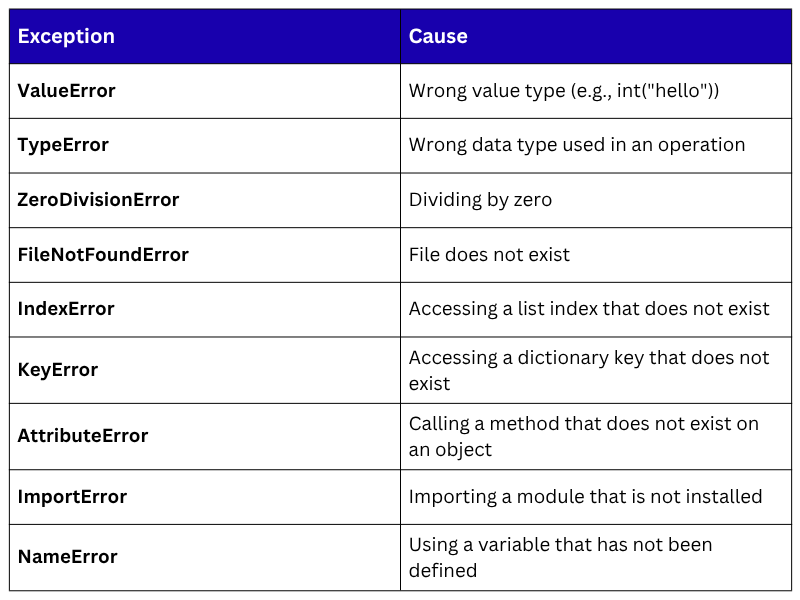
Common Python Exceptions
Basic try-except Structure
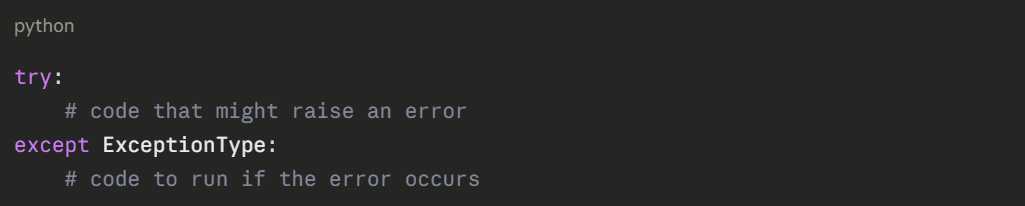
The try block contains the code that might fail. The except block contains what to do if it does.
Syntax:
Example — Without error handling (crashes):

Example — With error handling (controlled):
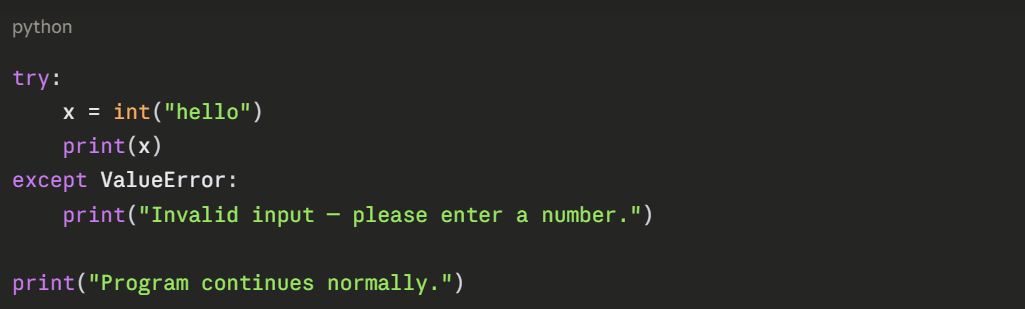

The program catches the error and continues, nothing crashes.
Catching Multiple Exceptions
You can handle different types of errors separately, giving the user more specific feedback.
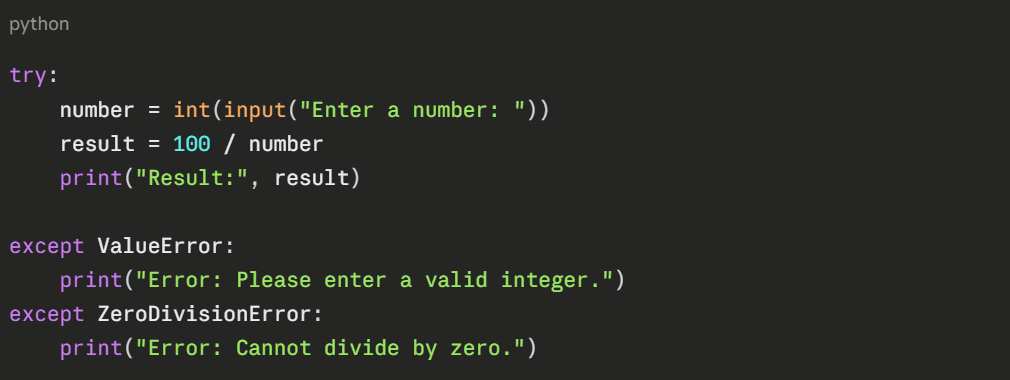
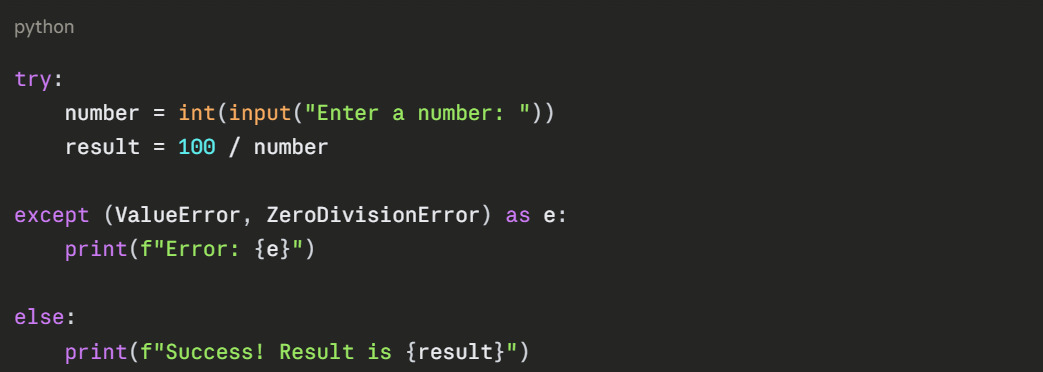
Or catch multiple exceptions in a single line:

The else Clause
The else block runs only when no exception was raised in the try block. It is the "success" path.

The finally Clause
The finally block always runs, whether an error occurred or not. It is used for cleanup tasks like closing files or database connections.
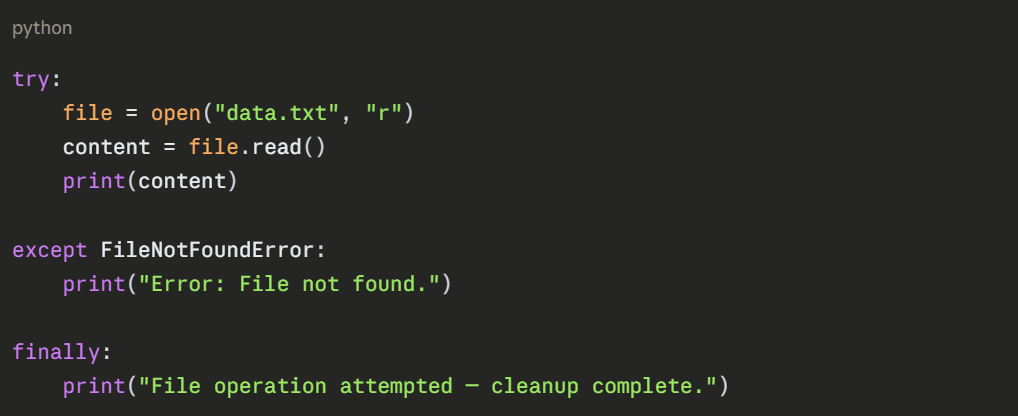

finally runs regardless of the outcome, making it ideal for resource cleanup.
Complete try-except Structure
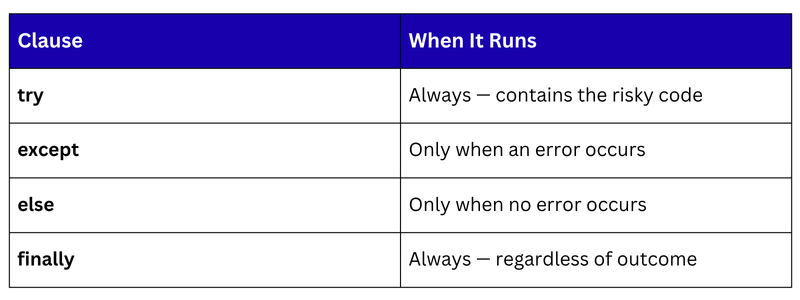
All four clauses together — try, except, else, finally:
python
try:
# Code that might fail
value = int(input("Enter score: "))
result = 100 / value
except ValueError:
# Handles wrong input type
print("Please enter a valid number.")
except ZeroDivisionError:
# Handles division by zero
print("Score cannot be zero.")
else:
# Runs only if no error occurred
print(f"Processed successfully. Result: {result:.2f}")
finally:
# Always runs
print("Process complete.")
Catching the Error Message — as e
Using as e captures the actual error message, which you can display or log.


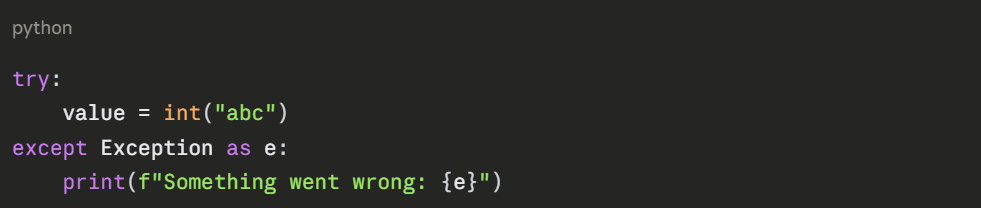
Catching All Exceptions — Exception
When you want a single catch-all handler, use the base Exception class. Use this carefully, it can hide unexpected bugs.

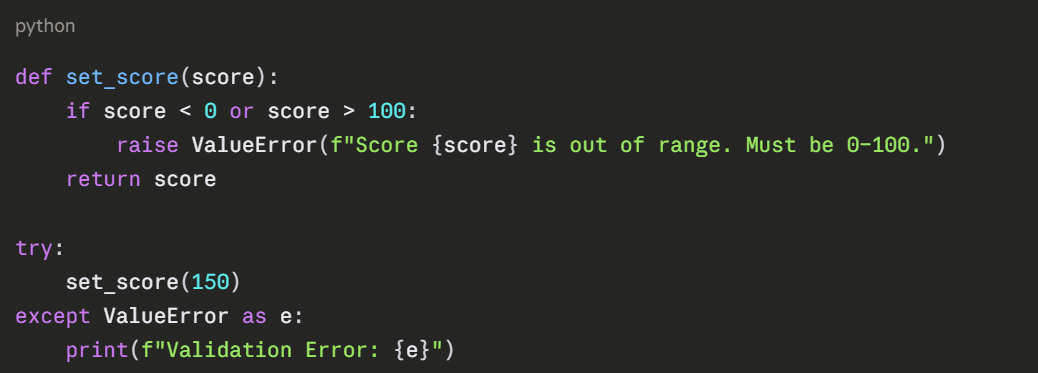
Raising Exceptions Manually — raise
You can deliberately raise an exception when input does not meet your requirements, useful for validating data.

Practical AI Example — Safe File and Data Loading
In AI projects, error handling is critical when loading datasets or processing user input.
python
import pandas as pd
def load_dataset(filepath):
"""Safely loads a CSV dataset with full error handling."""
try:
df = pd.read_csv(filepath)
except FileNotFoundError:
print(f"Error: '{filepath}' not found. Check the file path.")
return None
except pd.errors.EmptyDataError:
print("Error: The file is empty.")
return None
except Exception as e:
print(f"Unexpected error loading file: {e}")
return None
else:
print(f"Dataset loaded successfully — {df.shape[0]} rows, {df.shape[1]} columns.")
return df
finally:
print("Load attempt complete.")
df = load_dataset("students.csv")
if df is not None:
print(df.head())
Common Mistakes to Avoid
1. Catching all exceptions silently — except: pass hides bugs and makes debugging impossible.
2. Too broad exception handling — catch specific exceptions whenever possible.
3. Skipping finally for cleanup — always close files and connections in finally.
4. Not using as e — capturing the error message helps with debugging and logging.
