Control flow is what gives a program its intelligence, the ability to make decisions, repeat actions, and respond to different situations. Combining conditional statements and loops to solve real problems is a core programming skill.
What is Control Flow in Problem-Solving?
Control flow refers to the order in which Python executes statements in a program. When solving a problem, you direct that flow using:
1. Conditionals (if, elif, else) — to make decisions
2. Loops (for, while) — to repeat actions.
3. Loop controls (break, continue, pass) — to refine loop behavior.
Good problem-solving means knowing which tool to use and when.
A Simple Approach to Solving Problems with Control Flow
Before writing any code, follow these steps:
1. Understand the problem — What is the input? What should the output be?
2. Identify the logic — Does it need a decision? A repetition? Both?
3. Choose the right control structure — Conditional, loop, or a combination.
4. Write and test the code — Start simple, then refine.
Problem 1 — Grade Classifier
Problem: Take a student's score as input and print the corresponding grade.
Logic needed: Decision-making → use if, elif, else
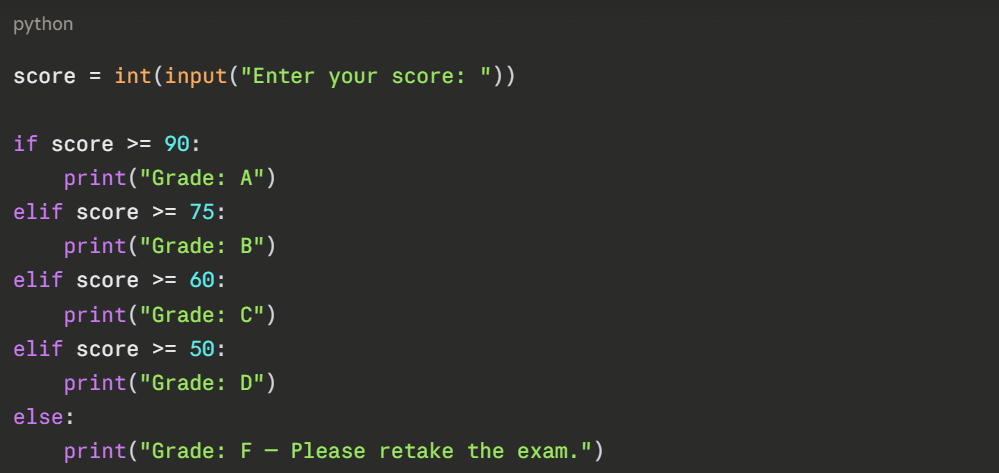

What this demonstrates:
1. Multiple conditions checked in order.
2. Only the first matching condition executes.
3. else handles all remaining cases.
Problem 2 — Multiplication Table Generator
Problem: Print the multiplication table of any number entered by the user.
Logic needed: Repetition → use a for loop with range().
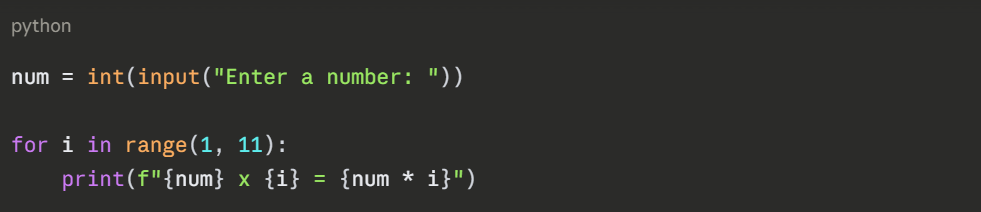
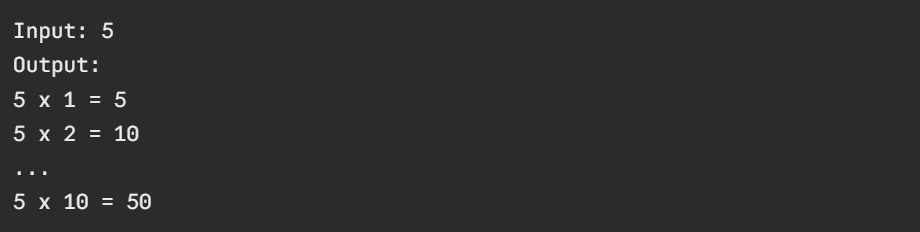
What this demonstrates:
1. Fixed number of iterations using range().
2. f-string formatting for clean output.
3. Arithmetic inside a loop.
Problem 3 — Find the First Even Number in a List
Problem: Search through a list of numbers and stop as soon as the first even number is found.
Logic needed: Loop + condition + early exit → for + if + break
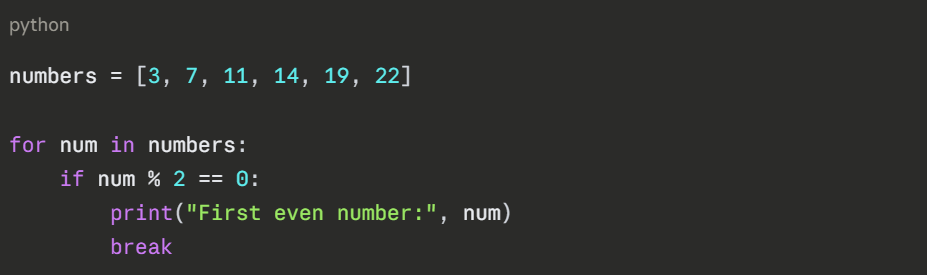

What this demonstrates:
1. Combining a loop with a condition.
2. Using break to stop once the goal is achieved.
3. Efficient searching — no unnecessary iterations.
Problem 4 — Sum of Positive Numbers Only
Problem: From a list of numbers, calculate the sum of only the positive values.
Logic needed: Loop + skip negatives → for + continue
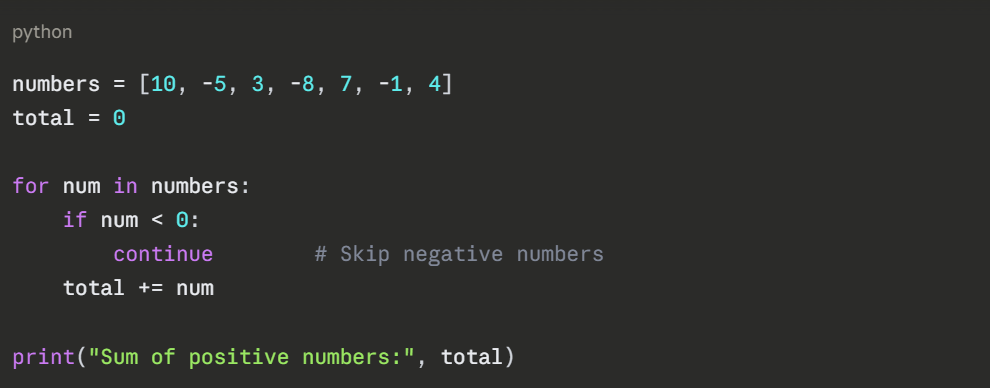

What this demonstrates:
1. Using continue to filter out unwanted values.
2. Accumulating results inside a loop.
3. Clean separation of logic from data.
Problem 5 — User Login Attempt System
Problem: Allow a user 3 attempts to enter the correct password.
Logic needed: Repetition with condition + exit → while + break
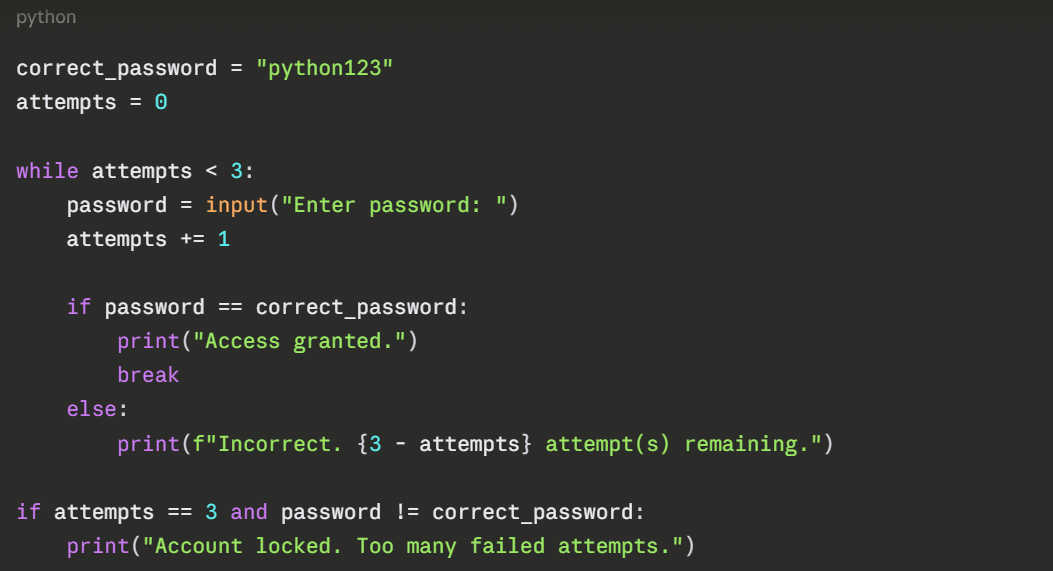
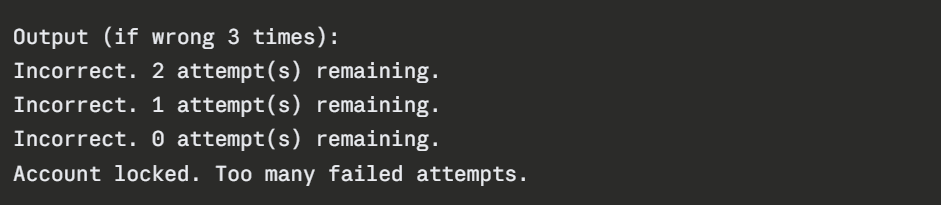
What this demonstrates:
1. while loop for unknown repetition count.
2. break to exit on success.
3. Counter variable tracking attempts.

Class Sessions
Sales Campaign

We have a sales campaign on our promoted courses and products. You can purchase 1 products at a discounted price up to 15% discount.