Every program needs to store and work with information — a user's name, a price, a test score, or a simple yes/no answer.
In Python, this information is stored in variables, and every piece of data belongs to a specific data type.
Understanding these two concepts is the foundation of all programming. Without them, you cannot perform calculations, make decisions, or build any meaningful application.
What is a Variable?
A variable is a named container that stores a value in memory. You create one simply by giving it a name and assigning a value using the = sign.

Here, name holds the text "Aryan" and age holds the number 21. Whenever you use name or age later in your program, Python retrieves the stored value automatically.
Rules for Naming Variables:
1. Must start with a letter or underscore (_), not a number
2. Can contain letters, numbers, and underscores
3. Cannot contain spaces or special characters (@, -, !, etc.)
4. Cannot use Python reserved words like print, if, for
5. Names are case-sensitive — Age and age are two different variables
Good practice: Use lowercase names with underscores for readability — for example, student_name rather than StudentName or studentname.
The Four Core Data Types
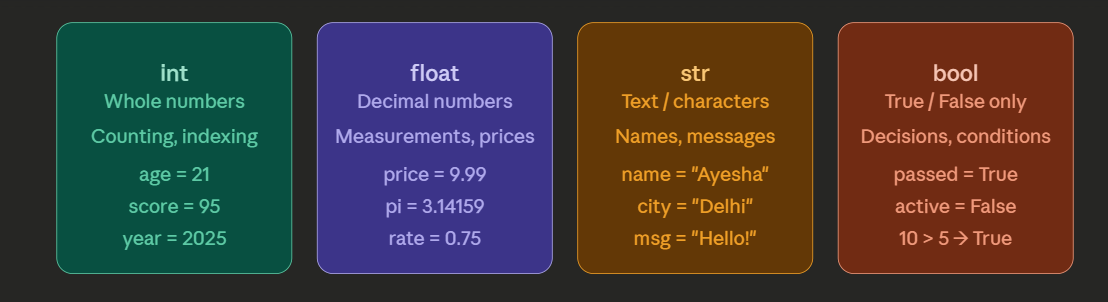
Python automatically identifies the data type of a variable based on the value you assign. You do not need to declare the type manually. The four essential types are:
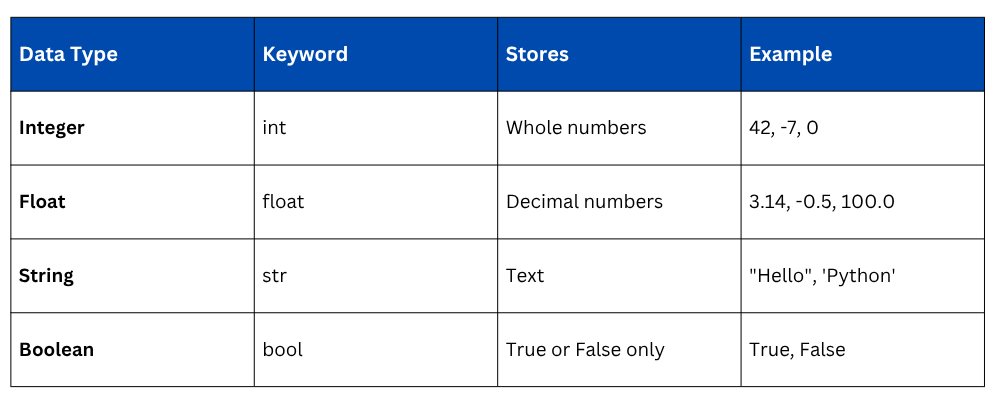
Integer (int)
Integers are whole numbers — positive, negative, or zero. They are used for counting, indexing, and any calculation that does not involve decimals.
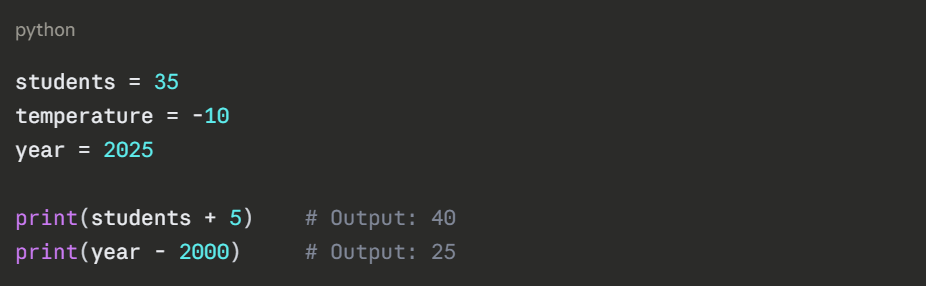
There is no upper limit to how large an integer can be in Python, it handles very large numbers without any special setup.
Float (float)
Floats represent numbers with a decimal point. They are used in calculations involving measurements, percentages, averages, and most real-world numerical data.
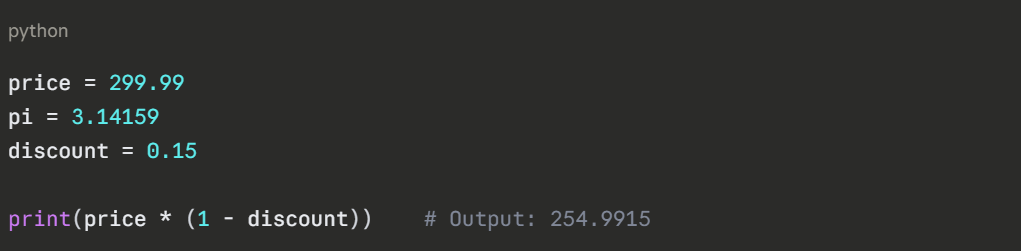
Even if a number like 10.0 looks like a whole number, the decimal point makes it a float. Python treats 10 (int) and 10.0 (float) differently in certain calculations.
String (str)
A string is any sequence of characters enclosed in single or double quotes. Strings are used to store names, messages, labels, and any text-based data.
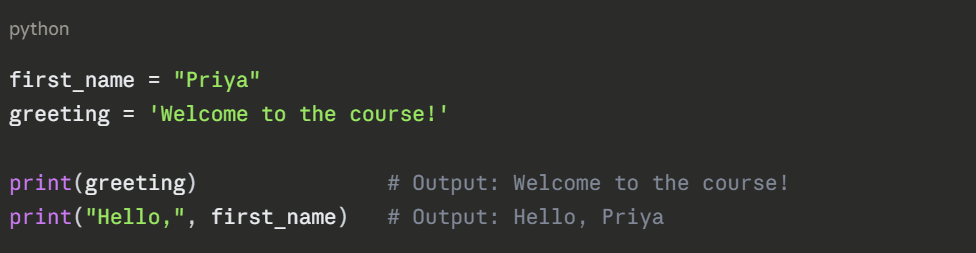
Useful string operations:
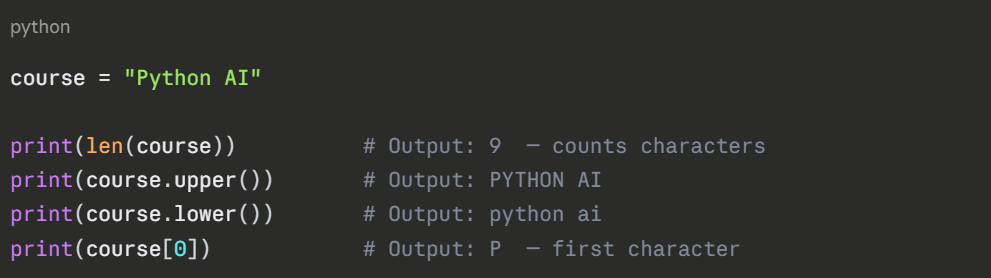
Strings are indexed from 0, not 1. So in "Python", P is at position 0 and n is at position 5.
Boolean (bool)
Booleans store one of two values only — True or False. They are the backbone of decision-making in code and are used extensively in conditions and comparisons.
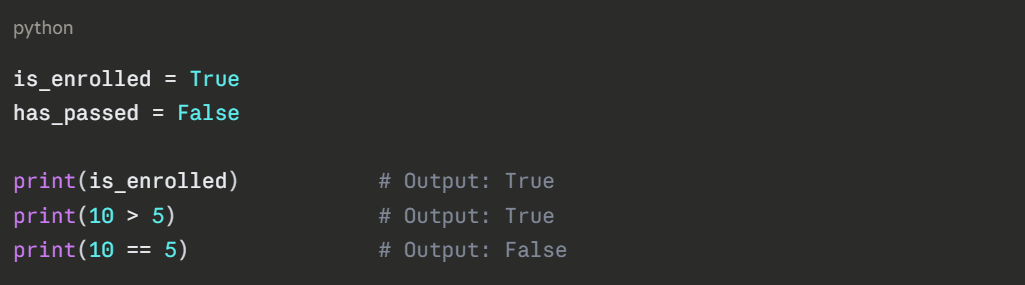
Booleans are most powerful when used with if statements.
Checking a Variable's Data Type
You can always check what data type Python has assigned to a variable using the built-in type() function:
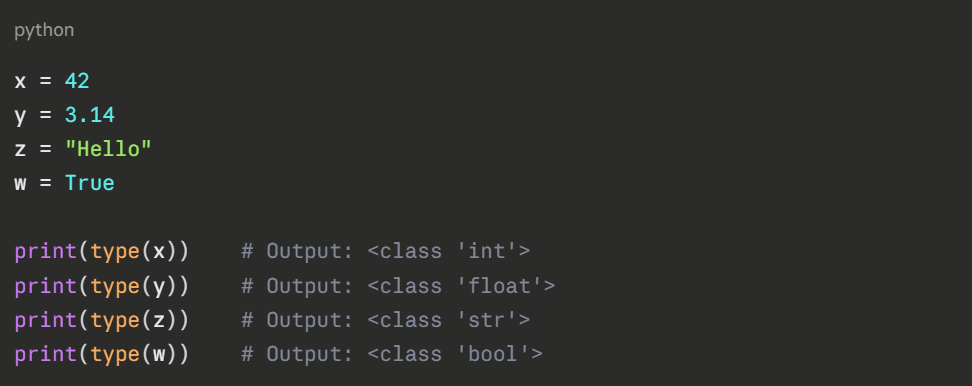
This is particularly useful when debugging — if your program is behaving unexpectedly, checking the data type of a variable often reveals the cause.
Multiple Assignments
Python allows you to assign values in flexible ways to keep your code clean:
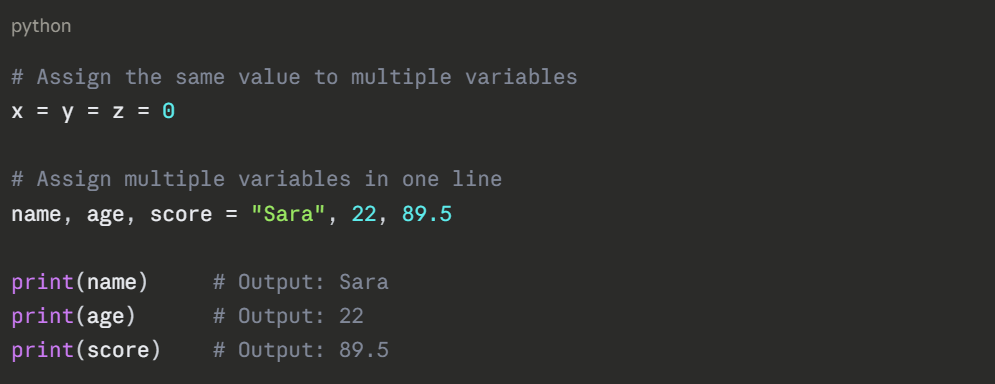
How Data Types Work Together
In real programs, all four types are used together. Here is a short example that combines them:
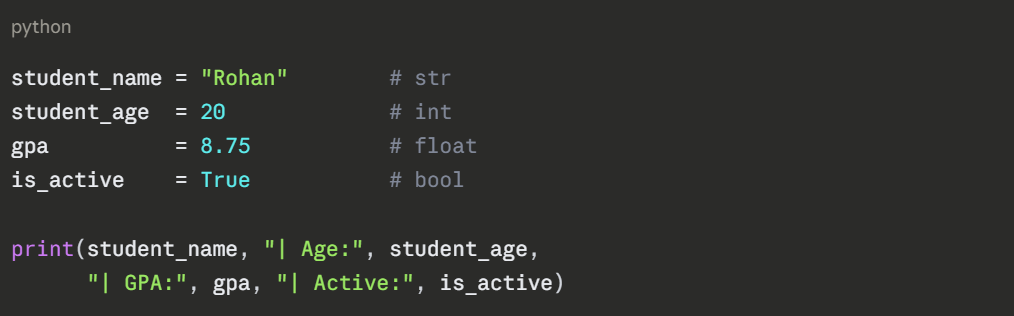
Output:

