Real-world data is rarely clean. It comes with missing values, duplicate records, inconsistent formatting, incorrect data types, and outliers that can mislead your analysis or break your model.
Data cleaning, also called data preprocessing is the process of identifying and fixing these issues before analysis or model training begins. In AI and machine learning, the quality of your data directly determines the quality of your results.
A well-cleaned dataset is not optional; it is the foundation of every reliable AI model.
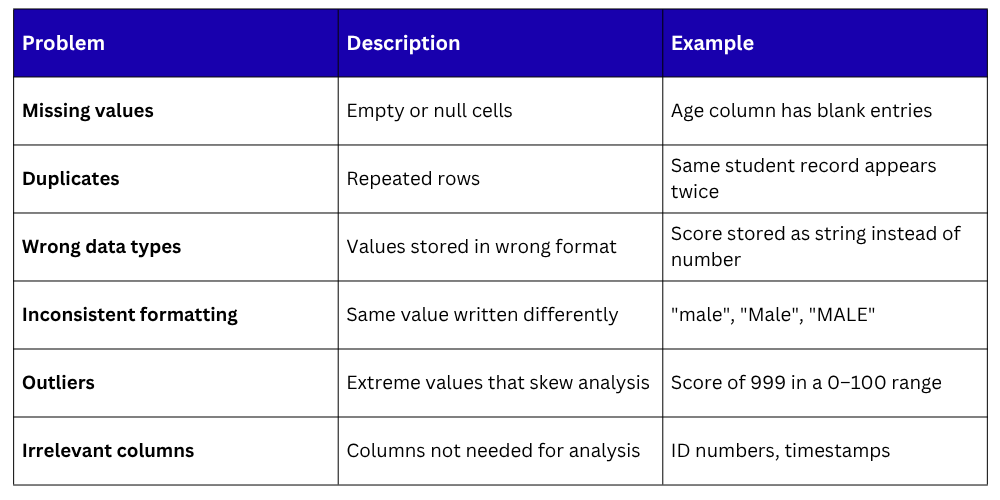
The Most Common Data Quality Issues
Before cleaning, it helps to know what you are looking for:
Setting Up — Loading and Inspecting
Always start by loading your data and running a quick inspection to identify what needs cleaning.
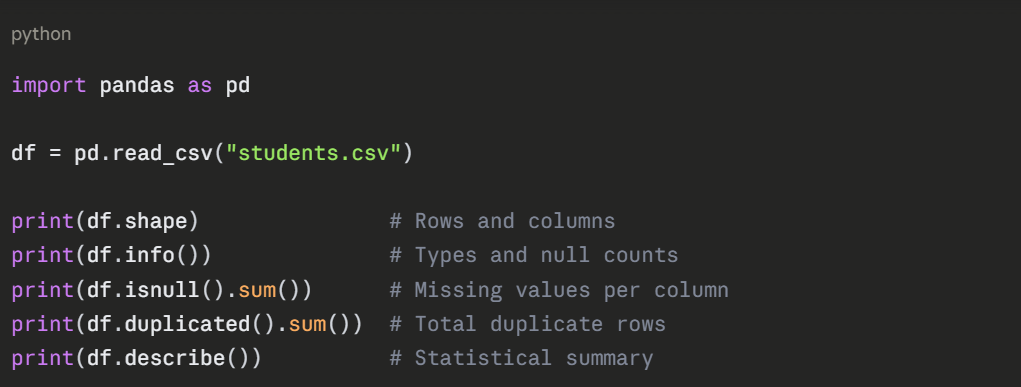
This gives you a complete picture of where the problems are before you start fixing them.
Handling Missing Values
Missing values are the most common data quality problem. There are three standard approaches depending on how many values are missing and how important the column is.
Detecting Missing Values

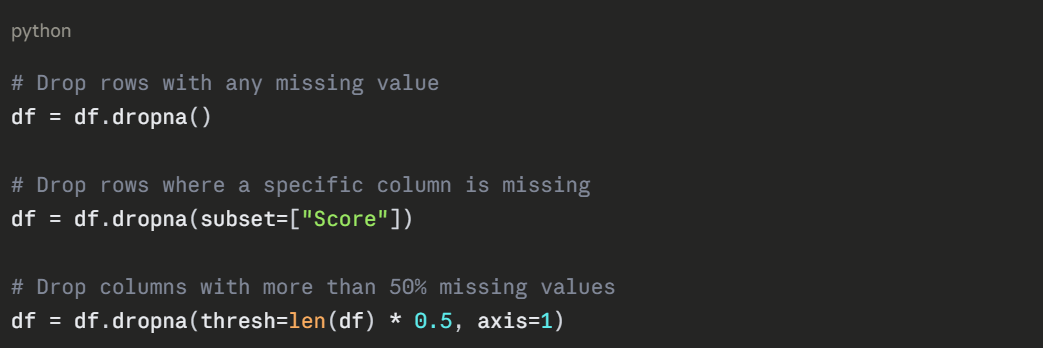
Option 1 — Drop Rows or Columns with Missing Values
Use this when very few rows are missing or an entire column is mostly empty.
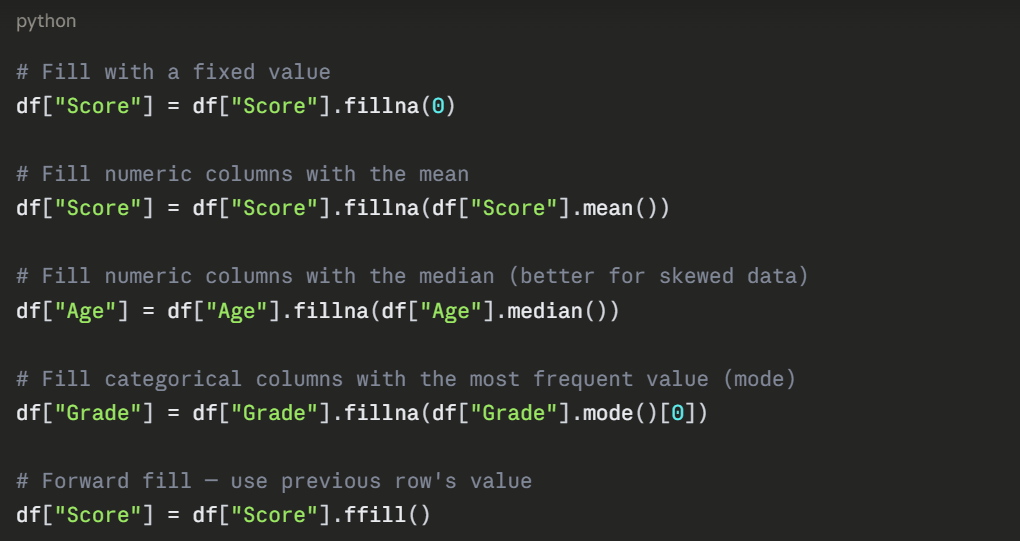
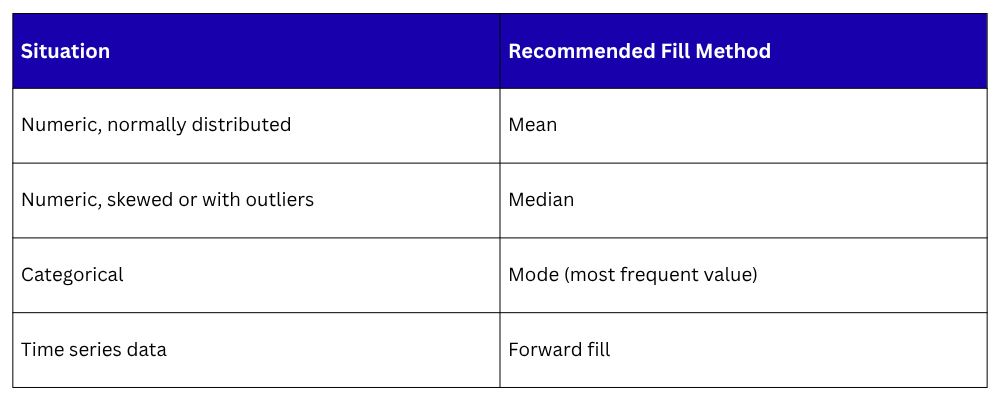
Option 2 — Fill Missing Values
Use this when dropping would lose too much data.
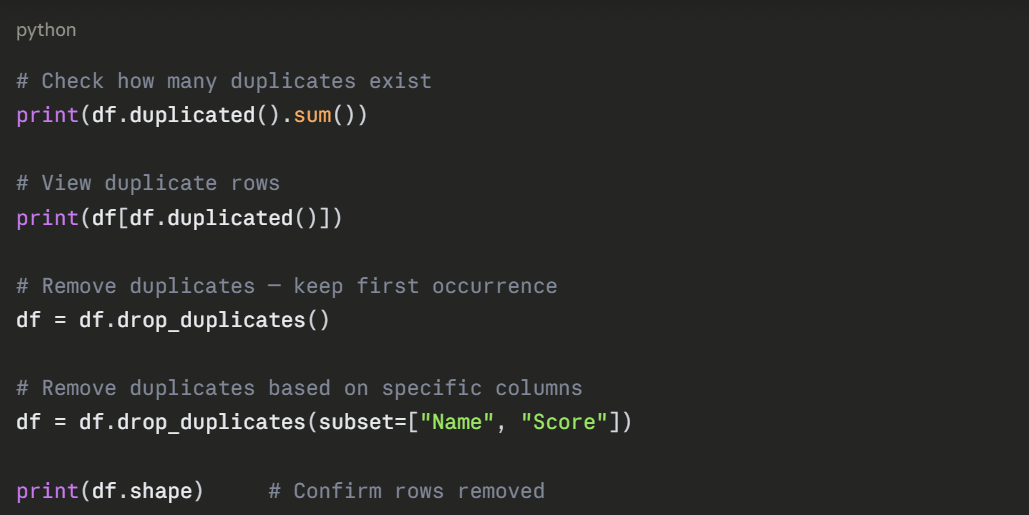
Removing Duplicate Rows
Duplicate records inflate your dataset and distort model training. Identifying and removing them is straightforward.
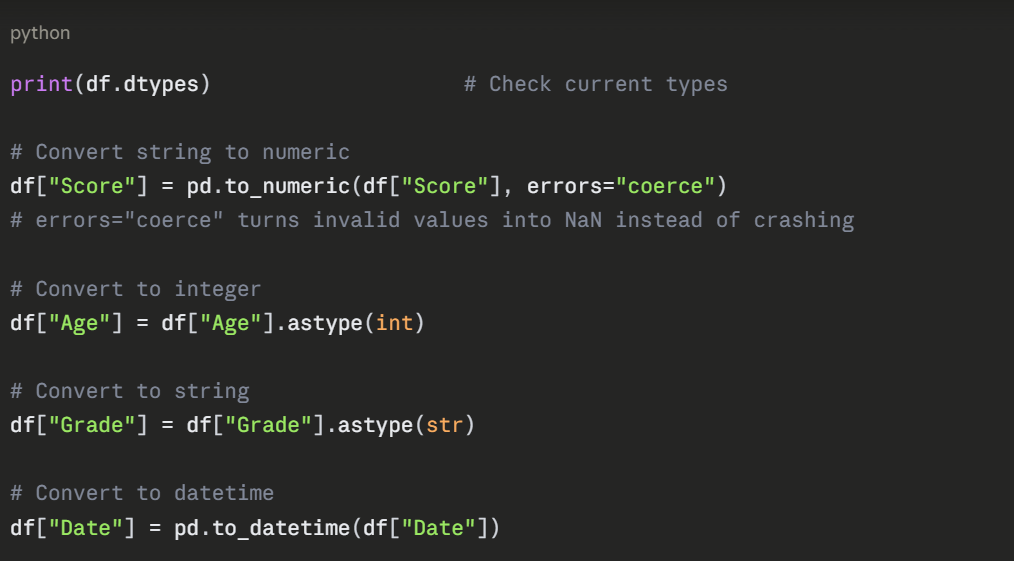
Fixing Data Types
Columns are sometimes stored in the wrong type, numbers as strings, dates as plain text. This causes errors in calculations and model training.
Fixing Inconsistent Text Values
Inconsistent capitalization and spacing in categorical columns cause incorrect grouping and analysis.
python
# Standardize to lowercase
df["Gender"] = df["Gender"].str.lower()
# Remove leading/trailing whitespace
df["Name"] = df["Name"].str.strip()
# Replace inconsistent values
df["Gender"] = df["Gender"].replace({
"male": "Male",
"m": "Male",
"female": "Female",
"f": "Female"
})
# Check unique values after fixing
print(df["Gender"].unique())
Handling Outliers
Outliers are extreme values that can distort statistical analysis and reduce model accuracy. The most common detection method uses the IQR (Interquartile Range).
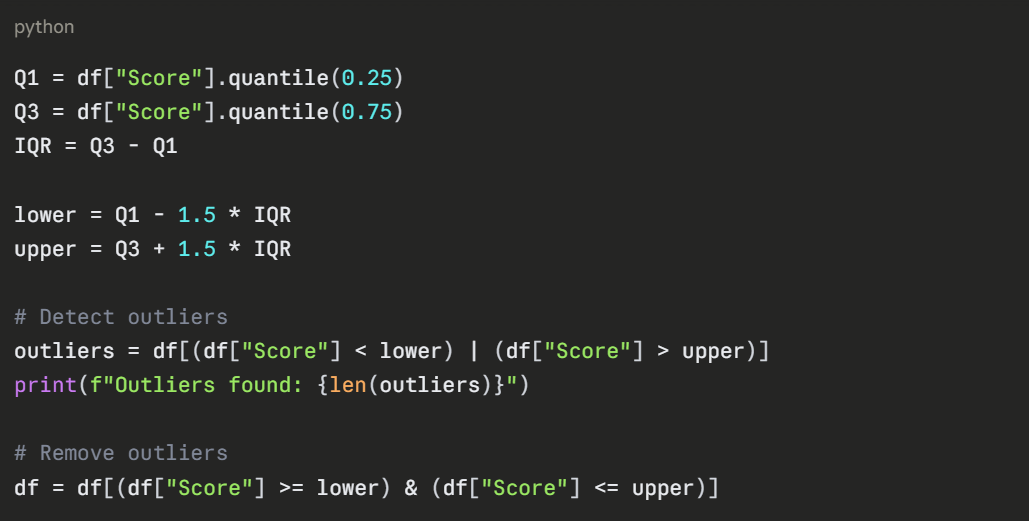
For cases where you want to keep the rows but cap extreme values:

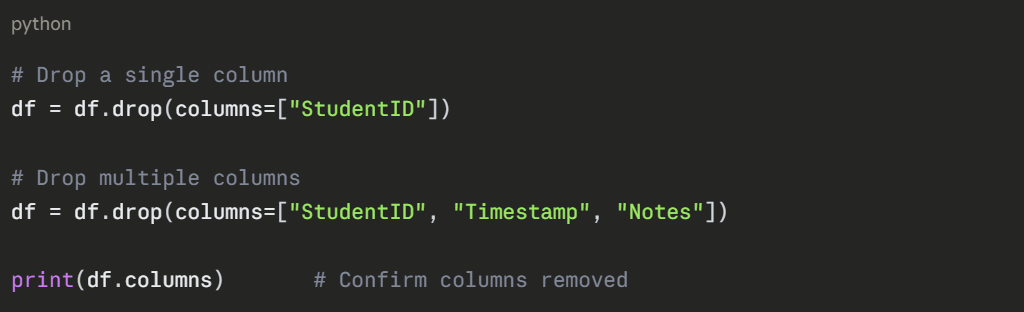
Dropping Irrelevant Columns
Columns that add no value to your analysis or model should be removed to keep the dataset clean and efficient.
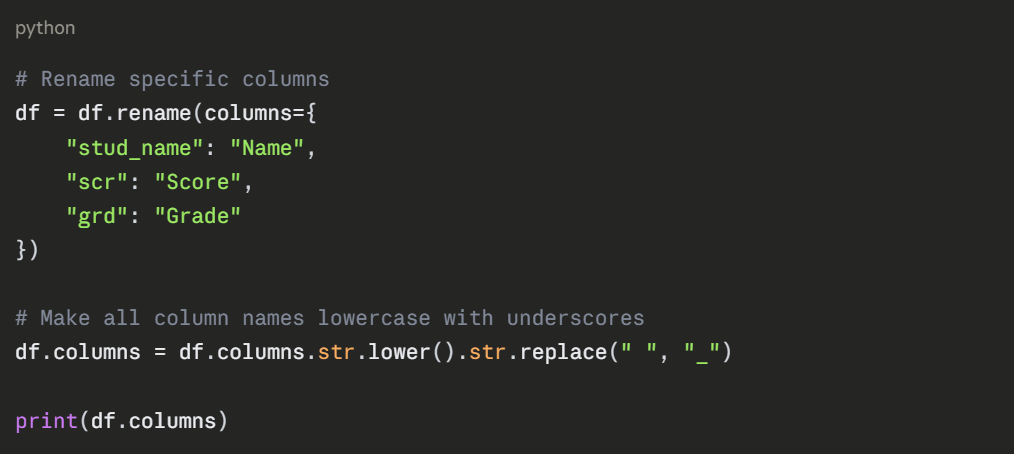
Renaming Columns
Clean, consistent column names make your code more readable and prevent errors.
Complete Data Cleaning Workflow
Here is a clean, practical end-to-end example:
python
import pandas as pd
df = pd.read_csv("students.csv")
# Step 1 — Inspect
print(df.info())
print(df.isnull().sum())
# Step 2 — Remove duplicates
df = df.drop_duplicates()
# Step 3 — Fix missing values
df["Score"] = df["Score"].fillna(df["Score"].median())
df["Grade"] = df["Grade"].fillna(df["Grade"].mode()[0])
# Step 4 — Fix data types
df["Score"] = pd.to_numeric(df["Score"], errors="coerce")
df["Age"] = df["Age"].astype(int)
# Step 5 — Fix inconsistent text
df["Gender"] = df["Gender"].str.lower().str.strip()
# Step 6 — Remove outliers
Q1, Q3 = df["Score"].quantile([0.25, 0.75])
IQR = Q3 - Q1
df = df[(df["Score"] >= Q1 - 1.5*IQR) & (df["Score"] <= Q3 + 1.5*IQR)]
# Step 7 — Drop irrelevant columns
df = df.drop(columns=["StudentID"])
# Step 8 — Save
df.to_csv("students_clean.csv", index=False)
print("Cleaning complete. Rows remaining:", len(df))
Data Cleaning Checklist
1. Missing values detected and handled
2. Duplicate rows removed
3. Data types corrected
4. Inconsistent text values standardized
5. Outliers detected and addressed
6. Irrelevant columns removed
7. Column names cleaned and consistent
8. Cleaned dataset saved

Class Sessions
Sales Campaign

We have a sales campaign on our promoted courses and products. You can purchase 1 products at a discounted price up to 15% discount.