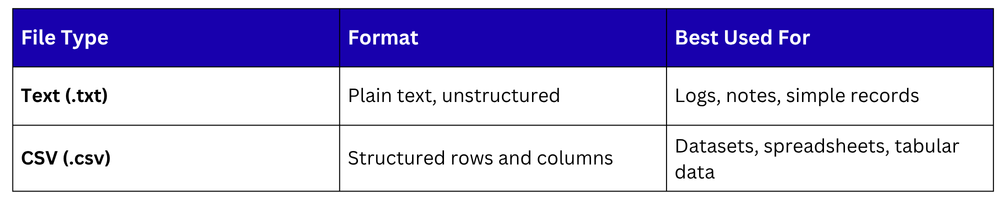
Data rarely lives inside your Python script, it comes from external files. Whether it is a plain text log, a CSV dataset, or a configuration file, the ability to read from and write to files is a fundamental skill in Python programming.
In AI and data science, file handling is especially critical because datasets are almost always stored in external files that must be loaded, processed, and saved.
Working with Text Files
Python has built-in support for reading and writing text files, no library required. The key function is open(), which opens a file and returns a file object.
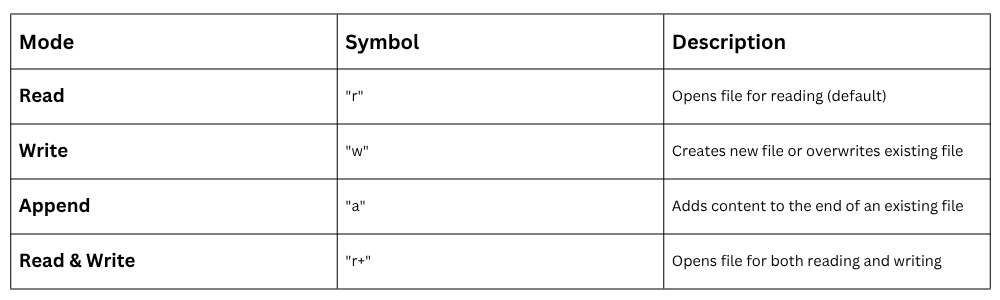
File Opening Modes
Writing to a Text File

1. with open() is the recommended approach, it automatically closes the file when done.
2. \n adds a new line after each string.
Appending to a Text File

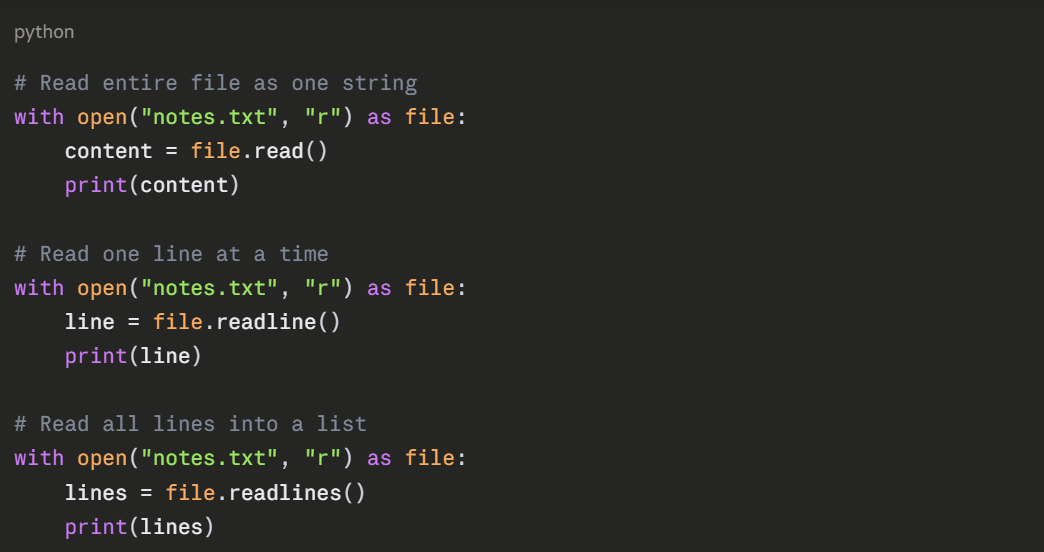
Reading from a Text File
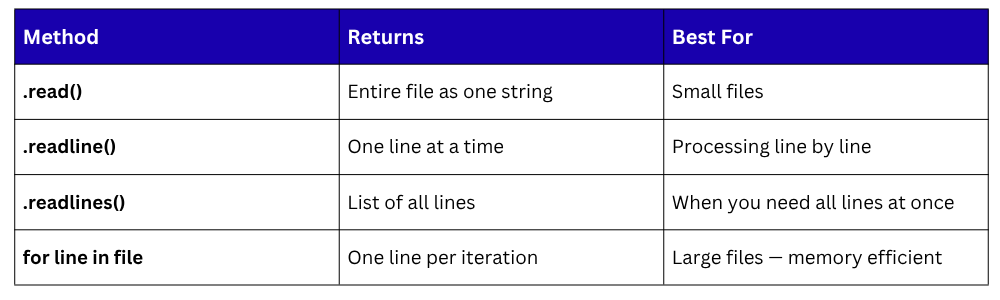
Python offers three ways to read a text file:
Iterating Line by Line — Most Memory Efficient


Reading Methods Comparison
Working with CSV Files
CSV (Comma-Separated Values) is the most common format for storing structured data — spreadsheets, datasets, and exported records. Python provides a built-in csv module for handling them, and Pandas offers an even more powerful approach.
Using the Built-in csv Module
No installation needed — csv is part of Python's standard library.
Writing a CSV file:
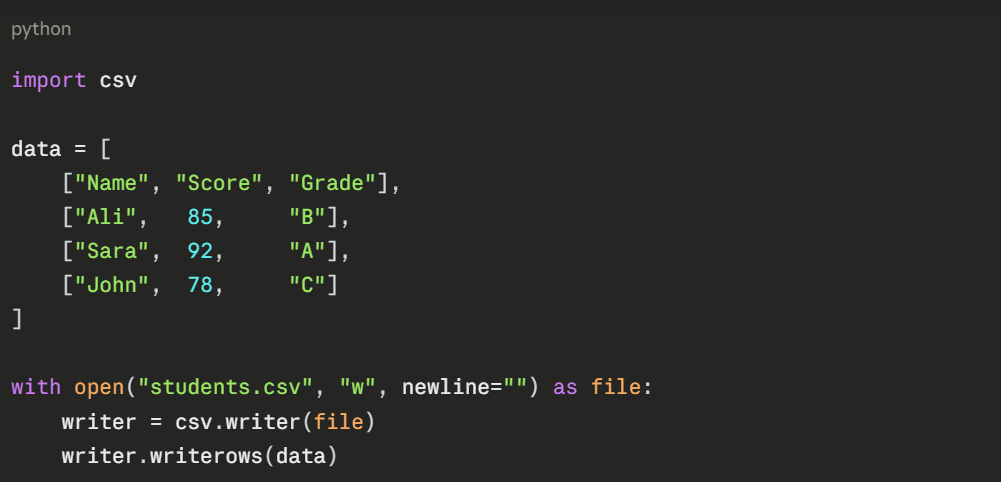
1. newline="" prevents extra blank lines on Windows.
2. writerows() writes all rows at once; use writerow() for a single row.
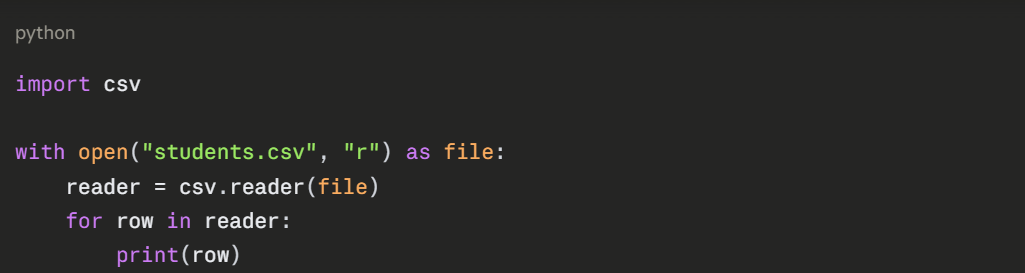
Reading a CSV file:

Using DictReader — Access columns by name:
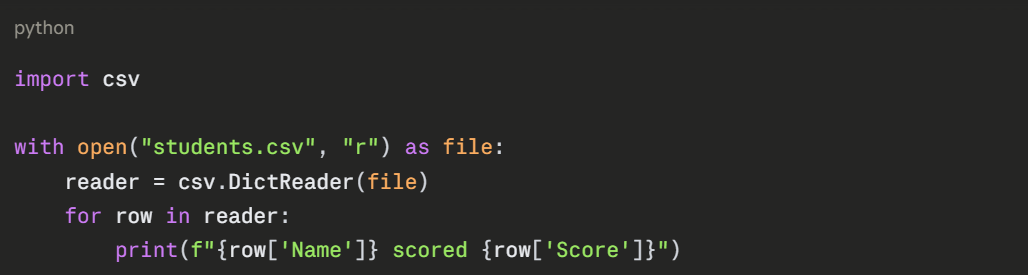

DictReader treats the first row as column headers and gives you named access to each field, much cleaner than index-based access.
Using Pandas for CSV — The AI Standard
For data science and AI work, Pandas is the preferred method for handling CSV files. It loads data directly into a DataFrame and supports filtering, cleaning, and transforming in just a few lines.
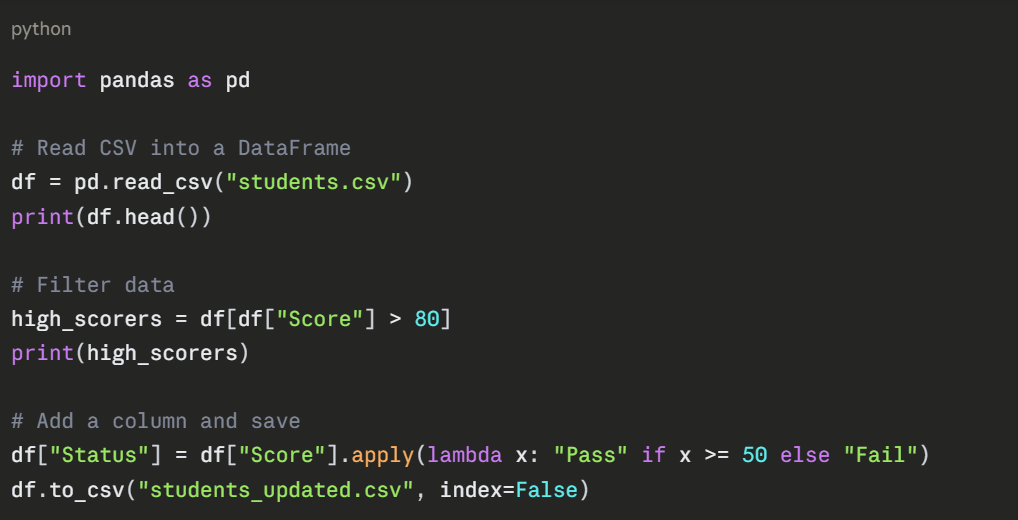
1. index=False prevents Pandas from writing the row index as an extra column.
Handling File Errors Safely
Files can be missing, locked, or corrupt. Always handle potential errors when working with files.
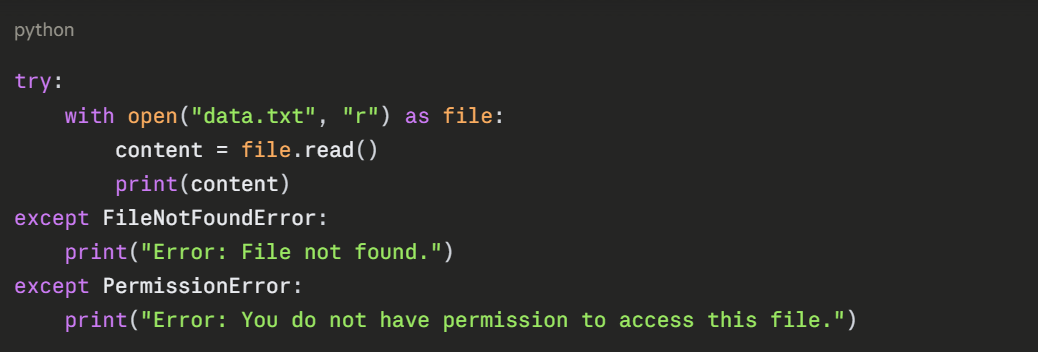
Using try-except around file operations prevents your program from crashing when something goes wrong.
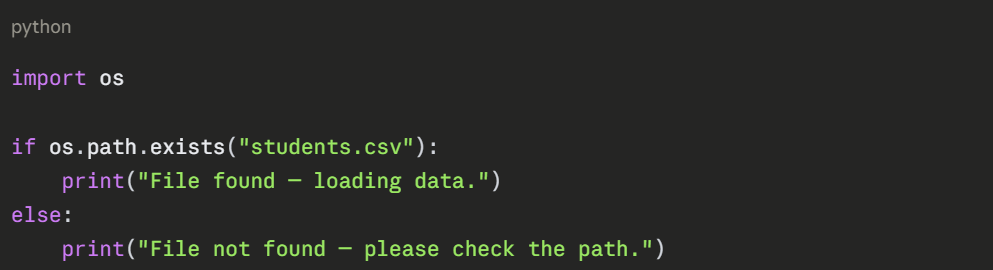
Checking if a File Exists
Before opening a file, you can check if it exists using the os module.