As your programs grow in size and complexity, keeping all your code in one long file becomes difficult to manage, read, and debug. Modular code is the solution — it means breaking your program into smaller, self-contained, and reusable pieces.
Each piece handles one specific task, and together they form a well-organized, professional program.
Writing modular code is a standard practice in software development and is especially important in AI projects where pipelines involve multiple stages of data processing, model training, and evaluation.
What is Modular Code?
Modular code is structured around the principle of separation of concerns, each part of your program does one thing and does it well. In Python, modularity is achieved through:
1. Functions — reusable blocks for specific tasks.
2. Modules — separate .py files containing related functions.
3. Packages — folders of related modules.
The Core Principle — One Function, One Job
Every function should have a single, clearly defined responsibility. If a function is doing too many things at once, it should be broken down further.
python
# Poor — one function doing everything
def process_student(name, score):
print(f"Student: {name}")
if score >= 50:
grade = "Pass"
else:
grade = "Fail"
print(f"Grade: {grade}")
print(f"Result saved for {name}")
# Modular — each function has one job
def get_grade(score):
return "Pass" if score >= 50 else "Fail"
def display_result(name, grade):
print(f"Student: {name} | Grade: {grade}")
def save_result(name):
print(f"Result saved for {name}")
# Clean, readable main logic
def process_student(name, score):
grade = get_grade(score)
display_result(name, grade)
save_result(name)
process_student("Ali", 85)
Output:
Student: Ali | Grade: Pass
Result saved for Ali
Each function is now independently testable, readable, and reusable.
Organizing Code into Modules
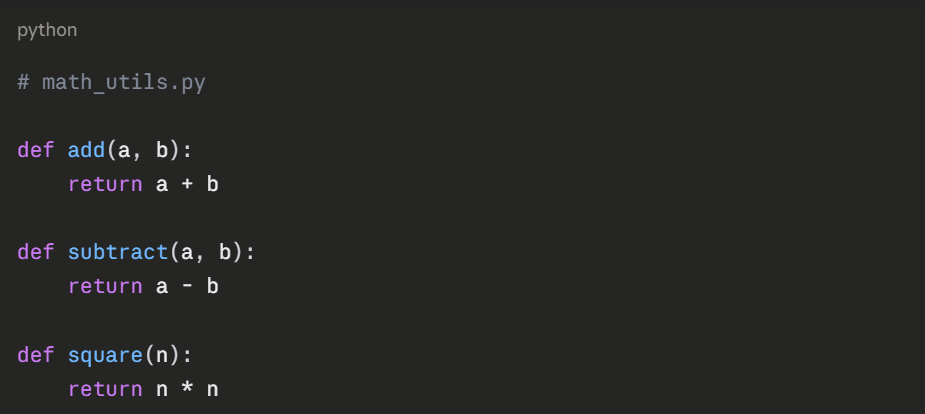
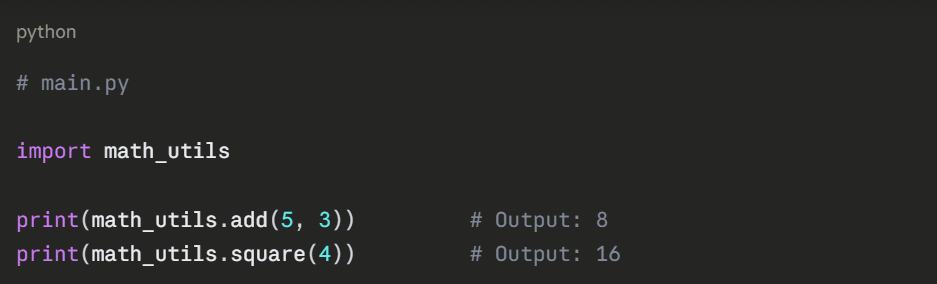
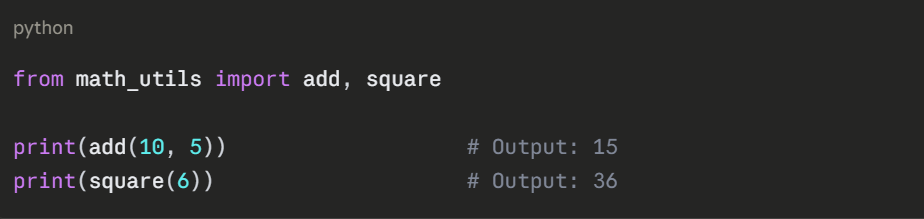
A module is simply a .py file containing functions, variables, or classes. Instead of writing everything in one file, you split related logic into separate files and import them where needed.
Example — Creating a module:
Create a file called math_utils.py:
Using Python's Built-in Modules
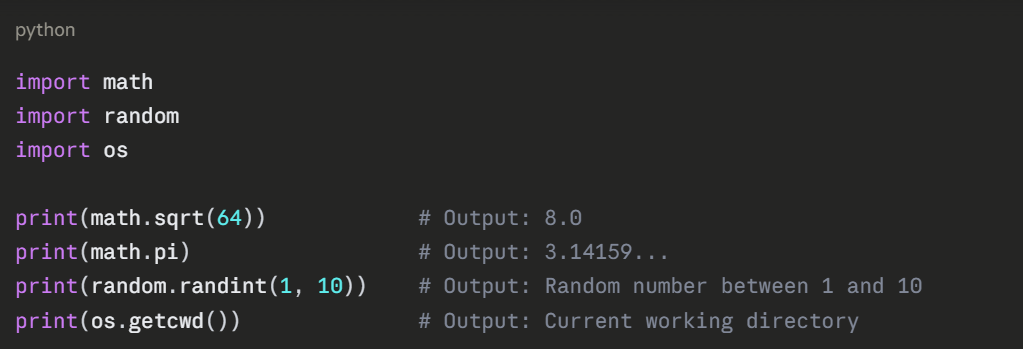
Python comes with a large standard library of ready-made modules. You do not need to write everything from scratch.
Structuring a Modular Project
For larger programs, organize related modules into a folder structure. Here is a typical modular layout for a small AI project:
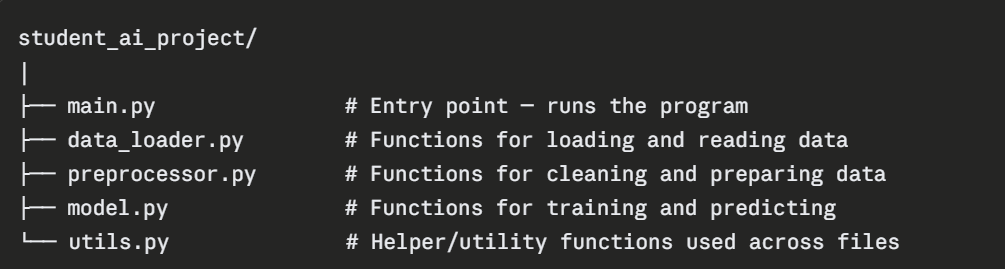
Each file handles one responsibility. main.py imports and coordinates them all.
Example — main.py in a modular project:
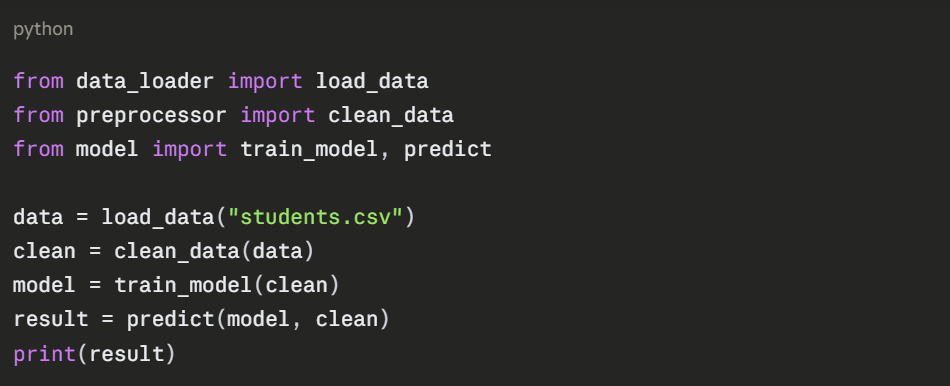
This is clean, readable, and easy to maintain — each stage of the pipeline is clearly separated.
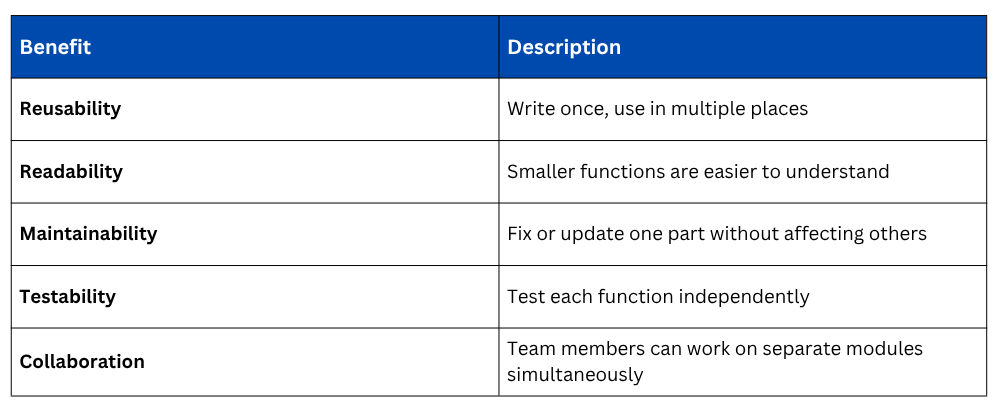
Benefits of Modular Code
Best Practices for Writing Modular Code
These habits will keep your code professional and clean:
1. Name functions clearly — the name should describe exactly what the function does.
2. Keep functions short — if a function exceeds 20 lines, consider splitting it.
3. Avoid global variables — pass data through parameters and return values.
4. Group related functions into the same module.
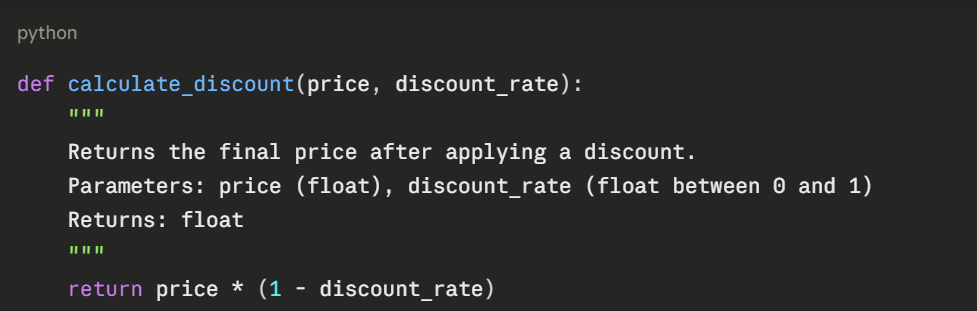
5. Write a docstring for every function explaining its purpose.
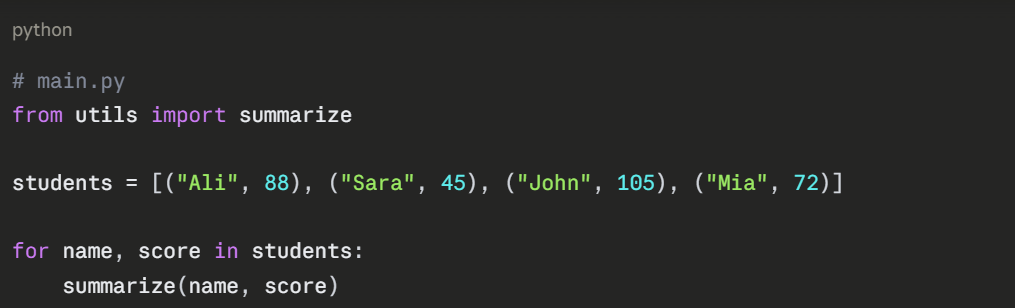
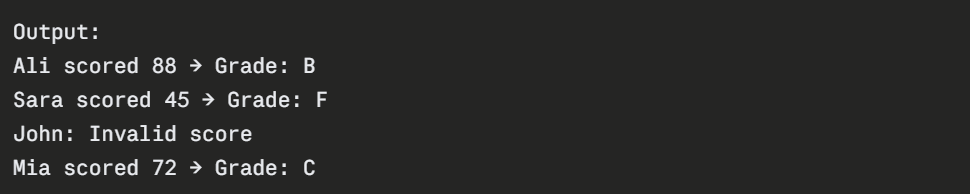
Bringing It All Together — A Modular Example
python
# utils.py
def validate_score(score):
"""Returns True if score is between 0 and 100."""
return 0 <= score <= 100
def get_grade(score):
"""Returns letter grade based on score."""
if score >= 90: return "A"
elif score >= 75: return "B"
elif score >= 60: return "C"
elif score >= 50: return "D"
else: return "F"
def summarize(name, score):
"""Prints a student result summary."""
if not validate_score(score):
print(f"{name}: Invalid score")
return
grade = get_grade(score)
print(f"{name} scored {score} → Grade: {grade}")