In software development, managing dependencies consistently across different environments is critical to ensuring that applications behave predictably.
Dependency lockfiles play a pivotal role in this process by locking down the exact versions of all dependencies used in a project, including nested dependencies.
These lockfiles help recreate identical environments, thereby maintaining reproducibility from development through staging to production and easing collaboration among multiple developers.
What are Dependency Lockfiles?
A dependency lockfile is an automatically generated file that records the precise versions of every package and its sub-dependencies used during installation.
Unlike a configuration file that specifies version ranges (e.g., ^1.2.0), lockfiles ensure exact versions are used, eliminating ambiguity.
Examples include:
package-lock.json in npm (JavaScript).
yarn.lock in Yarn (JavaScript).
poetry.lock in Poetry (Python).
Pipfile.lock in Pipenv (Python).
Cargo.lock in Rust's Cargo.
Gemfile.lock in Ruby’s Bundler.
Importance of Reproducibility
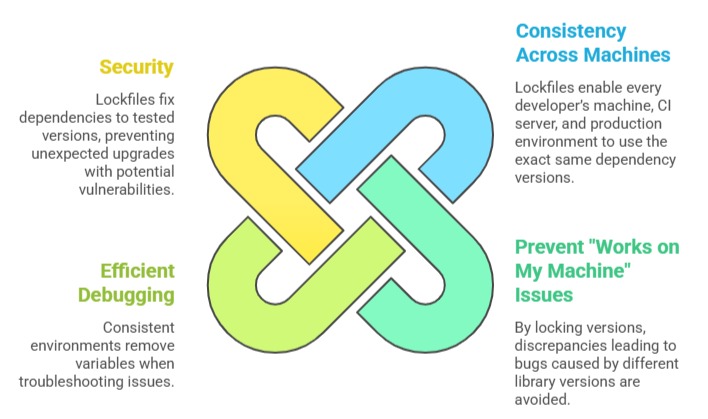
Reproducibility ensures that software behaves the same across different systems. The list below explains why consistent dependency versions are important for stability and security.
How Dependency Lockfiles Work?
When a package manager installs dependencies, it resolves all specified version ranges into exact package versions by consulting the package registry.
These resolved versions, along with important metadata such as checksums and package sources, are recorded in a lockfile.
During subsequent installations, the package manager refers to the lockfile to recreate the same dependency tree, ensuring deterministic and consistent builds even if newer versions of dependencies are released upstream.
Best Practices with Lockfiles
The main lockfile best practices help maintain dependency consistency and project stability. The points below outline recommended approaches for managing lockfiles across environments.
1. Commit Lockfiles to Version Control: Include lockfiles like package-lock.json or poetry.lock in the project repository to guarantee shared consistency.
2. Avoid Manual Edits: Lockfiles should be managed solely by package managers to avoid corrupting dependency graphs.
3. Use Lockfiles on CI/CD Pipelines: Leverage them to create reproducible build environments.
4. Update Dependencies Regularly: Use commands like npm update or poetry update to refresh lockfiles periodically but in a controlled manner.
5. Review Lockfile Changes: Check diffs during updates to monitor dependency additions or removals.
