Git is a distributed version control system widely used for tracking changes in source code during software development. It enables multiple developers to collaborate on projects efficiently by managing code revisions, branches, and history.
Understanding Git fundamentals and how to set up a repository are essential skills for developers, as they provide a structured workflow for managing changes, maintaining code integrity, and facilitating teamwork.
What is Git?
Git tracks changes to files by taking snapshots of their entire state, called commits. Each commit has a unique identifier (SHA) and metadata like author and timestamp.
Git stores data as a series of commits organized in branches representing different development lines. It supports distributed collaboration—developers clone full repositories, work locally, and push changes to shared remotes.
Setting Up Git: Installation and Configuration
Before starting, Git must be installed on your system. Check installation with:
git --versionConfigure your identity globally:
git config --global user.name "Your Name"

git config --global user.email "you@example.com"
This information is used in commit metadata.
Creating a Git Repository
Two types of repositories exist:
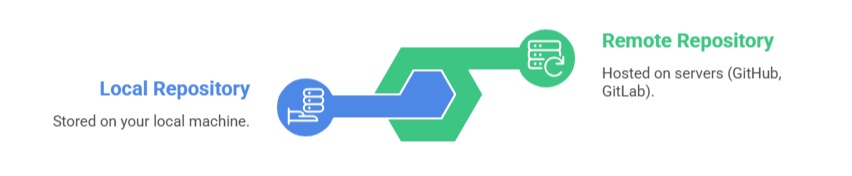
To create a new local repository in an existing project directory:
cd path/to/project

git init
This command creates a .git directory, turning the folder into a Git repository ready to track changes.
To clone an existing remote repository:
git clone https://github.com/user/repo.gitStaging and Committing Changes
Changes are first staged in an index before committing to the repository.
- Stage files:
git add filenameOr add all changes:
git add .- Commit staged changes with a message:
git commit -m "Commit message describing changes"Each commit represents a stable snapshot of the project.
Checking Repository Status and History
git status shows the state of the workspace and staging area including untracked, modified, and staged files.
git log displays commit history with details.
git diff shows differences between working files and previous commits.
Remote Repository Setup and Pushing Changes
To work collaboratively, link local repositories with remote repositories:
- Add a remote:
git remote add origin https://github.com/user/repo.git- Push commits to remote:
git push origin mainReplace main with your default branch if different.
