Branching and merging are core concepts in Git that enable developers to work on different features or fixes simultaneously without interfering with the main codebase.
Branching allows isolation of work, promoting parallel development, experimentation, and safer integration.
Merging is the process of integrating changes from one branch into another, combining work while maintaining a consistent codebase. Effective branching and merging strategies improve collaboration, code quality, and deployment workflows.
Common Branching Strategies
Understanding branching strategies helps teams choose workflows that balance speed and stability. The main strategies below serve as a reference for selecting an appropriate branching model.
1. Feature Branching
Developers create independent branches for each feature, bugfix, or task.
Feature branches are short-lived and merged back into the main branch upon completion.
This isolates work, facilitates review, and supports parallel development.
2. Git Flow: Introduced by Vincent Driessen, Git Flow defines multiple branch types:
Main: stable production-ready code.
Develop: integration branch for ongoing development.
Feature branches: branched from develop for new features.
Release branches: for preparing releases and final fixes.
Hotfix branches: for urgent fixes on main.
Structured but can be complex for smaller teams.
3. GitHub Flow
Simplified workflow with a single main branch.
Developers create short-lived feature branches from main.
Merge back via pull requests after review.
Encourages continuous integration and deployment.
4. Trunk-Based Development
Developers work on short-lived branches or directly on the main trunk.
Frequent commits with automated testing keep the codebase stable.
Supports rapid delivery and continuous integration.
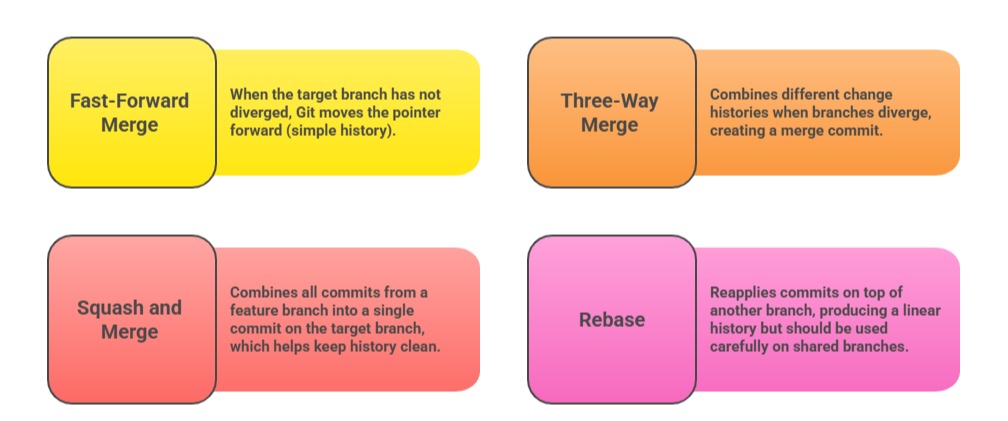
Merging Strategies
Best Practices
1. Regularly sync feature branches with the main branch to minimize conflicts.
2. Perform code reviews via pull requests before merging to maintain quality.
3. Use descriptive commit messages and meaningful branch names.
4. Avoid long-lived branches to reduce merge complexity.
5. Resolve merge conflicts promptly and communicate with team members.
Handling Merge Conflicts
Conflicts occur when the same lines of code are modified differently in branches. Git highlights conflicts during merges, requiring manual resolution.
After resolving conflicts in files:
git add <resolved-file>

git commit
Use diff and merge tools to visualize and reconcile differences.
Branch Naming Conventions
Use clear, descriptive names like:
feature/login-page
bugfix/fix-null-pointer
hotfix/security-patch
Consistent naming facilitates automation, tracking, and collaboration.

Class Sessions
Sales Campaign

We have a sales campaign on our promoted courses and products. You can purchase 1 products at a discounted price up to 15% discount.