Kernel-based Virtual Machine (KVM) combined with QEMU forms the backbone of modern Linux virtualization. KVM provides hardware-assisted virtualization by integrating with the Linux kernel, enabling efficient virtual machine (VM) execution with near-native performance.
QEMU complements KVM by emulating hardware devices and managing VM processes. Virtual machine lifecycle and resource management are facilitated through tools like virsh, offering rich command-line interfaces to create, control, and configure VMs.
KVM and QEMU Concepts
Linux virtualization combines KVM’s kernel-level hypervisor capabilities with QEMU’s user-space emulation. Below is a list of components and tools, including Libvirt, for managing virtual machines effectively.
1. KVM (Kernel-based Virtual Machine): A Linux kernel module that turns the Linux OS into a hypervisor. It uses hardware virtualization extensions (Intel VT-x, AMD-V) for near-native performance, and manages CPU and memory virtualization.
2. QEMU: User-space emulator providing virtual hardware services to guest VMs. It works with KVM to accelerate performance but handles peripheral device emulation, and supports a variety of hardware configurations and architectures.
3. Libvirt: A management layer providing APIs, CLI (virsh), and GUIs (virt-manager) to control KVM/QEMU. Handles VM creation, monitoring, snapshots, and resource allocation.
Virtual Machine Lifecycle Management with virsh Commands
The virsh utility provides command-line control over the full lifecycle of virtual machines. Below is a list of commands used to create, manage, and remove VMs effectively.
- List running VMs:
virsh list- List all VMs (running and stopped):
virsh list --all- Start VM:
virsh start vm-name- Shutdown VM gracefully:
virsh shutdown vm-name- Force-stop VM:
virsh destroy vm-name- Create VM from XML definition:
virsh define /path/to/vm.xml- Undefine (remove configuration):
virsh undefine vm-nameHypervisor Basics
A hypervisor acts as a host layer that manages multiple guest operating systems (VMs) on a single physical machine. It provides resource isolation, scheduling, and hardware virtualization services, allowing efficient and secure operation of each virtual machine.
Hypervisors enable overcommitment of CPU and memory resources, balancing workload demands across VMs, and also support advanced features such as device passthrough and virtual networking to enhance performance and connectivity.
Resource Allocation and Management
Virtual environments require careful allocation of compute, memory, storage, and networking resources. Following are the important practices and configurations for effective resource management.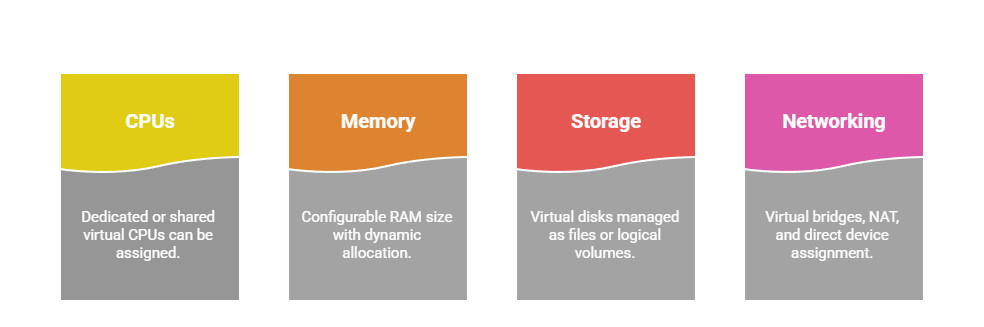
Best practices include monitoring VM usage, right-sizing resources, regular updates, and snapshot backups.
