Implementing and managing firewalls is critical for protecting Linux systems from unauthorized access, controlling network traffic, and enforcing security policies.
Linux offers several firewall tools and frameworks including UFW (Uncomplicated Firewall) for simplified management, iptables as the traditional and powerful packet filtering system, and nftables—the modern replacement offering streamlined configuration and performance benefits.
UFW (Uncomplicated Firewall) Configuration
UFW is a user-friendly front-end for iptables and nftables, primarily used on Debian-based distributions like Ubuntu. It abstracts complex rule syntax into simple, human-readable commands.
Basic Usage:
1. Enable firewall:
sudo ufw enable2. Set default policies:
sudo ufw default deny incoming

sudo ufw default allow outgoing
3. Allow common services:
sudo ufw allow ssh

sudo ufw allow 80/tcp  # HTTP

sudo ufw allow 443/tcp # HTTPS
4. Check status:
sudo ufw status verbose5. Handles both IPv4 and IPv6 rules by default.
iptables and nftables Rules
Linux firewalls rely on rule-based filtering to control network traffic at the kernel level. The lists below explain how iptables and nftables define, manage, and enforce these rules.
1. iptables: A mature, flexible system interacting directly with Linux kernel’s netfilter framework. Manages tables of chains with rules for filtering, NAT, and mangle.
Example:
sudo iptables -A INPUT -p tcp --dport 22 -j ACCEPT  # Allow SSH

sudo iptables -P INPUT DROP                        # Default drop input

sudo iptables -L -v                               # List rules with stats
2. nftables: Successor to iptables with simplified syntax and improved performance. Organizes rules into tables and chains with easier rule management.
Example:
sudo nft add table inet filter

sudo nft add chain inet filter input { type filter hook input priority 0 \; policy drop \; }

sudo nft add rule inet filter input tcp dport ssh accept

sudo nft list ruleset
Firewall Policies and Filtering
Firewall policies define what traffic is allowed or denied by default. The points below describe how filtering rules and connection tracking work together to enforce security.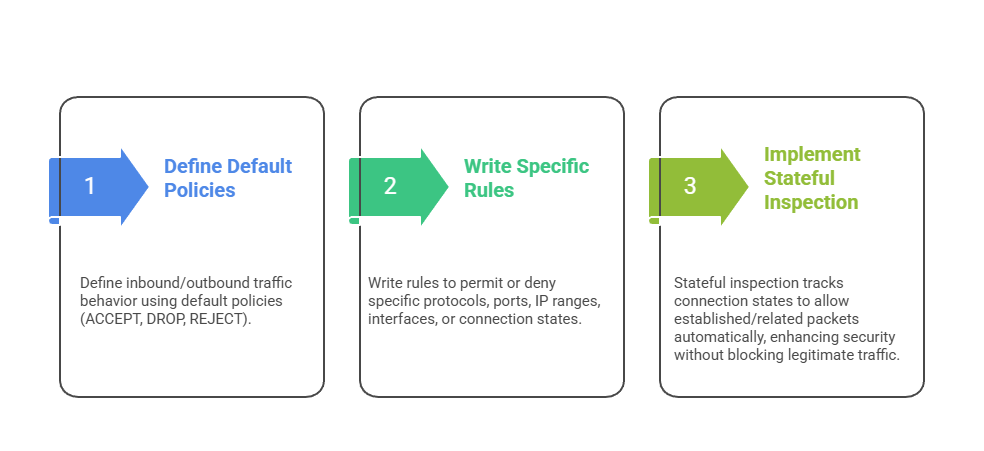
Port Management
Port management involves explicitly opening and closing firewall ports to control which services are accessible on a system. By allowing only required ports—such as SSH (22) for remote access, HTTP (80) and HTTPS (443) for web services, or FTP (21) for file transfers—administrators can reduce unnecessary exposure and improve security.
Firewall rules can also be defined using specific protocols (TCP or UDP) or port ranges to provide more granular control over network traffic.
Connection Tracking
Connection tracking maintains the state of active network connections, categorizing them as new, established, related, or invalid. This state awareness enables firewalls to create advanced rules that automatically allow legitimate return traffic without requiring separate rules for each direction.
In addition to simplifying rule management, connection tracking enhances security by helping detect and block suspicious connection patterns or potential attacks.

Class Sessions
Sales Campaign

We have a sales campaign on our promoted courses and products. You can purchase 1 products at a discounted price up to 15% discount.