Secure file transfer and remote access are foundational for managing Linux systems and transferring data safely across networks. The SSH protocol facilitates encrypted and authenticated remote shell access, while tools like SCP and SFTP enable secure file copying.
Rsync provides efficient, incremental synchronization suitable for backups and mirroring. Utilities such as curl and wget handle HTTP/S data transfers with versatility. Proper configuration and hardening of SSH, combined with key-based authentication, significantly enhance system security and usability.
SSH Configuration and Hardening
SSH (Secure Shell) allows encrypted remote login and command execution.
Configuration file: /etc/ssh/sshd_config
Key hardening practices:
1. Disable password authentication to prevent brute-force attacks
PasswordAuthentication no2. Use key-based authentication (RSA, ED25519 keys) instead. Generate keys
ssh-keygen -t ed255193. Copy public key to server:
ssh-copy-id user@host4. Restrict root login:
PermitRootLogin prohibit-passwordChange default SSH port to evade automated scans. Limit allowed users or groups using AllowUsers or AllowGroups directives, and reduce login grace time and max auth tries for additional security.
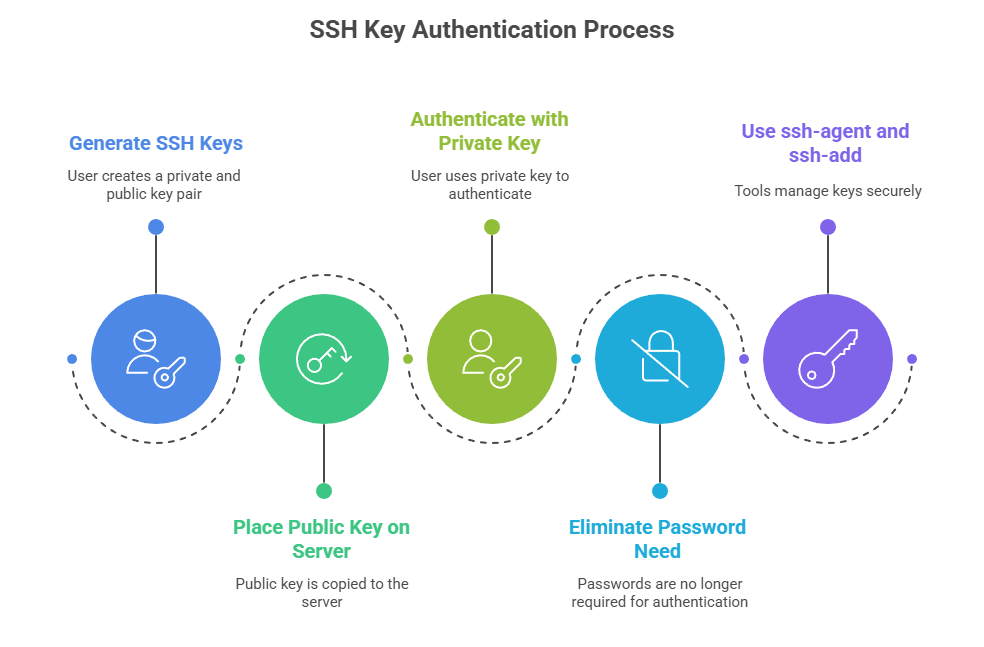
Key-Based Authentication
Key-based authentication provides a secure alternative to password-based logins. The points below explain how SSH keys work and why they are widely adopted.
SCP and SFTP Usage
SCP (Secure Copy) transfers files securely over SSH:
scp /path/to/local file user@remote:/path/to/destinationSFTP (SSH File Transfer Protocol) offers interactive file transfer sessions with commands like put, get, ls, cd.
sftp user@remoteSCP uses SSH and in modern versions defaults to SFTP protocol underneath, enhancing security.
Rsync for Data Synchronization
Rsync synchronizes files and directories efficiently with delta transfers and compression.
Useful for backups and mirroring:
rsync -avz /local/dir user@remote:/remote/dirIt supports exclusion lists, bandwidth limits, and resume capabilities.
HTTP/S File Transfers: curl and wget
Linux provides powerful utilities for downloading and interacting with web resources. The following commands demonstrate simple and efficient file transfer methods.
curl fetches or sends data over network protocols; highly scriptable and supports advanced options.
Example:
curl -O https://example.com/file.zipwget is a simple command-line downloader supporting recursive download and mirroring.
Example:
wget https://example.com/file.zip