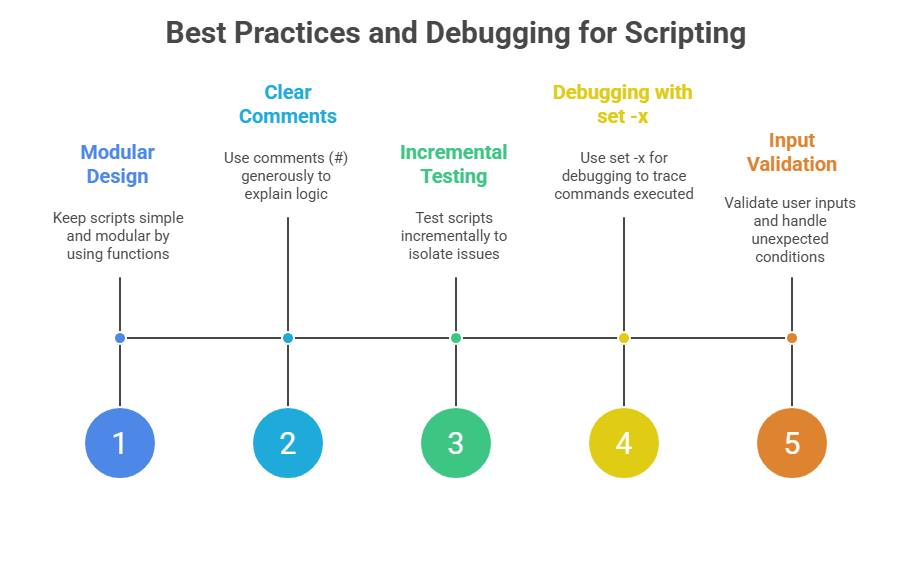
Scripting fundamentals in Linux focus on using shell scripts to automate tasks and improve system efficiency. A shell script is a plain text file containing a series of commands that the shell interpreter executes sequentially. Mastery of scripting fundamentals enables users to simplify repetitive tasks, manage system operations programmatically, and enhance productivity.
Shell scripting primarily revolves around the Bash shell, the most widely used shell in Linux systems, though similar concepts apply to other shells like Korn shell (ksh) and Z shell (zsh). The process of scripting begins with understanding the syntax, command structure, and flow control elements, which are essential to building effective scripts.
Core Concepts and Components
To understand Bash scripting effectively, it is important to grasp its core concepts and components. The list below explains each element that plays a role in script execution and automation.
1. Shebang (#!): The first line of a script defines the script interpreter. For Bash scripts, this line is usually #!/bin/bash, informing the system to execute the script using the Bash shell.
2. Variables: Scripts use variables to store data such as strings, numbers, or command outputs. Variables in Bash are declared without spaces (VAR=value) and accessed with a dollar sign prefix ($VAR).
3. Commands and Arguments: Scripts execute standard shell commands like ls, echo, cat, and utilities like grep or sed. Commands can take options and arguments to customize behavior.
4. Input/Output: Scripts can accept input either from user prompts via the read command or from command-line arguments ($1, $2, etc.). Output is generally managed with echo or by redirecting to files using operators like > or >>.
5. Control Flow: Decision-making constructs such as if, else, and case statements allow scripts to perform different actions based on conditions. Looping constructs (for, while, until) enable repeated execution of commands.
6. Functions: Scripts can organize code into reusable blocks called functions that simplify complex operations and improve readability.
7. Error Handling: Checking command exit codes using $?, applying traps, and using set options like -e or -u helps make scripts robust by handling errors gracefully.
Creating and Running Scripts
To create a script, one typically uses a text editor like vi or nano to write the commands into a file. Adding executable permissions with chmod +x scriptname.sh allows the script to be run directly from the terminal. For example, a simple script might look like:
#!/bin/bash

echo "Enter your name:"

read username

echo "Hello, $username! Welcome to Linux scripting."
This script prompts for user input and prints a personalized greeting. Scripts can also be run by invoking the interpreter explicitly: bash scriptname.sh.