Linux file system and storage management are foundational skills for system administrators and advanced users. These tasks include partitioning disks, managing logical volumes, mounting and unmounting filesystems, analyzing disk space utilization, and understanding inode management. Proper handling of these components ensures efficient disk usage, reliable data storage, and optimized system performance.
Partition Management
Linux provides powerful utilities to organize disk space efficiently through partitions. The list below highlights tools used to create, resize, and modify partitions.
1. fdisk: A command-line utility used primarily for managing partitions on MBR disks. It used to create, delete, and modify partitions interactively.
Example command to open a disk:
sudo fdisk /dev/sdaCommon commands inside fdisk:
n to create a new partition
d to delete a partition
p to print partition table
w to write changes and exit
2. parted: Supports both MBR and GPT partition tables with advanced features. It allows creating partitions with variable sizes and types, and resizing partitions without data loss.
Example:
sudo parted /dev/sdaInteractive commands include mklabel, mkpart, resizepart, and more.
Logical Volume Management (LVM)
LVM provides a flexible abstraction layer for disk management, allowing volumes to be resized dynamically and aggregated across multiple physical disks.
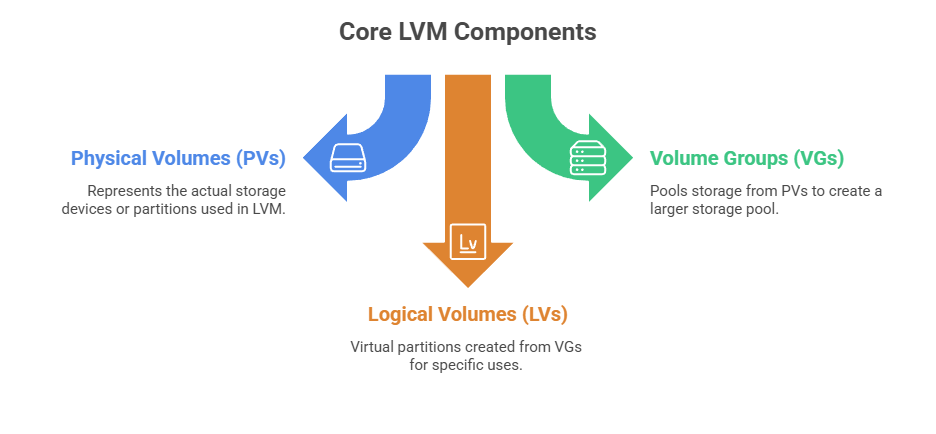 Basic commands:
1. Initialize a disk for LVM:
sudo pvcreate /dev/sdb12. Create a volume group:
sudo vgcreate vg1 /dev/sdb13. Create logical volume:
sudo lvcreate -n lv1 -L 10G vg14. Extend or reduce logical volumes using lvextend and lvreduce.
Mount Points and Filesystem Mounting/Unmounting
Proper mounting ensures secure and reliable access to storage resources. The following points highlights common commands used to mount, unmount, and list filesystems.
1. mount: Attaches a filesystem to the directory tree.
Syntax:
sudo mount /dev/sda1 /mnt/dataOptions for specific filesystem types and settings (e.g., -t ext4, -o ro for read-only mount).
2. umount: Detaches a mounted filesystem.
Basic use:
sudo umount /mnt/data3. Listing all mounted filesystems:
mount | column -tfstab file at /etc/fstab contains persistent mount points configured to auto-mount on boot.
Disk Space Analysis
Disk space analysis helps identify where storage is being used and when capacity limits are approaching. The points below describe common commands used to inspect disk usage.
1. df: Reports filesystem disk space usage.
Usage:
df -hDisplays available and used space, filesystem type, and mount points.
2. du: Reports directory or file space usage.
To check sizes recursively:
du -sh /var/log/*-s summarizes, -h prints human-readable sizes.
3. ncdu: Interactive disk usage analyzer with a textual interface for navigating directory sizes.
Command:
ncdu /Inode Management
Inodes track filesystem metadata about files (owner, permissions, block locations).
To check free and used inodes:
df -iRunning out of inodes can cause issues even if disk space is available. Tools like find can identify inode-heavy directories.
