Joins are a core concept in relational databases that allow data to be retrieved from multiple tables in a single query.
In backend development, data is often distributed across related tables to maintain normalization and avoid redundancy.
Joins make it possible to combine this related data meaningfully based on common columns, typically primary and foreign keys.
Different types of joins serve different use cases, such as retrieving only matching records, including unmatched data, or comparing records within the same table.
Understanding SQL Joins Basics
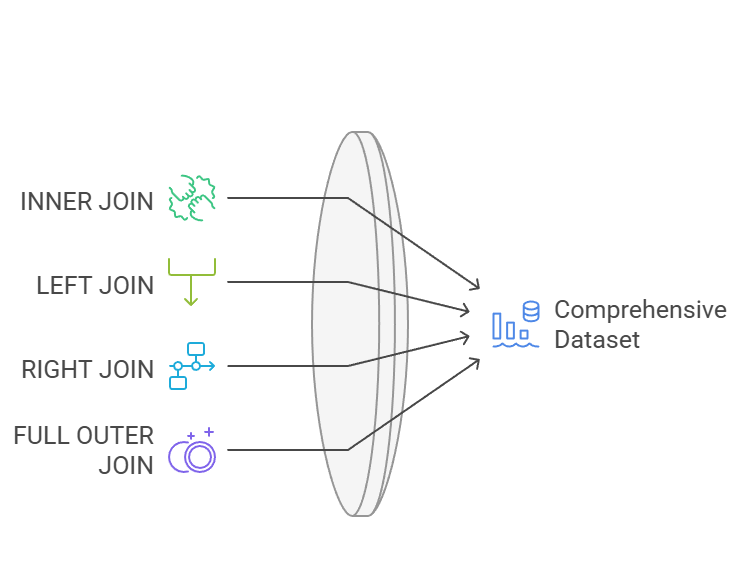
Joins are fundamental SQL operations that merge rows from two or more tables based on related columns, typically foreign keys.
They enable you to fetch complete datasets—like a user's full order history—in a single query, avoiding inefficient loops in your application code.
Think of joins as bridges between tables: without them, you'd pull data separately and stitch it together in Python or Node.js, which wastes resources. In backend dev, this matters for APIs serving dynamic content.
Core Concepts
1. Join Condition: Uses the ON clause to specify matching columns (e.g., user_id).
2. Cartesian Product: Joins without conditions produce every row combination—avoid this with proper WHERE or ON.
3. Equi-Join vs. Non-Equi: Most use equality (=); others use >, <, etc., but stick to equi-joins for performance.
INNER JOIN: The Default Matching Powerhouse
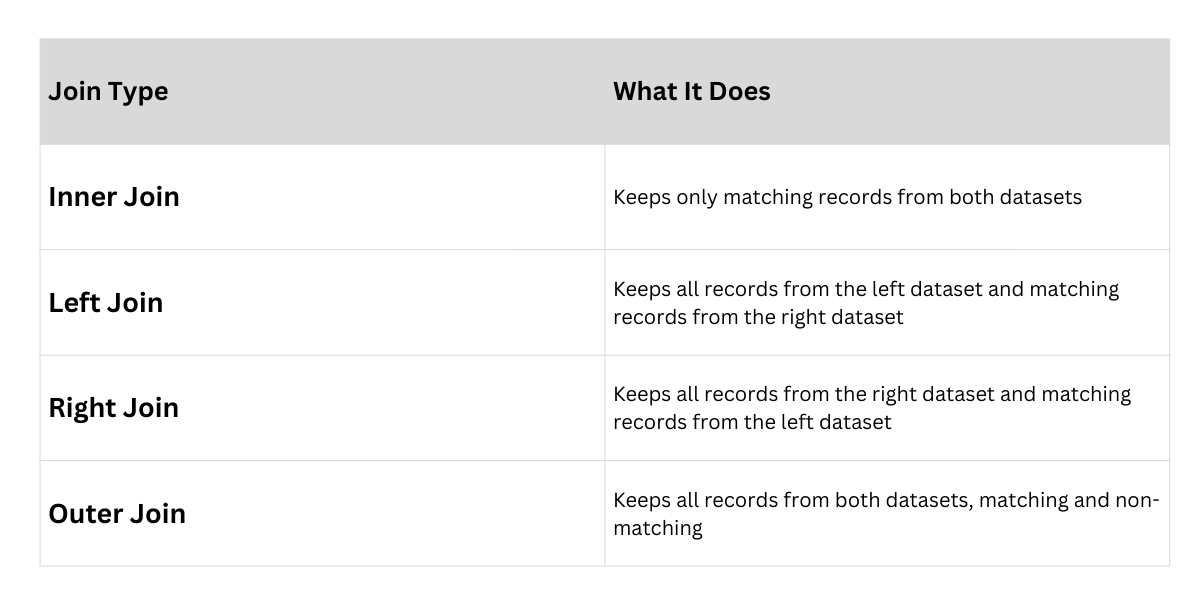
INNER JOIN returns only rows where there's a match in both tables, making it ideal for precise, required data retrieval.
It's the most common join, powering queries like "show active users with recent orders."
In backend APIs, use INNER JOIN to filter out incomplete records efficiently—no need for post-query filtering in your app.
Syntax and Step-by-Step Usage
Here's how to build one:
1. Start with SELECT columns from both tables.
2. Use FROM table1 INNER JOIN table2 ON condition.
3. Add WHERE for filters.
SELECT u.name, o.product, o.amount

FROM users u

INNER JOIN orders o ON u.id = o.user_id

WHERE o.amount > 500;
Result: Only Alice's Laptop order (matches exist).
Pros and Cons Table
| Aspect | Pro | Con |
|---|---|---|
| Performance | Fastest for matched data | Excludes non-matches |
| Use Case | Reports on confirmed actions | Not for optional data |
Practical Tip: Alias tables (e.g., u, o) for readability in complex backends.
LEFT JOIN: Preserving All Left-Side Data
LEFT JOIN (or LEFT OUTER JOIN) returns all rows from the left table, plus matching rows from the right. Non-matches get NULL values—perfect for "find all users, even those without orders."
Backend devs love this for user dashboards: show everyone, flag inactive ones with NULLs.
Example
SELECT u.name, o.product

FROM users u

LEFT JOIN orders o ON u.id = o.user_id;
Result: Alice's order + Bob (NULL product if no orders).
Key Insight: Order matters—left table is preserved.
Best Practice: Use for hierarchical data, like categories with optional products.
RIGHT JOIN: Mirror of LEFT for Right-Side Focus
RIGHT JOIN flips the script: all rows from the right table, matches from the left, NULLs for non-matches.
It's less common but shines when the right table drives the query, like listing all orders even if user data is missing.
In e-commerce backends, query all orders first, then attach user info—handles deleted users gracefully.
Practical Example with Comparison
SELECT u.name, o.product

FROM users u

RIGHT JOIN orders o ON u.id = o.user_id;
LEFT Vs. RIGHT
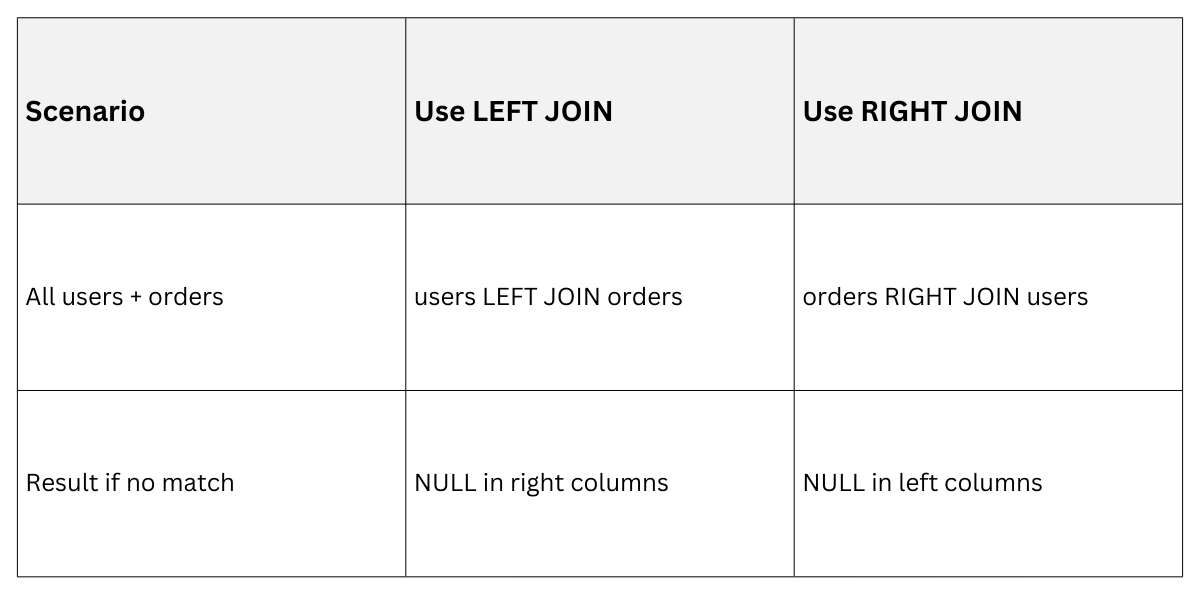
Rewrite LEFT as RIGHT by swapping tables for consistency in your codebase.
FULL OUTER JOIN: The Complete Picture
FULL OUTER JOIN (or FULL JOIN) combines LEFT and RIGHT: all rows from both tables, with NULLs where no match. It's exhaustive, ideal for data audits or migrations comparing datasets.
Not all databases support it natively (e.g., MySQL simulates with UNION), but PostgreSQL and SQL Server handle it seamlessly.
Syntax and Backend Use Case
SELECT u.name, o.product

FROM users u

FULL OUTER JOIN orders o ON u.id = o.user_id;
Result: All users + all orders, NULLs filling gaps.
Limitations and Workarounds
.png)
Self-Joins: Joining a Table to Itself
A self-join treats one table as two, matching rows within it—great for hierarchies like employee-manager trees or product categories.
No new syntax; just alias the table twice. Backend example: Nested comments or org charts.
Building a Self-Join Step-by-Step
Consider an employees table: id, name, manager_id.
1. Alias: FROM employees e1 JOIN employees e2 ON e1.manager_id = e2.id.
2. Select: Paths like "Alice reports to Bob."
SELECT e1.name AS employee, e2.name AS manager

FROM employees e1

INNER JOIN employees e2 ON e1.manager_id = e2.id;
Advanced Tip: Combine with recursive CTEs (SQL:2023 standard) for deep hierarchies:
WITH RECURSIVE org_tree AS (

  SELECT id, name, manager_id, 0 AS level

  FROM employees WHERE manager_id IS NULL

  UNION ALL

  SELECT e.id, e.name, e.manager_id, ot.level + 1

  FROM employees e JOIN org_tree ot ON e.manager_id = ot.id

)

SELECT * FROM org_tree;
Applications in Backend Dev
1. Bill of materials (products with sub-components).
2. Friendship graphs in social apps.
3. Avoid N+1 queries by joining once.
Best Practices for Production Joins
Joins scale your backend queries, but misuse kills performance.
1. Indexing: Always index join columns (e.g., user_id).
2. Limit Columns: SELECT only needed fields.
3. EXPLAIN Plans: Use EXPLAIN ANALYZE to check efficiency.
4. Avoid Over-Joining: Max 4-5 tables; denormalize if needed.
Performance Benchmarks (on 1M-row datasets):
 Test in your stack—FastAPI with asyncpg shines here.
