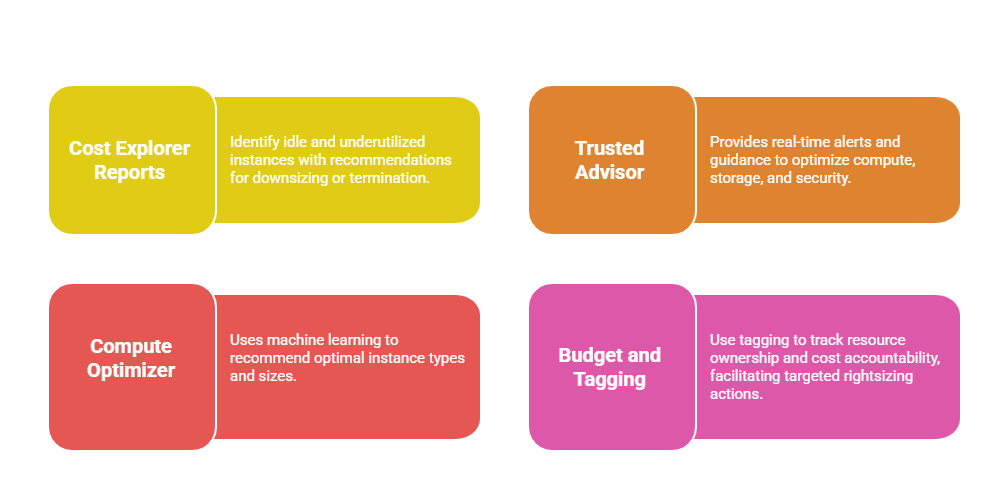
Rightsizing is a critical cloud cost optimization strategy that ensures organizations use the right size and type of resources based on workload demands.
Resource optimization goes beyond just instance sizing to include efficient use of storage, networking, and other cloud services.
Together, these techniques allow businesses to reduce waste, improve application performance, and lower cloud bills without compromising operational efficiency.
What is Rightsizing?
Rightsizing is the process of matching resource capacity (e.g., CPU, memory, storage) to actual workload needs, avoiding overprovisioning and underutilization.
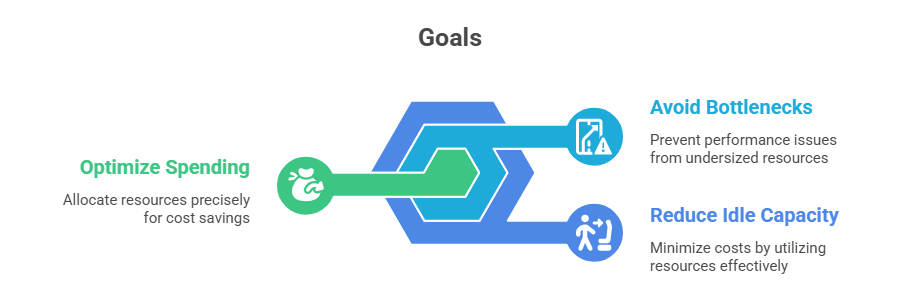
Rightsizing Compute Resources
Optimizing compute resources is essential for balancing performance and cost. The following best practices guide you in analyzing workloads and scaling intelligently.
1. Analyze Usage Patterns: Monitor metrics like CPU utilization, memory usage, disk I/O, and network traffic via Amazon CloudWatch and AWS Cost Explorer.
2. Choose Appropriate Instance Types: Select from general-purpose, compute-optimized, memory-optimized, or storage-optimized EC2 instances based on workload characteristics.
3. Scale Dynamically: Implement Auto Scaling to automatically adjust capacity with workload fluctuations, avoiding static overprovisioning.
4. Adjust Over Time: Periodically review instance usage and adjust instance size or family as application needs evolve.
5. Utilize Savings Options: Combine rightsizing with Reserved Instances or Savings Plans to maximize cost efficiency.
Rightsizing Storage Resources
1. Select Correct Storage Class: Use S3 Standard for frequently accessed data, and transition to S3 Intelligent-Tiering, Glacier, or Deep Archive for infrequent access to reduce cost.
2. Manage EBS Volumes Efficiently: Delete unattached volumes, snapshot and archive older backup data, and choose appropriate volume types based on IOPS and throughput requirements.
3. Compress and Deduplicate: Apply data compression or deduplication techniques where feasible to reduce storage consumption.
Rightsizing Network and Other Services
Effective rightsizing goes beyond computing—network and supporting services also impact cost and performance. The techniques below help you fine-tune load balancers, data transfers, and storage capacity.
1. Optimize Data Transfer: Reduce cross-region data transfer by restructuring the architecture or using AWS CloudFront for content caching.
2. Review Load Balancer Usage: Consolidate underutilized load balancers or use Application Load Balancers more efficiently by routing multiple services per ALB.
3. Evaluate Database Capacity: Use Amazon RDS storage autoscaling and scalable NoSQL databases like DynamoDB, adjusting throughput capacity dynamically.