Backup and recovery are vital components of cloud data protection, ensuring business continuity in the face of accidental deletion, data corruption, or disaster events.
AWS offers several tools to facilitate efficient backup and recovery, including AWS Backup, Amazon EBS snapshots, and Lifecycle Management policies.
These services simplify automation, retention, and recovery workflows to reduce operational overhead while meeting compliance and cost optimization goals.
AWS Backup: Centralized Backup Management
AWS Backup is a fully managed service that consolidates and automates data protection across AWS services such as EFS, RDS, DynamoDB, Storage Gateway, and EC2.
Features:
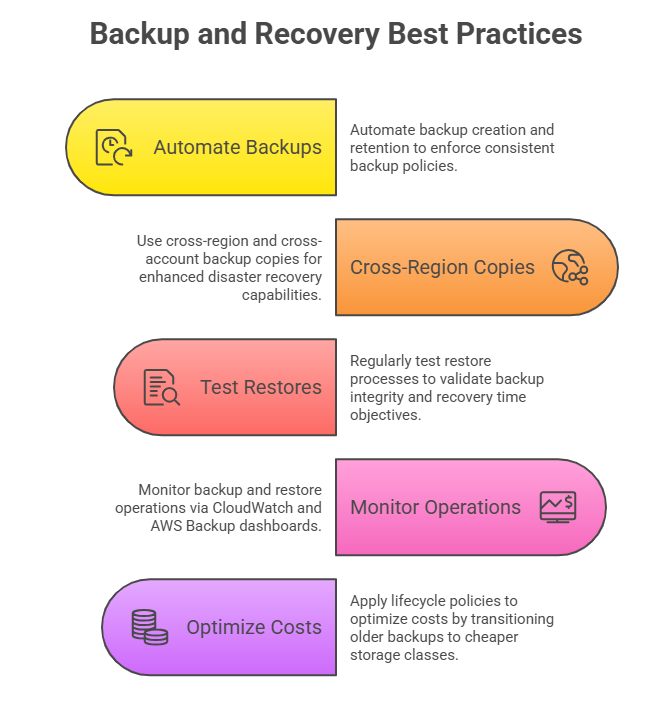
1. Centralized backup policies and monitoring across AWS accounts and regions.
2. Enables defining backup schedules, retention periods, and lifecycle management (transition to cold storage).
3. Supports cross-region and cross-account backup copies for disaster recovery.
4. Provides audit and compliance reporting.
5. Automates backup creation and deletion per organization policies.
Benefits:
1. Simplifies backup management at scale.
2. Enhances data durability and disaster recovery readiness.
3. Reduces manual errors with policy-based automation.
Snapshots: Point-in-Time Copies of Data
Snapshots are incremental backups capturing the state of EBS volumes or RDS databases at a specific point.
Amazon EBS Snapshots:
1. Store volume data incrementally in Amazon S3, minimizing storage costs.
2. Snapshots can be used to restore volumes or create new volumes in the same or different regions.
3. Support fast snapshot restore to speed up volume creation.
4. Managed with Data Lifecycle Manager to automate creation, retention, and deletion.
Amazon RDS Snapshots:
1. Automated or manual snapshots are created at the database instance or cluster level.
2. Enable point-in-time recovery to restore the database to a specific timestamp.
Lifecycle Policies: Automating Snapshot and Backup Retention
Lifecycle policies allow automatic management of backup data through predefined rules about creation, retention, transition, and deletion.
1. Amazon Data Lifecycle Manager (DLM):
Automates EBS snapshot management based on schedules and retention rules.
Supports moving snapshots to low-cost archive storage after a defined period, reducing costs.
Manages backup deletion according to retention policies, avoiding unnecessary storage expenses.
2. AWS Backup Lifecycle Policies:
Specify transition from “warm” storage to “cold” storage after a period (minimum 90 days for cold storage).
Define retention periods that ensure compliance with organizational or regulatory data retention standards.

Class Sessions
Sales Campaign

We have a sales campaign on our promoted courses and products. You can purchase 1 products at a discounted price up to 15% discount.