Building cloud applications that can scale dynamically and remain highly available is fundamental to leveraging the power of AWS. Properly designed architectures accommodate fluctuating workloads without degrading performance or causing downtime.
AWS provides core services such as Auto Scaling and Elastic Load Balancing (ELB) that enable automated resource management, distribute incoming traffic efficiently, and ensure fault tolerance.
Understanding these services and how to incorporate them into your infrastructure is essential for resilient, cost-effective cloud solutions.
Auto Scaling: Dynamic Resource Management
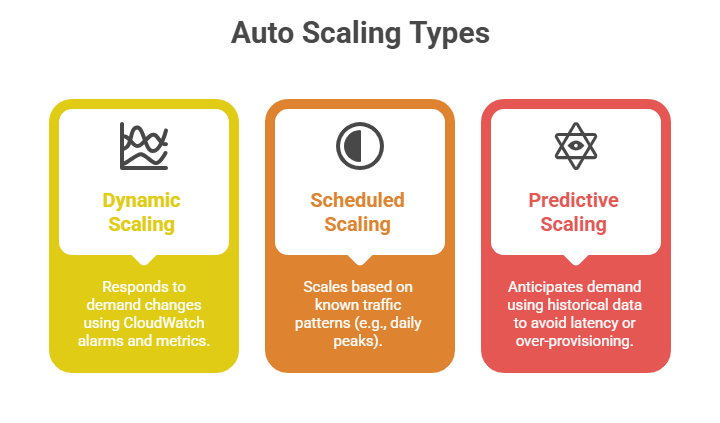
Auto Scaling automatically adjusts the number and capacity of compute instances in response to real-time demand.
Key Features:
1. Automatic Scaling: Increases or decreases the number of EC2 instances based on defined policies, schedules, or health checks.
2. Scalable Capacity: Supports scaling across multiple Availability Zones to ensure fault tolerance.
3. Health Checks and Replacement: Monitors instance health and replaces unhealthy instances without manual intervention.
4. Predictive Scaling: Uses machine learning to forecast traffic and proactively scale resources.
Use Cases:
1. E-commerce websites with traffic spikes during sales.
2. Applications with variable workloads, such as batch processing or social media feeds.
3. Cost-optimized operations by maintaining minimal resources during low usage.
Elastic Load Balancing (ELB): Efficient Traffic Distribution
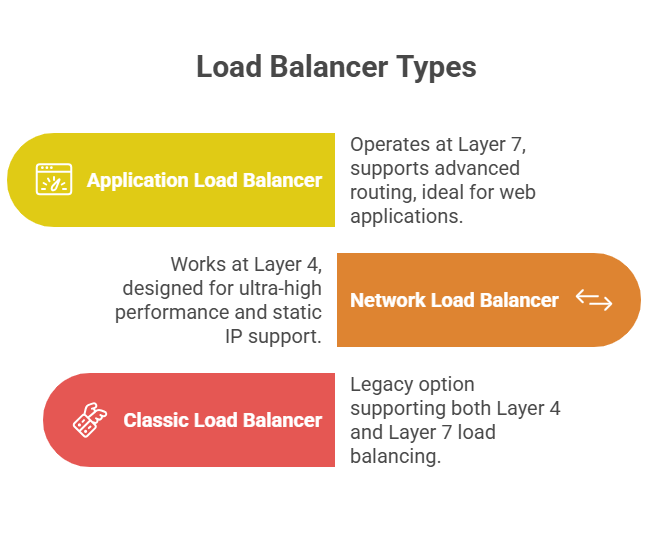
Elastic Load Balancing automatically distributes incoming application traffic across multiple targets like EC2 instances, containers, or IP addresses to optimize resource use, maximize throughput, and ensure fault tolerance.
Key Features:
1. Health Checks: Continuously monitors target health and routes traffic only to healthy instances.
2. SSL Termination: Manages SSL certificates to offload encryption and decryption.
3. Sticky Sessions: Supports session persistence to route requests from a client to the same target.
4. Integration: Works seamlessly with Auto Scaling and CloudWatch for automated scaling and monitoring.
Use Cases:
1. Distributing traffic in web applications to enhance responsiveness and uptime.
2. Protecting applications from failures by routing away from unhealthy resources.
3. Enabling seamless deployments and rolling updates without downtime.
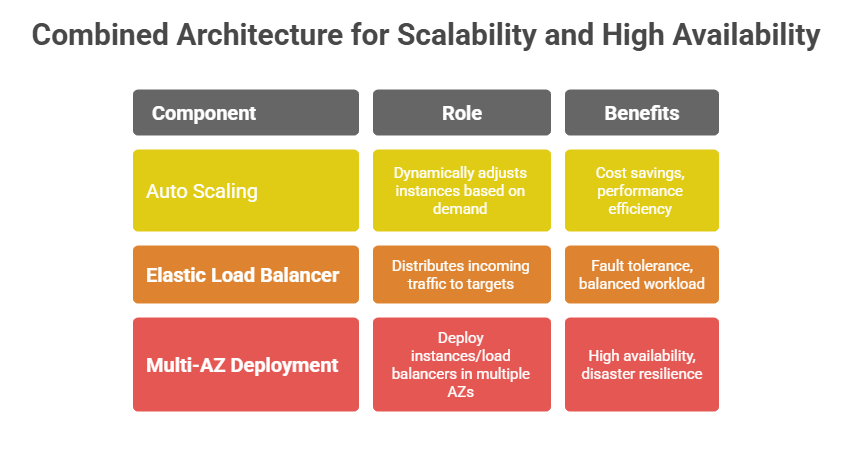
Together, Auto Scaling and ELB form the backbone of resilient AWS architectures. Auto Scaling maintains adequate compute capacity, while ELB efficiently manages incoming traffic, ensuring seamless user experiences even under fluctuating load or failure scenarios.

Class Sessions
Sales Campaign

We have a sales campaign on our promoted courses and products. You can purchase 1 products at a discounted price up to 15% discount.