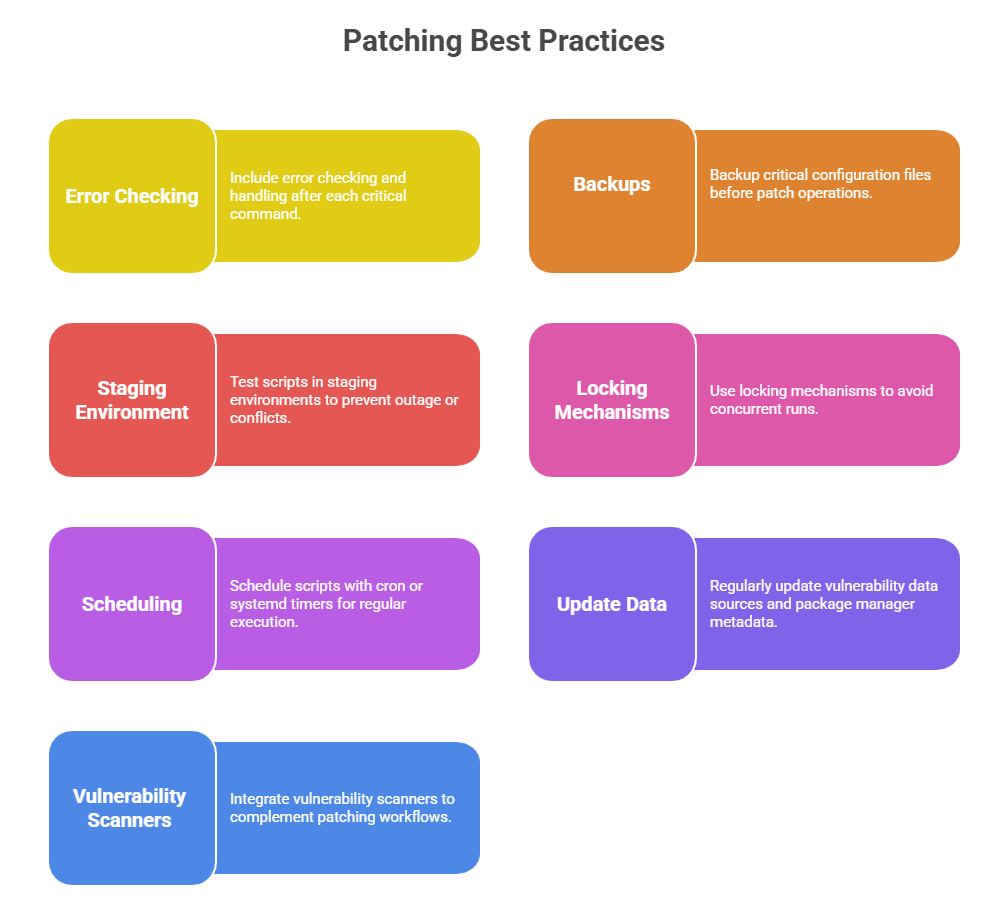
Automated patch and vulnerability management is a critical process to keep Linux systems secure and up to date against ever-evolving threats. Writing scripts to automate these tasks reduces manual workload, decreases the risk of delayed updates, and ensures consistent application of security patches.
Importance of Automated Patch and Vulnerability Management
Maintaining automated patch and vulnerability management is critical for both security and regulatory compliance. The following points outline its role in timely updates, documentation, and efficient resource allocation.
1. Timely patching addresses known vulnerabilities before attackers can exploit them.
2. Manual patching is prone to oversight, delays, or inconsistencies in complex environments.
3. Automation supports compliance mandates requiring documented patch cycles.
4. Frees administrators to focus on critical, strategic tasks rather than routine updates.
Core Components in Automation Scripts
Automation scripts for system management rely on several key components to ensure efficiency and reliability. The main elements, including inventory checks, automated patching, and reporting, are summarized below.
System Inventory and Update Checks
1. Scripts should start by determining the OS version and package manager type.
2. Check for available updates and security patches using package manager commands like:
yum check-update or dnf check-update (RHEL, CentOS, Fedora)
apt-get update && apt-get -s upgrade (Debian, Ubuntu)
3. Optionally, scan for installed vulnerable packages using vulnerability databases or tools like openvas and lynis.
Automated Patch Installation
1. Perform automated installation of security updates or all updates depending on policy.
2. Use flags for unattended installations and to handle dependencies:
RHEL example: yum -y update --security
Debian example: apt-get -y upgrade
3. Include pre/post-update scripts to handle backups, service restarts, or notifications.
Reporting and Alerting: Generate detailed logs of patching operations that include timestamps and package information to track system changes. Alerts can be sent via email or system notifications to indicate successful patch application or failures. Maintaining these logs and alerts provides a clear audit trail to support compliance and regulatory requirements.
Sample Script Outline
#!/bin/bash


LOGFILE="/var/log/patch_audit.log"

echo "Patch run started at $(date)" >> $LOGFILE


if [ -x "$(command -v yum)" ]; then

  echo "Detected yum package manager." >> $LOGFILE

  yum check-update --security >> $LOGFILE

  yum -y update --security >> $LOGFILE 2>&1 && echo "Security patches applied." >> $LOGFILE

elif [ -x "$(command -v apt-get)" ]; then

  echo "Detected apt package manager." >> $LOGFILE

  apt-get update >> $LOGFILE

  apt-get -y upgrade >> $LOGFILE 2>&1 && echo "Patches applied successfully." >> $LOGFILE

else

  echo "Unsupported package manager." >> $LOGFILE

  exit 1

fi


echo "Patch run completed at $(date)" >> $LOGFILE