Mandatory Access Control (MAC) is an essential component of Linux security that supplements traditional discretionary access controls (DAC) by enforcing strict, system-wide security policies.
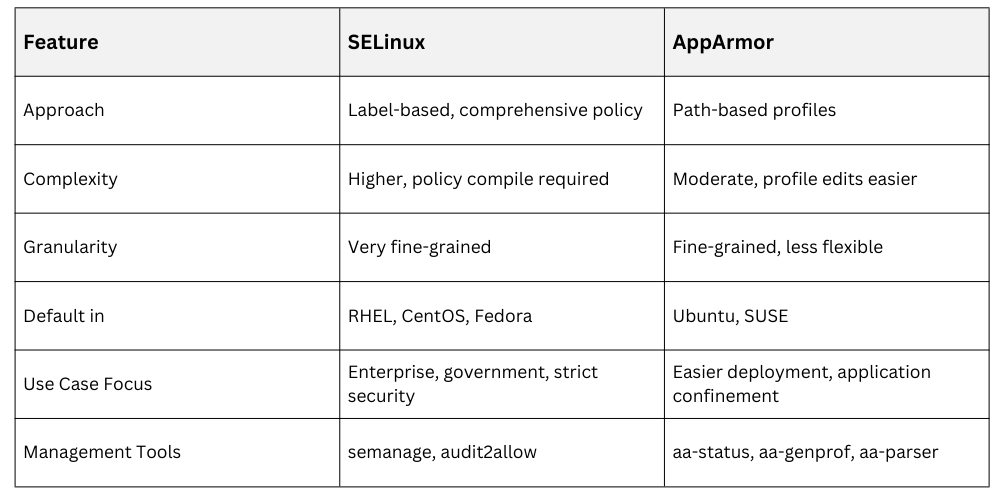
Unlike DAC, where the owner controls access, MAC enforces predefined rules that all subjects and objects must follow, reducing the risk of unauthorized access and privilege escalation. Two major MAC implementations on Linux are Security-Enhanced Linux (SELinux) and AppArmor.
Overview of Mandatory Access Control (MAC)
MAC systems enforce security policies centrally by controlling how processes (subjects) access files, sockets, devices, and other resources (objects) based on security labels or profiles. The goal of MAC is to confine processes to the minimum required permissions, limiting potential damage from compromised applications.
SELinux Detailed Configuration
SELinux uses a policy-driven security model in which security contexts are assigned to files, processes, and network ports to control access. Each context is represented as a label consisting of user, role, type, and level components (for example, system_u:system_r:sshd_t:s0), and these labels determine what actions an entity is permitted to perform.
SELinux policies define granular allow or deny rules based on these contexts, making the system highly customizable and capable of enforcing strong, fine-grained access control.
Core SELinux Components
1. Targeted policy: Focuses on confining specific services (default in many distros).
2. MLS (Multi-Level Security) policy: Enforces hierarchical security levels, often for government use.
3. Booleans: Runtime toggles to enable/disable specific rules without recompiling policy.
Configuring SELinux
1. Configuration file: /etc/selinux/config
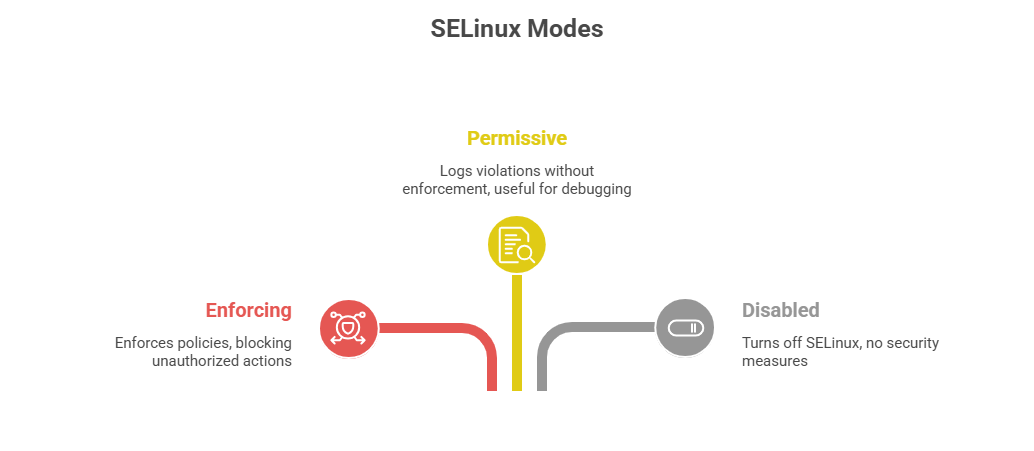
Set mode: SELINUX=enforcing|permissive|disabled
Set policy: SELINUXTYPE=targeted|mls|strict
2. Modify file contexts with semanage fcontext -a -t [type] [file]
3. Apply context changes with restorecon -Rv [path]
4. Manage booleans with getsebool and setsebool
5. Audit logs for violations found in /var/log/audit/audit.log; use ausearch and sealert for analysis.
Example: Allowing Apache to Communicate
1. Enable HTTPD network connection:
setsebool -P httpd_can_network_connect on2. Allow writing to specific directories:
semanage fcontext -a -t httpd_sys_rw_content_t "/var/www/html(/.*)?"

restorecon -Rv /var/www/html
AppArmor Detailed Configuration
AppArmor implements mandatory access control (MAC) by using per-application profiles that define path-based access permissions. These profiles specify which files, capabilities, and network resources a confined program is allowed to access, thereby limiting its behavior even if it is compromised.
Compared to SELinux, AppArmor is generally easier for many administrators to create, understand, and maintain due to its simpler, more intuitive policy structure.
Configuring AppArmor
1. Profiles are stored in /etc/apparmor.d/.
2. Profiles define:
File access permissions (r, w, m, etc.).
Network permissions.
Capability rules.
3. Use aa-status to check current enforcement.
4. Load/unload profiles using apparmor_parser.
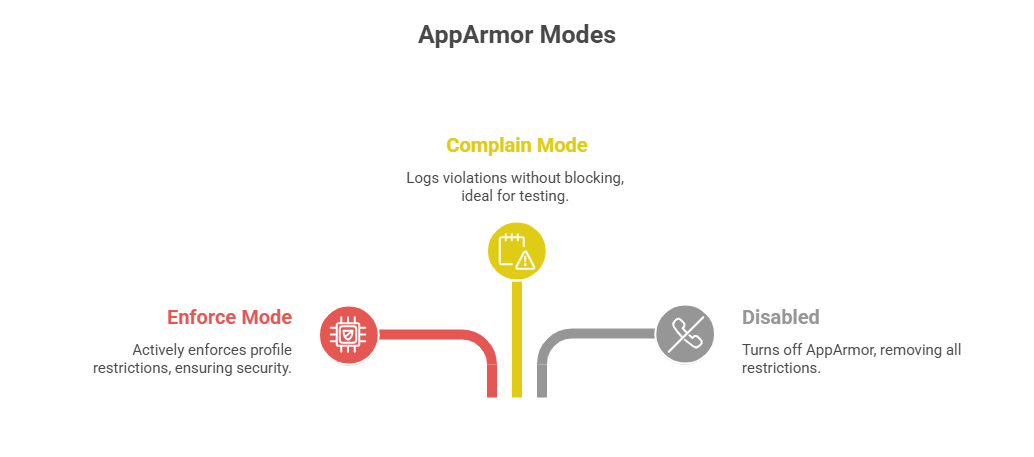
5. Put a profile into complain mode:
aa-complain /etc/apparmor.d/profile_name6. Switch to enforce mode:
aa-enforce /etc/apparmor.d/profile_nameExample: Tightening a Profile for an Application
1. Edit profile to restrict access to only necessary files.
2. Add network or capability restrictions as needed.
3. Reload profile after changes.
SELinux vs. AppArmor