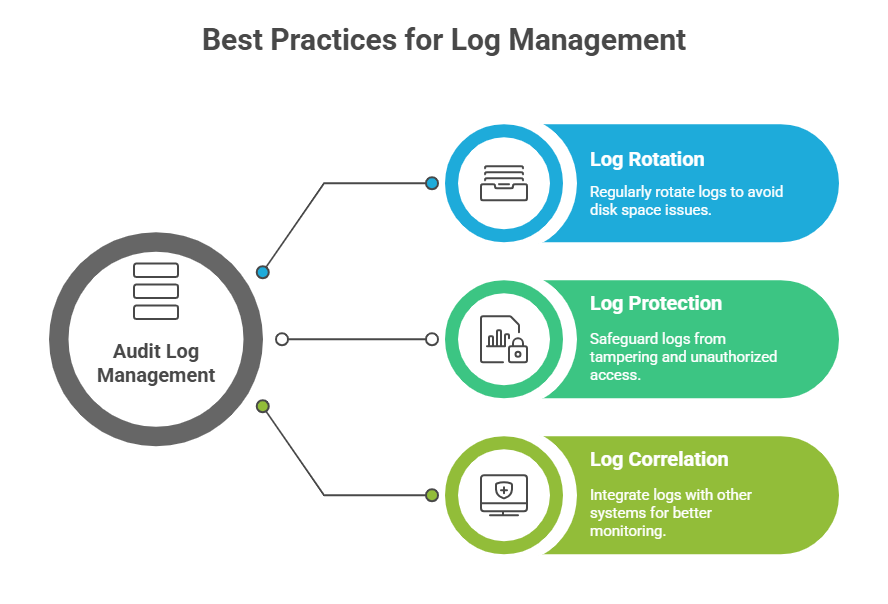
The Linux Audit Framework, primarily implemented via the auditd daemon, is a powerful system designed for tracking security-relevant events on Linux hosts. It provides detailed logging of system calls, file accesses, user activities, and configuration changes, supporting compliance, forensic investigations, and proactive security monitoring.
Linux Audit Framework
The purpose of auditd is to monitor and record security-relevant events at both the kernel and user-space levels of a system. It captures detailed information about process activities, file modifications, system calls, and policy violations, providing deep visibility into system behavior.
By maintaining an immutable and reliable audit trail, auditd helps organizations meet compliance requirements for standards such as PCI DSS, HIPAA, and GDPR while supporting security monitoring and forensic analysis.
 Configuring auditd
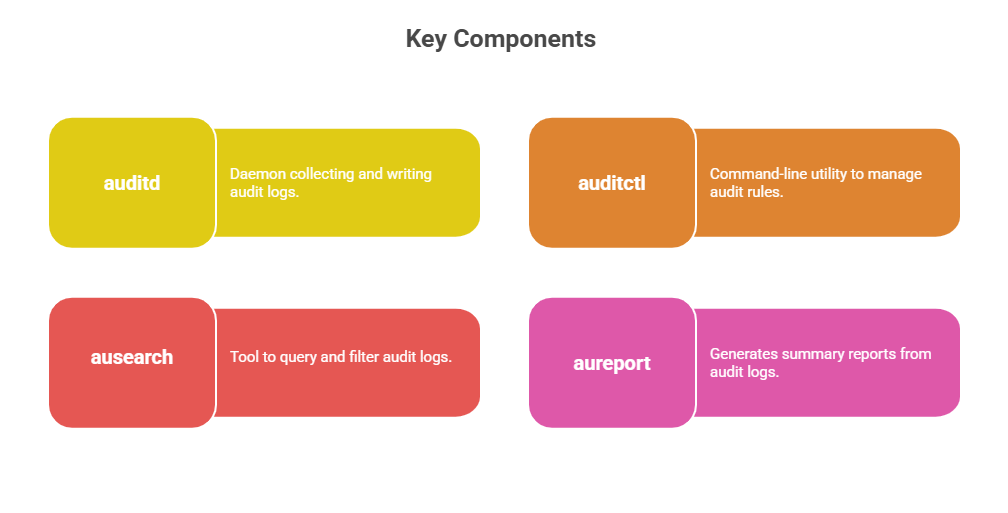
Configuring auditd involves installing the service and defining rules to monitor security-relevant system events. The key configuration steps and rule types are outlined below.
Installation and Enabling
1. Install with package managers (e.g., yum install audit or apt-get install auditd).
2. Enable and start the service:
systemctl enable auditd

systemctl start auditd
Audit Rules Configuration
1. Rules define what events to monitor and are configured in /etc/audit/audit.rules or loaded dynamically via auditctl.
2. Types of rules:
File watches: Monitor access or changes to files/directories (e.g., /etc/passwd).
Syscall auditing: Track specific system calls (e.g., open, execve).
User/group auditing: Monitor actions by specific users or groups.
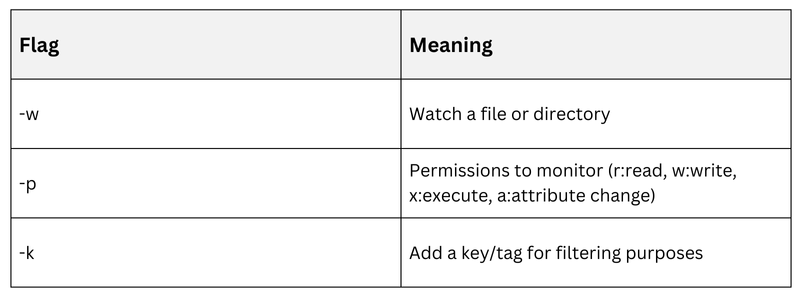
3. Example: Audit changes to /etc/passwd:
auditctl -w /etc/passwd -p wa -k passwd_changes4. Persistent rules are placed in /etc/audit/rules.d/ with .rules files.
Rule Syntax Essentials
Audit Log Analysis
Effective audit log analysis helps detect unauthorized activity and supports investigations. The key practices and commands used for analyzing audit logs are described below.
Audit Log Location and Format
1. Logs are stored under /var/log/audit/audit.log.
2. Logs are in an extensible plain-text format with metadata including timestamps, event IDs, process info, etc.
Using ausearch
1. Search by key/tag:
ausearch -k passwd_changes2. Filter by event type, user ID, process, or date ranges to narrow investigations.
3. Example: Search for failed logins:
ausearch -m USER_LOGIN -sv noGenerating Reports with aureport
1. Summarize audit logs by event type or user:
aureport -su    # Summary by user

aureport -m     # Summary by message type
2. Useful for compliance reports and trend analysis.