Bash scripting is a powerful tool for automating tasks and managing Linux systems efficiently. However, scripts that are poorly designed or insecure can introduce vulnerabilities and operational risks. Adhering to best practices in bash scripting ensures that scripts are both robust and secure, minimizing bugs, errors, and security threats. This content provides a professional, clear overview of bash scripting strategies that promote security and automation efficacy for Linux administrators and developers.
Key Best Practices for Secure Bash Scripting
Writing secure Bash scripts involves enforcing strict modes, validating inputs, managing files safely, and logging errors effectively. The list below highlights essential techniques to achieve these goals.
Use Strict Mode for Safer Scripts
1. Always start scripts with:
set -euo pipefail

IFS=$'\n\t'
2. Explanation:
- set -e: Exit immediately if any command fails.
- set -u: Treat unset variables as errors.
- set -o pipefail: Capture failures in any part of pipeline.
- Adjust Internal Field Separator (IFS) to handle word splitting safely.
3. Prevents scripts from continuing in unexpected states or processing invalid inputs.
Validate and Sanitize Inputs: Always validate user inputs or script parameters using regex or type checks, and sanitize variables to prevent code injection or unsafe command execution. Using printf instead of echo ensures predictable output behavior.
Use Absolute Paths and Commands: Specify full paths for commands (e.g., /usr/bin/grep) to prevent path manipulation attacks, and verify command locations with command -v or which during development.
Avoid Using eval and Unsafe Constructs: Do not use eval on untrusted inputs, and prefer simple, well-structured conditionals and loops to maintain script safety and readability.
Properly Handle Temporary Files: Create temporary files securely using mktemp and remove them after use to prevent data leakage. Secure temporary directories with proper permissions or isolated namespaces.
Secure Permissions on Scripts: Set scripts as executable while restricting write access (e.g., chmod 750), and store sensitive scripts in secured directories.
Error Handling and Logging: Handle errors gracefully with clear messages, log operational events and errors for auditing and debugging, and redirect stdout and stderr appropriately.
Use Comments and Maintain Readability: Comment complex logic and critical sections, maintain consistent indentation and naming conventions, and modularize code by using functions for reusable logic.
Bash Automation Best Practices
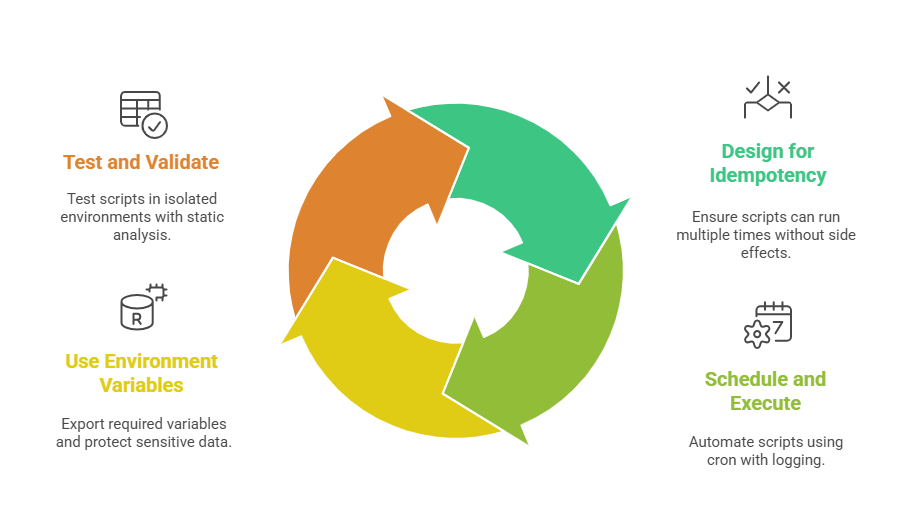 Writing reliable Bash automation involves idempotent scripts, proper scheduling, secure environment handling, and thorough validation. The list below highlights the core practices for efficient and safe automation.
1. Idempotency and Safety: Scripts should be designed to run multiple times without causing unintended side effects. This can be achieved by checking the system state before making changes, such as verifying whether a package is already installed.
2. Scheduling and Execution: Scripts can be automated using cron for scheduled tasks, with clear logging for tracking. Locking mechanisms, such as flock, should be used to prevent conflicts from concurrent executions.
3. Using Environment Variables: Required environment variables should be explicitly exported, while care must be taken to avoid exposing sensitive data through the environment.
4. Testing and Validation: Scripts must be tested in isolated environments before deployment. Tools like ShellCheck or similar static analyzers help detect potential issues early, ensuring reliability and safety.
