Advanced topics used in Numpy
1. Broadcasting and Shape Manipulation
1) Broadcasting
Broadcasting is one of the most powerful features in NumPy, designed to simplify arithmetic operations on arrays of different shapes. It allows arrays that do not have exactly the same dimensions to be combined in calculations by automatically expanding the smaller array along the missing dimensions. This eliminates the need to manually replicate arrays, which saves memory and improves computational efficiency. Broadcasting follows strict rules to determine whether two arrays are compatible for element-wise operations: if the arrays have the same number of dimensions, or if one of the dimensions is 1, NumPy can stretch the smaller array along that dimension.
Broadcasting is widely used in data science, machine learning, and numerical computations, as it enables vectorized operations, which are significantly faster than traditional Python loops. For example, when adding a 1D array to each row of a 2D array, NumPy automatically duplicates the 1D array across all rows without physically copying it, maintaining high efficiency.
Example:
import numpy as np
a = np.array([1, 2, 3])
b = np.array([[10], [20], [30]])
result = a + b
print(result)
# Output:
# [[11 12 13]
# [21 22 23]
# [31 32 33]]
In this example, the 1D array a is automatically broadcasted to match the shape of the 2D array b. This allows element-wise addition to occur seamlessly.
2) Reshaping Arrays
Reshaping arrays is the process of changing the structure or dimensions of an array without altering its data. It is essential when preparing data for numerical operations, machine learning models, or scientific simulations. NumPy provides multiple functions for reshaping arrays in a flexible and efficient way. The reshape() function allows you to transform an array into a new shape that is compatible with the total number of elements. The ravel() function flattens an array into a one-dimensional vector, whereas flatten() also flattens but returns a copy of the array, ensuring the original array remains unchanged. The expand_dims() function adds a new axis to an array, which is often required for broadcasting or feeding data into machine learning models that expect higher-dimensional inputs. The squeeze() function removes axes of length one, simplifying the array’s dimensions for further operations.
Example:
arr = np.array([[1, 2, 3], [4, 5, 6]])
reshaped = arr.reshape((3, 2))
flattened = arr.ravel()
expanded = np.expand_dims(arr, axis=0)
squeezed = np.squeeze(expanded)
print("Original:\n", arr)
print("Reshaped:\n", reshaped)
print("Flattened:\n", flattened)
print("Expanded:\n", expanded)
print("Squeezed:\n", squeezed)
Here, the array is reshaped from 2x3 to 3x2, flattened to 1D, expanded to 3D by adding an axis, and then returned to its original shape using squeeze().
3) Transposing and Swapping Axes
Transposing and swapping axes are operations used to rearrange the dimensions of arrays. These operations are critical in linear algebra, tensor manipulations, and image processing. The transpose() function permutes all axes of an array, effectively flipping its rows and columns for a 2D array. The swapaxes() function allows swapping any two specified axes in an array, which is extremely useful for higher-dimensional datasets where manual reorganization would be cumbersome. These operations ensure that arrays can be aligned correctly for matrix multiplication, broadcasting, or feeding into machine learning models.
Example:
arr2d = np.array([[1, 2, 3], [4, 5, 6]])
transposed = arr2d.transpose()
swapped = arr2d.swapaxes(0, 1)
print("Original:\n", arr2d)
print("Transposed:\n", transposed)
print("Swapped axes:\n", swapped)
In this example, both transpose() and swapaxes(0, 1) flip the rows and columns of the 2D array. For higher-dimensional arrays, swapaxes provides precise control over which dimensions to exchange, enabling complex manipulations required in tensor operations or deep learning preprocessing.
Broadcasting and shape manipulation together form the backbone of efficient numerical computation in NumPy. They allow arrays of different sizes to interact seamlessly, enable flexible transformations of array structures, and provide a foundation for high-performance operations in machine learning, scientific simulations, and data analysis. Mastery of these concepts is crucial for anyone working with large-scale datasets or multidimensional data.
2) Advanced Indexing and Masking
1)Boolean Indexing
Boolean indexing is a powerful feature in NumPy that allows you to select elements from an array based on a condition. Instead of iterating through each element with loops, you can apply a logical condition directly to the array, which returns a Boolean array of the same shape. This Boolean array can then be used to filter out elements that satisfy the condition. Boolean indexing is extremely useful in data analysis, filtering datasets, and preprocessing data for machine learning, as it allows selective computation on only the relevant elements without modifying the original array.
Example:
import numpy as np
arr = np.array([10, 15, 20, 25, 30])
adults = arr >= 20 # Boolean array
selected = arr[adults]
print("Boolean array:", adults)
print("Selected elements:", selected)
# Output:
# Boolean array: [False False True True True]
# Selected elements: [20 25 30]
Here, arr >= 20 generates a Boolean array indicating which elements satisfy the condition. Using this Boolean array to index arr extracts only the elements greater than or equal to 20. Boolean indexing can also combine multiple conditions using logical operators & (and), | (or), and ~ (not).
2) Fancy Indexing
Fancy indexing, also called integer array indexing, allows you to select multiple elements from an array by passing a list or array of indices. Unlike slicing, which works on a continuous range, fancy indexing can select elements in any arbitrary order or specific positions. This is particularly useful when you need to rearrange, duplicate, or extract specific entries from a dataset. Fancy indexing creates a new array rather than a view of the original array.
Example:
arr = np.array([10, 20, 30, 40, 50])
indices = [0, 2, 4] # Positions to select
selected = arr[indices]
print("Selected elements:", selected)
# Output: [10 30 50]
Here, the elements at positions 0, 2, and 4 are extracted. Fancy indexing can also be used with multi-dimensional arrays to select specific rows, columns, or arbitrary positions, making it highly flexible for matrix manipulations and dataset extraction.
3) Masked Arrays
Masked arrays, provided by the numpy.ma module, allow you to hide or ignore certain elements in computations without modifying the original data. Masking is useful when working with incomplete, invalid, or missing data, as it prevents these values from affecting calculations like sum, mean, or standard deviation. Masked arrays store both the data and a mask array, where True indicates a masked (ignored) element, and False indicates a valid element.
Example:
import numpy as np
import numpy.ma as ma
data = np.array([10, -1, 20, -5, 30])
masked_data = ma.masked_less(data, 0) # Mask elements less than 0
print("Original data:", data)
print("Masked data:", masked_data)
print("Mean ignoring masked values:", masked_data.mean())
# Output:
# Original data: [10 -1 20 -5 30]
# Masked data: [10 -- 20 -- 30]
# Mean ignoring masked values: 20.0
Here, the negative numbers are masked and excluded from the computation of the mean. Masked arrays are especially helpful in data cleaning, signal processing, or handling missing sensor values in scientific computations.
4) Combining Boolean and Fancy Indexing
Advanced indexing becomes even more powerful when Boolean and fancy indexing are combined. For example, you can first filter elements using a condition and then select specific positions from the filtered array. This allows highly customized data selection and manipulation without using loops.
Example:
arr = np.array([5, 10, 15, 20, 25, 30])
filtered_indices = np.where(arr > 10)[0] # Positions where condition is True
selected = arr[filtered_indices[::2]] # Pick every second element
print("Selected elements:", selected)
# Output: [15 25]
Here, np.where(arr > 10) identifies positions of elements greater than 10, and fancy indexing [::2] selects every second element from those positions.
3. Structured and Record Arrays
Structured arrays in NumPy are a type of array designed to store heterogeneous data, meaning that different elements (or fields) within a single array can have different data types. Unlike standard NumPy arrays, which are homogeneous (all elements have the same type), structured arrays allow you to organize data in a way that is similar to tables in databases or CSV files, where each column can have a distinct type, such as integers, floats, or strings.
Structured arrays are particularly useful when working with tabular datasets, scientific measurements, or any scenario where multiple types of related data need to be stored together. They provide efficient storage, indexing, and access, while maintaining the speed advantages of NumPy arrays over standard Python data structures like lists or dictionaries.
Creating Structured Arrays
Structured arrays are defined using a data type specification (dtype) for each field. Each field is given a name and a data type. Once created, individual fields can be accessed by their names, similar to columns in a table.
Example:
import numpy as np
# Define a structured array with different data types
data_type = np.dtype([('Name', 'U10'), ('Age', 'i4'), ('Salary', 'f4')])
employees = np.array([('Alice', 25, 50000.0), ('Bob', 30, 60000.0), ('Charlie', 28, 55000.0)], dtype=data_type)
print("Structured array:\n", employees)
print("Names:", employees['Name'])
print("Ages:", employees['Age'])
print("Salaries:", employees['Salary'])
Output:
Structured array:
[('Alice', 25, 50000.) ('Bob', 30, 60000.) ('Charlie', 28, 55000.)]
Names: ['Alice' 'Bob' 'Charlie']
Ages: [25 30 28]
Salaries: [50000. 60000. 55000.]
Here, each row represents an employee, and each column stores data of a different type. The fields can be accessed individually by their names, making data analysis straightforward and intuitive.
3) Record Arrays
Record arrays are a variation of structured arrays that allow attribute-style access to fields, meaning you can access fields using dot notation (array.field) instead of bracket notation (array['field']). This makes the code cleaner and more readable, especially when dealing with many fields. Record arrays are created by calling .view(np.recarray) on a structured array.
Example:
rec_employees = employees.view(np.recarray)
print("Access Name using attribute:", rec_employees.Name)
print("Access Age using attribute:", rec_employees.Age)
Output:
Access Name using attribute: ['Alice' 'Bob' 'Charlie']
Access Age using attribute: [25 30 28]
Record arrays maintain the same underlying data as structured arrays, so changes to the record array also affect the original structured array if it is not copied.
4. Working with Multi-dimensional Data
1) Tensors
In NumPy, multi-dimensional arrays are commonly referred to as tensors. A tensor is an array with three or more dimensions and is a generalization of vectors (1D arrays) and matrices (2D arrays). Tensors are essential for representing complex data structures such as images, videos, or time-series data. For instance, a color image can be represented as a 3D tensor where the first two dimensions correspond to height and width, and the third dimension corresponds to color channels (RGB). Videos or volumetric data can be represented as 4D tensors, with dimensions corresponding to frames, height, width, and channels. NumPy provides efficient operations for tensors, including slicing, reshaping, mathematical computation, and broadcasting, enabling fast processing of high-dimensional data.
Example:
import numpy as np
# Create a 3D tensor representing 2 images of size 2x3 with 3 color channels
tensor = np.array([
[[[255, 0, 0], [0, 255, 0], [0, 0, 255]],
[[255, 255, 0], [0, 255, 255], [255, 0, 255]]],
[[[128, 128, 128], [64, 64, 64], [32, 32, 32]],
[[0, 0, 0], [255, 255, 255], [100, 50, 25]]]
])
print("Tensor shape:", tensor.shape)
# Output: Tensor shape: (2, 2, 3, 3)
2) Stacking and Concatenation of Arrays
NumPy provides functions to combine multiple arrays along different axes, which is crucial when working with multi-dimensional datasets. Vertical stacking (vstack) stacks arrays along rows, while horizontal stacking (hstack) stacks arrays along columns. The concatenate function allows combining arrays along a specified axis. These operations enable efficient dataset merging, batch processing, and data alignment.
Example:
a = np.array([[1, 2], [3, 4]])
b = np.array([[5, 6], [7, 8]])
v_stacked = np.vstack((a, b))
h_stacked = np.hstack((a, b))
concatenated = np.concatenate((a, b), axis=0)
print("Vertical stack:\n", v_stacked)
print("Horizontal stack:\n", h_stacked)
print("Concatenated along axis 0:\n", concatenated)
3) Splitting Arrays
Dividing arrays into multiple sub-arrays is essential for data preprocessing and parallel computation. The split function divides an array into equal parts along a specified axis, while array_split allows unequal division if the array cannot be split evenly. Splitting is commonly used to process data in batches, perform cross-validation, or divide a dataset for training and testing.
Example:
arr = np.array([[1, 2], [3, 4], [5, 6], [7, 8]])
split_arr = np.array_split(arr, 2, axis=0)
print("Split array:\n", split_arr)
Here, the original array is divided into two sub-arrays along the row axis for separate processing.
4) Rolling and Shifting Arrays
NumPy provides functions such as np.roll() and np.pad() for shifting or padding array elements, which is particularly useful in time-series analysis, convolution operations, and signal processing. The roll function shifts elements along a specified axis, while pad adds extra elements at the start or end of an array, often used to maintain dimensions during convolution or sequence operations.
Example:
time_series = np.array([10, 20, 30, 40, 50])
rolled = np.roll(time_series, 2)
padded = np.pad(time_series, (2, 3), 'constant', constant_values=0)
print("Original:", time_series)
print("Rolled:", rolled)
print("Padded:", padded)
5) Importance in Multi-dimensional Data Handling
Handling multi-dimensional data efficiently is critical in machine learning, computer vision, video analysis, scientific simulations, and signal processing. Tensors allow the representation of structured, high-dimensional data. Stacking and splitting arrays provide flexible ways to organize datasets for batch processing or model training, while rolling and padding enable time-series manipulation and convolutional preprocessing. NumPy ensures that all these operations are vectorized and memory-efficient, making it suitable for large-scale numerical computations.
Need for NumPy in Data Analysis and Technology
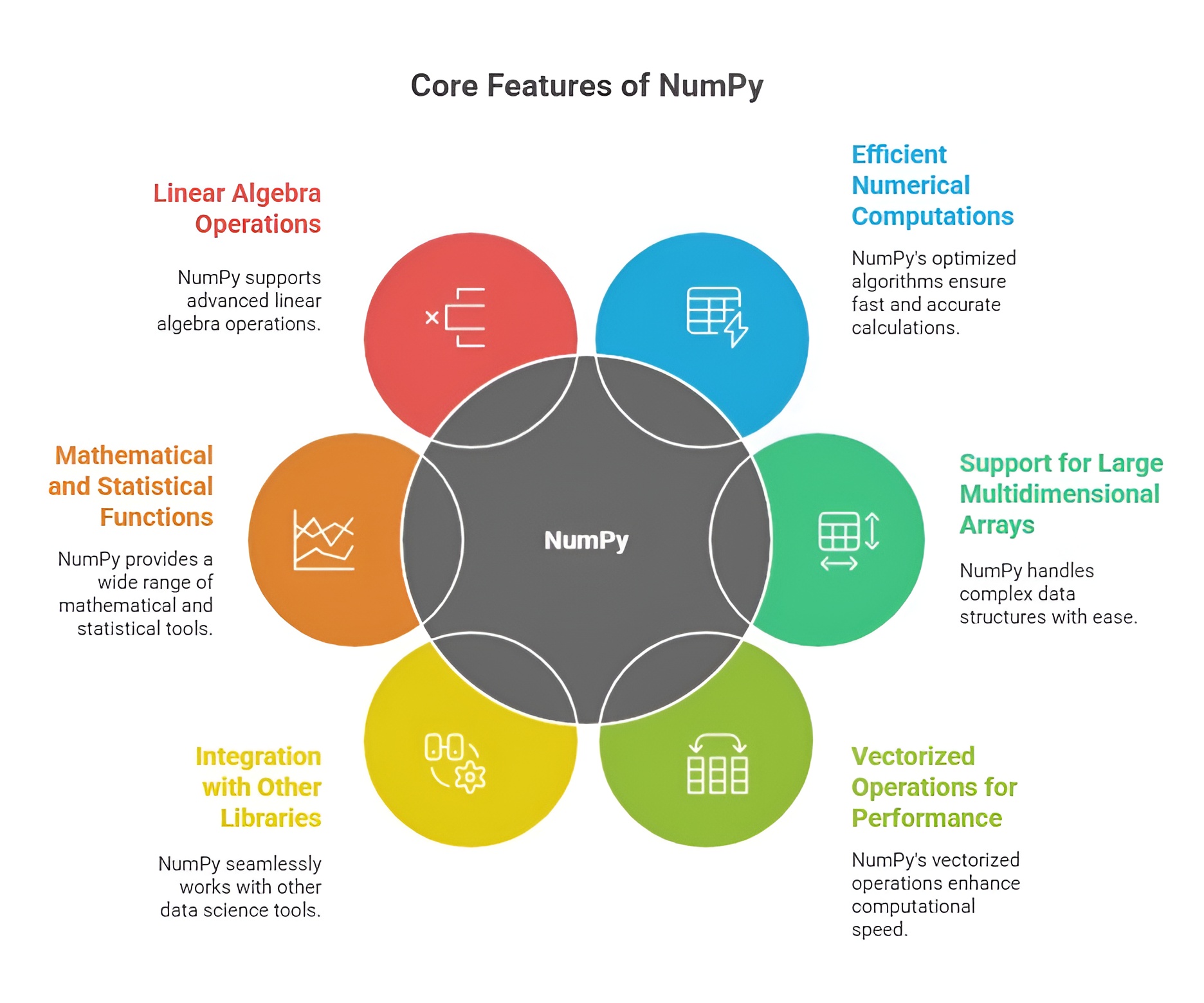
NumPy is an essential library for Python-based data analysis and computational tasks due to its efficiency, versatility, and scalability. The need for NumPy arises from the increasing volume, complexity, and speed of data in modern business, research, and technology applications. It provides the tools required to handle numerical computations, multidimensional datasets, and integration with advanced analytics platforms.
1. Handling Large and Complex Datasets
Modern datasets are often massive, multidimensional, and complex, making it difficult to process them efficiently with standard Python data structures. NumPy provides n-dimensional arrays that allow fast storage, indexing, and manipulation of data. Its memory-efficient design ensures that even large datasets can be analyzed without performance bottlenecks, making it indispensable for data-driven industries.
2. High-Speed Computation
Data analysis, machine learning, and scientific computing often require repeated numerical computations. NumPy enables vectorized operations, eliminating the need for slow Python loops and reducing computational time dramatically. This high-speed computation is critical in fields like finance, healthcare, engineering, and AI, where real-time analysis and rapid processing of large datasets are necessary.
3. Foundation for Other Analytical Libraries
Many Python libraries, including Pandas, SciPy, Scikit-learn, Matplotlib, and TensorFlow, rely on NumPy as their core data structure. Without NumPy, these libraries would lack the efficient array operations, broadcasting, and numerical functions required for high-performance analytics. NumPy is therefore needed as a core foundation for the entire Python scientific computing ecosystem.
4. Precision and Reliability in Computation
Accurate computation is vital for data analysis, scientific research, and business forecasting. NumPy provides reliable mathematical and statistical functions that ensure numerical precision and consistency. Its ability to handle floating-point operations, linear algebra, and matrix manipulations with accuracy makes it a trusted tool for analytical and predictive tasks.
5. Multidimensional Data Handling
Many real-world datasets are multidimensional, such as images, time-series data, and 3D simulations. NumPy’s n-dimensional arrays allow easy reshaping, slicing, and aggregation of multidimensional data, enabling analysts and researchers to process complex datasets effectively. This capability is essential for AI, deep learning, scientific simulations, and big data analytics.
6. Facilitating Machine Learning and Predictive Modeling
NumPy is needed for machine learning pipelines because it supports efficient data storage, preprocessing, and mathematical operations. Preparing datasets, performing feature engineering, and computing model metrics require fast and reliable numerical computations, which NumPy provides. Its integration with Scikit-learn, TensorFlow, and PyTorch ensures that data flows seamlessly from preprocessing to model training and evaluation.
7. Automation and Reproducibility
With NumPy, repetitive computational tasks such as matrix operations, statistical analysis, and simulations can be automated. This reduces manual errors and ensures reproducibility of analyses across projects. In business and research, reproducibility is critical for decision-making, reporting, and scientific validation, making NumPy an essential library.
NumPy is needed in data analysis, research, and technological applications because it provides efficient storage, high-speed computation, reliable numerical functions, multidimensional data handling, and seamless integration with other libraries. Its capabilities ensure that organizations, researchers, and developers can analyze complex datasets, build predictive models, and implement data-driven solutions effectively, making it a cornerstone of Python-based analytics.

Class Sessions
1- Introduction to Python
2- Basic Syntax and Variables
3- Basic Input & Output
4- Control Flow Statements
5- Understanding Data & Data Analysis
6- Python for Data Analysis
7- NumPy Arrays
8- Numerical Computations in Numpy
9- Series & DataFrames in Pandas
10- Advanced Indexing and Selection in Pandas
11- Introduction to Matplotlib
12- Advanced Matplotlib Topics
13- Introduction to Scipy in Python
14- Advanced Scipy Topics