AWS Free Tier is designed to help new customers explore and experiment with AWS cloud services at no cost up to specific usage limits.
Setting up a free AWS account is the first step to accessing these cloud benefits, which include a combination of always-free offers and time-limited free trials across popular services like EC2, S3, RDS, and Lambda.
Setting Up a Free AWS Account
Getting started with AWS involves a straightforward registration process:
1. Visit the AWS Free Tier Page: Start by navigating to the official AWS Free Tier webpage and clicking on “Create a Free Account.”
2. Provide Email and Account Name: Enter a valid email address that will serve as your root user login, and choose a unique AWS account name.
3. Verification: AWS sends a verification email with a code to confirm your email address. After verification, create a strong root user password.
4. Select Account Type: Choose between a personal or professional account depending on your needs.
5. Provide Contact Information: AWS requires basic personal information such as name, phone number, address, and country.
6. Payment Method: Enter a valid credit or debit card for identity verification, although you won’t be charged as long as Free Tier usage limits are respected.
7. Phone Verification: A phone number is verified via an OTP (one-time password) call or message.
8. Support Plan Selection: Choose the AWS Basic Support plan, which is free and provides access to account and billing support, AWS documentation, and forums.
Once completed, the account is ready for AWS Management Console access, CLI, or SDK use.
Understanding AWS Free Tier Limits and Offers
The Free Tier has two main components:
1. 12-month Free Tier: Provides free usage for popular AWS services for the first 12 months from account creation. This includes:
750 hours of EC2 t2.micro or t3.micro instance usage per month (sufficient to run an instance continually)
5 GB of Amazon S3 Standard storage
750 hours of Amazon RDS Single-AZ Micro DB instances
1 million requests in AWS Lambda
And more services with defined monthly limits
2. Always Free Offers: Certain services provide free usage indefinitely for all AWS customers, such as:
25 GB of storage and 200 million requests per month in DynamoDB
1 million Amazon CloudWatch requests per month
1 GB of data transfer out via AWS CloudFront
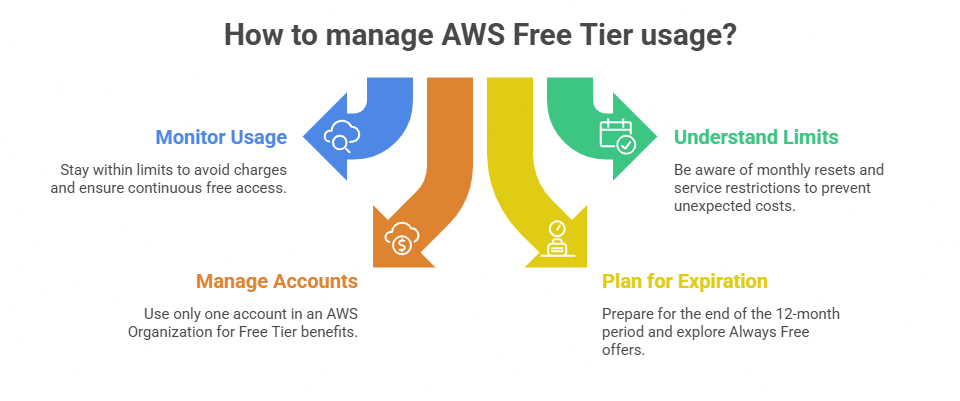
Tips to Stay Within Free Tier Limits
1. Use AWS Cost Explorer and billing alerts to monitor usage in real-time.
2. Avoid running large or multiple instances continuously unless within the free usage hours.
3. Assign tags to resources to track Free Tier utilization accurately.
4. Regularly audit active services to identify any unexpected resource consumption.

Class Sessions
Sales Campaign

We have a sales campaign on our promoted courses and products. You can purchase 1 products at a discounted price up to 15% discount.